Jriddell
KDE Apps Mid-Year Update
Saturday, 25 June 2022
The summer sun is here and new apps come with it -- unless you live in the southern hemisphere, in which case, congratulations! You got past the winter solstice, and it's all longer days and new app releases from here onwards.
Read More
KDE Apps Update February 2022
Thursday, 10 February 2022
Falkon
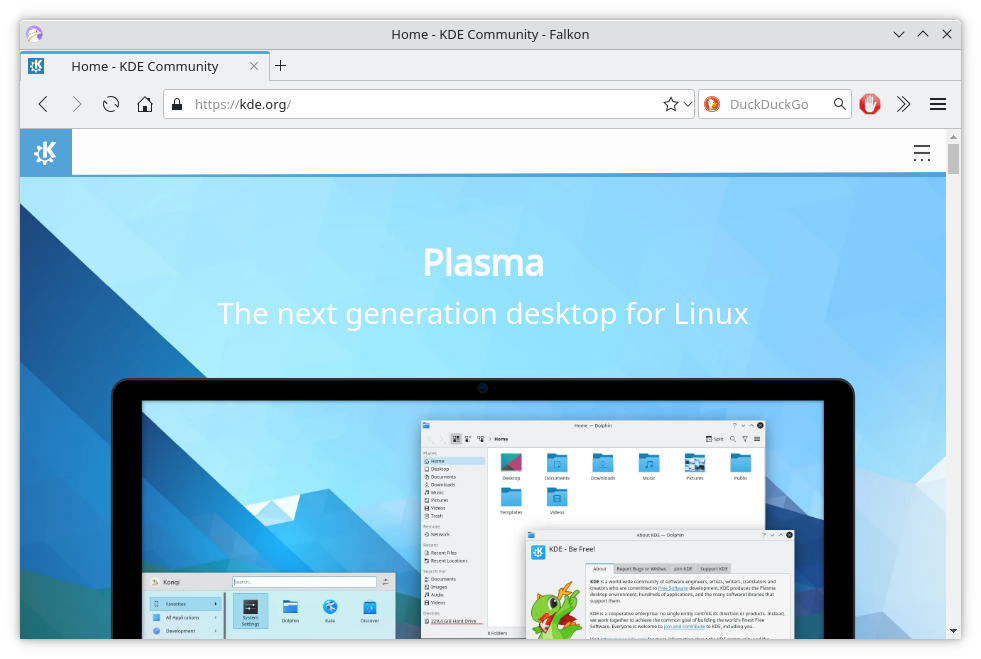
Our web browser Falkon has been quickly gathering new features, and this month saw the 3.2 release.
It adds in-screen capture functionality so you can easily grab a screenshot, it now comes with a inbuilt PDF viewer, and downloads can be paused and resumed.
Read MoreKDE November App Update
Wednesday, 3 November 2021
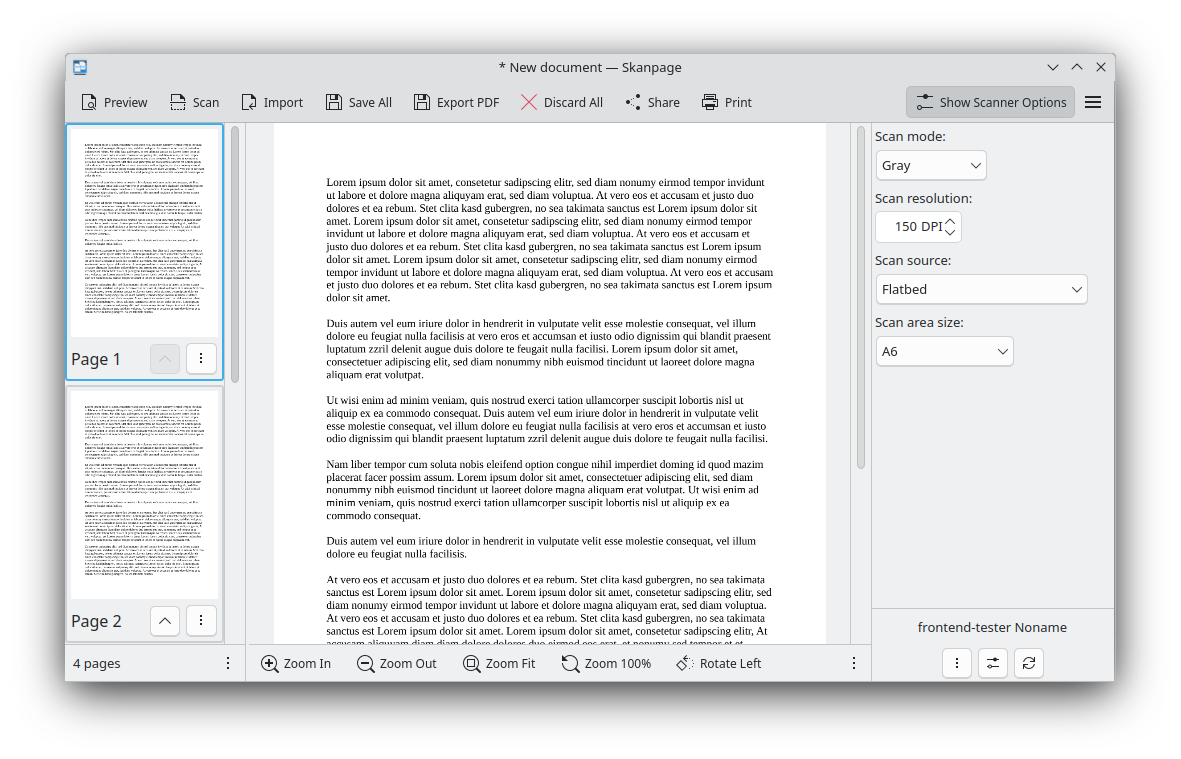
KDE's Summer App Update
Thursday, 1 July 2021
The KDE community makes a vast array of apps which get shipped in Linux distros, on Linux app stores, for Windows and Mac and for Android too. Following the re-branding of our scheduled app releases to KDE Gear we are splitting out the app update into these separate articles which will cover the self-released apps where the projects themselves manage their own release schedule. Here's what we have released in the last few months.
Read More
Labplot on Microsoft Store
Tuesday, 22 December 2020
LabPlot can now be installed on Windows computers from the Microsoft store. We asked some questions to Stefan Gerlach who got it into the store about how this was done.
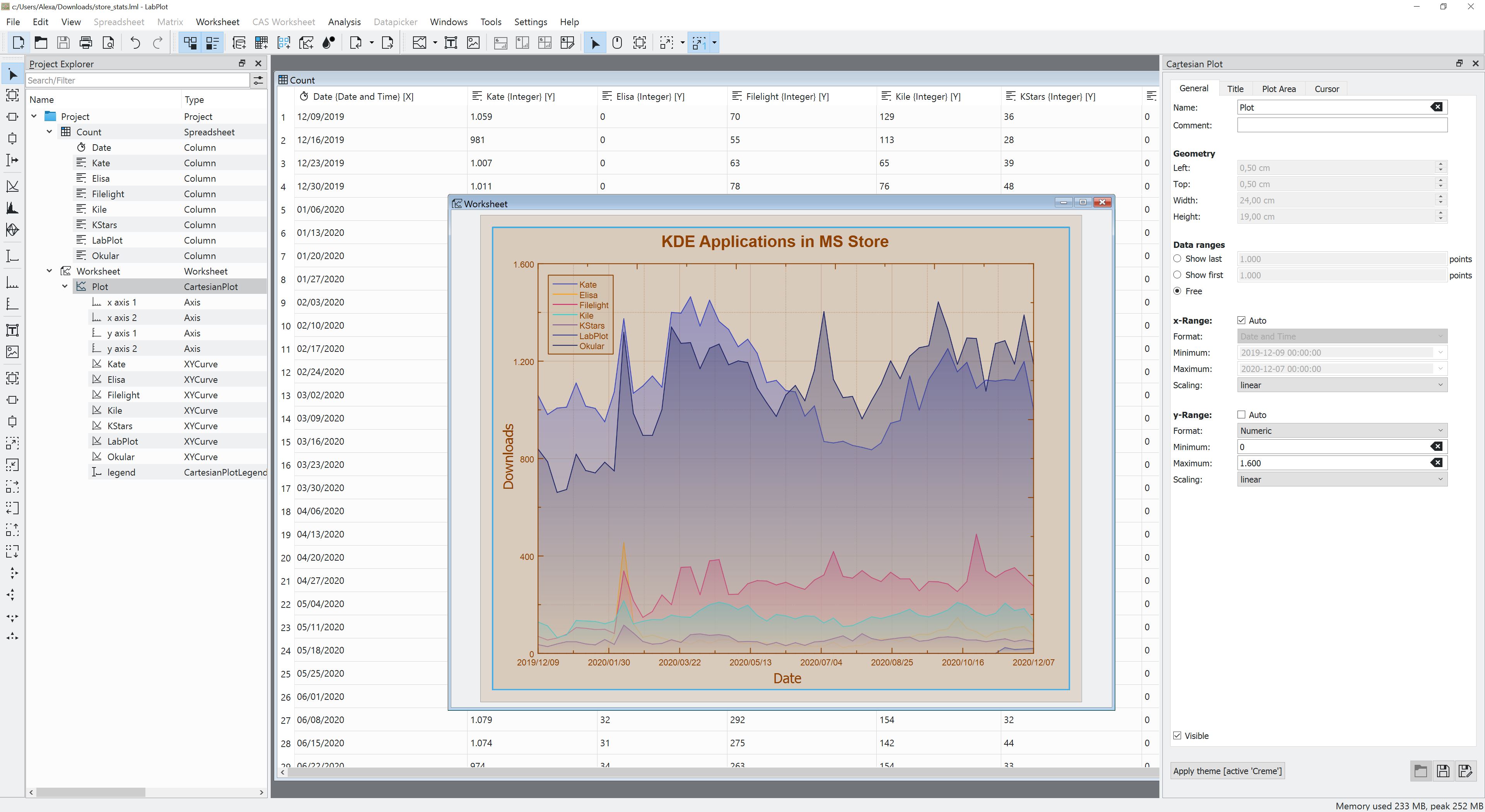
Jonathan Riddell: Can you tell us what LabPlot does?
Read MorePlasma 5.19 Beta Ready for Testing
Thursday, 14 May 2020
<figure class="topImage">
    <a href="https://www.kde.org/announcements/plasma-5.19/plasma-5.19-2.png" data-toggle="lightbox">
        <img src="https://www.kde.org/announcements/plasma-5.19/plasma-5.19-2.png" height="450" width="800" style="width: 100%; max-width: 800px; height: auto;" alt="Plasma 5.19 Beta" />
    </a>
    <figcaption>KDE Plasma 5.19 Beta</figcaption>
</figure>

<p>Thursday, 14 May 2020.</p>

<p>It's time to test the beta release for <a href="https://kde.org/announcements/plasma-5.18.90">Plasma 5.19</a>!</p>

<p>In this release, we have prioritized making Plasma more consistent, correcting and unifying designs of widgets and desktop elements; worked on giving you more control over your desktop by adding configuration options to the System Settings; and improved usability, making Plasma and its components easier to use and an overall more pleasurable experience.</p>

<p>Read on to discover all the new features and improvements of Plasma 5.19…</p>

<h2 id="desktop">Plasma Desktop and Widgets</h2>

<figure class="float-right text-right">
    <a href="https://www.kde.org/announcements/plasma-5.19/sensors.png" data-toggle="lightbox">
        <img src="https://www.kde.org/announcements/plasma-5.19/sensors.png" class="border-0 img-fluid" width="242"  alt="Rewritten System Monitor Widgets" />
    </a>
    <figcaption>Rewritten System Monitor Widgets</figcaption>
    <br />
    <a href="https://www.kde.org/announcements/plasma-5.19/system-tray-applets.png" data-toggle="lightbox">
        <img src="https://www.kde.org/announcements/plasma-5.19/system-tray-applets.png" class="border-0 img-fluid" width="242"  alt="Consistent System Tray Applets" />
    </a>
    <figcaption>Consistent System Tray Applets</figcaption>
    <br />
    <a href="https://www.kde.org/announcements/plasma-5.19/user-avatars.png" data-toggle="lightbox">
        <img src="https://www.kde.org/announcements/plasma-5.19/user-avatars.png" class="border-0 img-fluid" width="242"  alt="Completely New User Avatars" />
    </a>
    <figcaption>Completely New User Avatars</figcaption>
    <br />
    <a href="https://www.kde.org/announcements/plasma-5.19/multi-device-switching-ui.png" data-toggle="lightbox">
        <img src="https://www.kde.org/announcements/plasma-5.19/multi-device-switching-ui.png" class="border-0 img-fluid" width="242"  alt="More consistent appearance for switching the current audio device" />
    </a>
    <figcaption>More consistent appearance for switching the current audio device</figcaption>
</figure>

<ul>
<br clear="all" />
<h2 id="systemsettings">System Settings</h2>
<figure class="float-right text-right">
<video width="350" height="240" autoplay="true" loop>
<source src="https://www.kde.org/announcements/plasma-5.19/krunner.webm" type="video/webm" />
</video>
<figcaption>Full System Settings App Is Now Launching</figcaption>
<br />
<a href="https://www.kde.org/announcements/plasma-5.19/redesigned-kcms.png" data-toggle="lightbox">
<img src="https://www.kde.org/announcements/plasma-5.19/redesigned-kcms.png" class="border-0 img-fluid" width="350"  alt="Redesigned Settings Pages" />
</a>
<figcaption>Redesigned Settings Pages</figcaption>
</figure>
<ul>
<br clear="all" />
<h2 id="kinfocenter">Info Center</h2>
<figure class="float-right text-right">
<a href="https://www.kde.org/announcements/plasma-5.19/kinfocenter.png" data-toggle="lightbox">
<img src="https://www.kde.org/announcements/plasma-5.19/kinfocenter.png" class="border-0 img-fluid" width="350"  alt="Redesigned Info Center" />
</a>
<figcaption>Redesigned Info Center</figcaption>
</figure>
<ul>
<br clear="all" />
<h2 id="kwin">KWin Window Manager</h2>
<figure class="float-right text-right">
<a href="https://www.kde.org/announcements/plasma-5.19/recoloured-icons.png" data-toggle="lightbox">
<img src="https://www.kde.org/announcements/plasma-5.19/recoloured-icons.png" class="border-0 img-fluid" width="249" alt="Icon Recoloring in the Titlebar" />
</a>
<figcaption>Icon Recoloring in the Titlebar</figcaption>
</figure>
<ul>
<br clear="all" />
<h2 id="discover">Discover</h2>
<figure class="float-right text-right">
<a href="https://www.kde.org/announcements/plasma-5.19/discover.png" data-toggle="lightbox">
<img src="https://www.kde.org/announcements/plasma-5.19/discover.png" class="border-0 img-fluid" width="350"  alt="Flatpak Repository Removal in Discover" />
</a>
<figcaption>Flatpak Repository Removal in Discover</figcaption>
</figure>
<ul>
<br clear="all" />
<h2 id="ksysguard">KSysGuard</h2>
<ul>
<br clear="all" />
<a href="https://www.kde.org/announcements/plasma-5.18.5-5.18.90-changelog.php">Full Plasma 5.19 Beta changelog</a>
KONTENT GmbH is a New KDE e.V. Supporter
Monday, 27 April 2020

KDE e.V. is very happy to welcome KONTENT GmbH as one of our supporting members.
We from KONTENT are Linux enthusiasts since our beginning, back in the 90s. So KDE was at anytime a well known, high quality brand for us. It was just a matter of time that we would get in closer contact to the community. This moment has come now, and we are very proud of it. Maybe in the future we can not just help in financial matters, but also in an inspiring way.Uli Klinkhammer, CEO of KONTENT GmbH
Read More
Show Your Love for Free Software
Friday, 14 February 2020

In recent decades, Free and open source software (FOSS) has increasingly been the enabling factor for advances in areas we probably aren’t even aware of. If software is still spreading around the world, FOSS had already spread through the software world. All of that is only possible because of striving communities that push solutions forward with an amazing flow of continuous passion and love for nice technology, open knowledge, and supporting people. KDE is not any different - we have all been involved in such a lovely addiction for 23 years.
Read MoreVideos From KDE Talks at FOSDEM
Wednesday, 12 February 2020
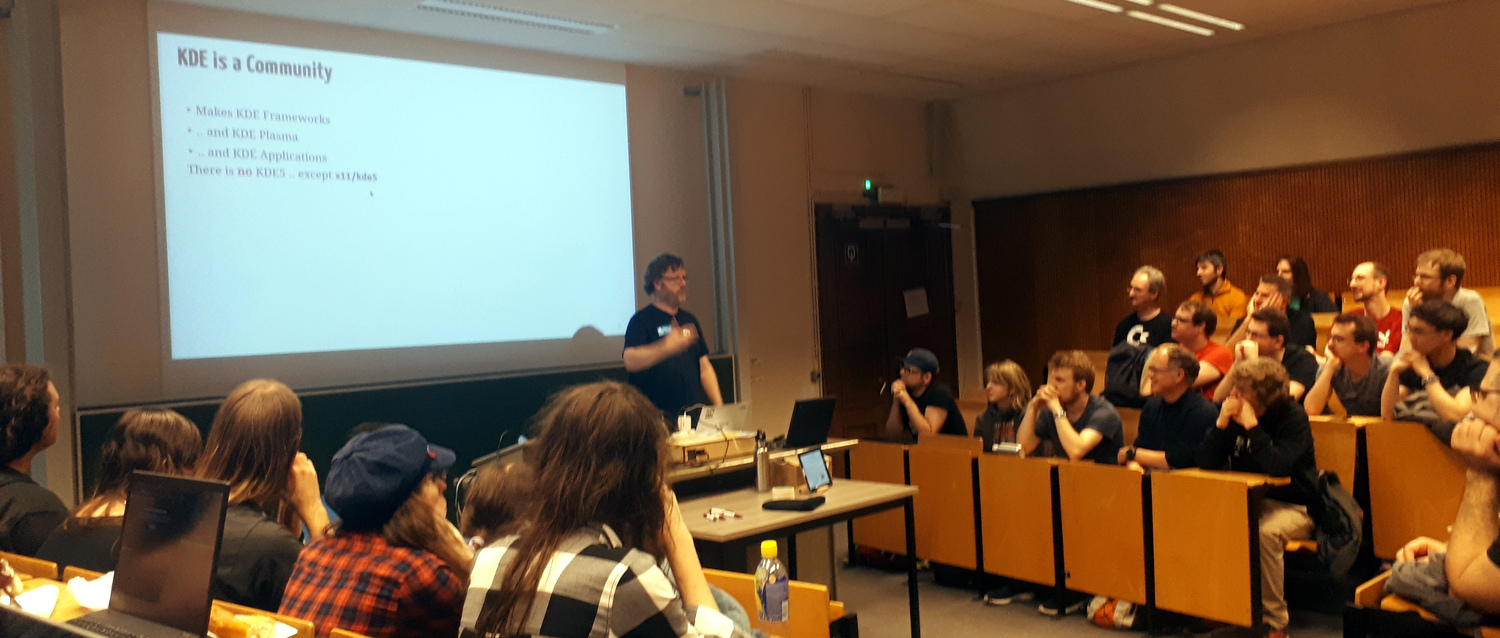
FOSDEM is one of the world's largest Free software conferences and was held last weekend in Brussels. There were hundreds of talks and videos are available for most of them. KDE had a stall there and KDE contributors delivered three talks spread between different devrooms.
Read MorePlasma 5.18 LTS Beta
Thursday, 16 January 2020
<figure class="topImage">
    <a href="http://www.kde.org/announcements/plasma-5.18/plasma-5.18.png" data-toggle="lightbox">
        <img src="http://www.kde.org/announcements/plasma-5.18/plasma-5.18-wee.png" height="450" width="800" style="width: 100%; max-width: 600px; height: auto;" alt="Plasma 5.18 LTS Beta" />
    </a>
    <figcaption><a href="https://kde.org/announcements/plasma-5.17.90">KDE Plasma 5.18 LTS Beta</a></figcaption>
</figure>
<p>Thursday, 16 January 2020.</p>
<p>The <a href="https://kde.org/announcements/plasma-5.17.90">Plasma 5.18 LTS Beta</a> is out!</p>
<p>This new version of your favorite desktop environment adds neat new features that make your life easier, including clearer notifications, streamlined settings for your system and the desktop layout, much improved GTK integration, and more. Plasma 5.18 is easier and more fun, while at the same time allowing you to do more tasks faster.</p>
<p>Apart from all the cool new stuff, Plasma 5.18 also comes with LTS status. LTS stands for "Long Term Support" and this means 5.18 will be updated and maintained by KDE contributors for the next couple of years (regular versions are maintained for 4 months). So, if you are thinking of updating or migrating your school, company or organization to Plasma, this version is your best bet. You get the most recent stable version of Plasma for the long term.</p>
<p>Read on to discover everything that is new in Plasma 5.18 LTS…</p>
<h2 id="desktop">Plasma</h2>
<figure class="float-right text-right">
<a href="http://www.kde.org/announcements/plasma-5.18/emoji.png" data-toggle="lightbox">
<img src="http://www.kde.org/announcements/plasma-5.18/emoji-wee.png" class="border-0 img-fluid" width="350" height="266" alt="Emoji Selector" />
</a>
<figcaption>Emoji Selector</figcaption>
<br />
<br />
<a href="http://www.kde.org/announcements/plasma-5.18/customize-layout.png" data-toggle="lightbox">
<img src="http://www.kde.org/announcements/plasma-5.18/customize-layout-wee.png" class="border-0 img-fluid" width="350" height="197" alt="Customize Layout Global Settings" />
</a>
<figcaption>Customize Layout Global Settings</figcaption>
<br />
<!--
<a href="http://www.kde.org/announcements/plasma-5.18/do-not-disturb.png" data-toggle="lightbox">
<img src="http://www.kde.org/announcements/plasma-5.18/do-not-disturb-wee.png" class="border-0 img-fluid" width="350" height="306" alt="Do Not Disturb Shortcut" />
</a>
<figcaption>Do Not Disturb Shortcut</figcaption>
<br />
-->
<a href="http://www.kde.org/announcements/plasma-5.18/gtk-csd-theme.png" data-toggle="lightbox">
<img src="http://www.kde.org/announcements/plasma-5.18/gtk-csd-theme.png" class="border-0 img-fluid" width="350" height="237" alt="GTK Apps with CSD and Theme support" />
</a>
<figcaption>GTK Applications with CSDs and Theme Integration</figcaption>
<br />
<a href="http://www.kde.org/announcements/plasma-5.18/night-color-applet.png" data-toggle="lightbox">
<img src="http://www.kde.org/announcements/plasma-5.18/night-color-applet.png" class="border-0 img-fluid" width="350" height="153" alt="Night Color System Tray Widget" />
</a>
<figcaption>Night Color System Tray Widget</figcaption>
</figure>
<ul>
<h2 id="notifications">Notifications</h2>
<figure class="float-right text-right">
<a href="http://www.kde.org/announcements/plasma-5.18/draggable-download.png" data-toggle="lightbox">
<img src="http://www.kde.org/announcements/plasma-5.18/draggable-download-wee.png" class="border-0 img-fluid" width="350" height="144" alt="Draggable Download File Icon" />
</a>
<figcaption>Draggable Download File Icon</figcaption>
<br />
<a href="http://www.kde.org/announcements/plasma-5.18/bluetooth-battery.png" data-toggle="lightbox">
<img src="http://www.kde.org/announcements/plasma-5.18/bluetooth-battery-wee.png" class="border-0 img-fluid" width="350" height="172" alt="Low Bluetooth Battery" />
</a>
<figcaption>Bluetooth Device Battery Low Notification</figcaption>
<br />
</figure>
- The timeout indicator on notification popups has been made circular and surrounds the close button
- A draggable icon in the "file downloaded" notification has been added, so you can quickly drag it to places
- Plasma now shows you a notification warning when a connected Bluetooth device is about to run out of power
<h2 id="system-settings">System Settings</h2>
<figure class="float-right text-right">
<a href="http://www.kde.org/announcements/plasma-5.18/user-feedback.png" data-toggle="lightbox">
<img src="http://www.kde.org/announcements/plasma-5.18/user-feedback-wee.png" class="border-0 img-fluid" width="350" height="253" alt="User Feedback" />
</a>
<figcaption>User Feedback</figcaption>
<a href="http://www.kde.org/announcements/plasma-5.18/application-style.png" data-toggle="lightbox">
<img src="http://www.kde.org/announcements/plasma-5.18/application-style-wee.png" class="border-0 img-fluid" width="350" height="253" alt="Application Style" />
</a>
<figcaption>Application Style</figcaption>
</figure>
<ul>
<h2 id="discover">Discover</h2>
<figure class="float-right text-right">
<a href="http://www.kde.org/announcements/plasma-5.18/discover-comments.png" data-toggle="lightbox">
<img src="http://www.kde.org/announcements/plasma-5.18/discover-comments-wee.png" class="border-0 img-fluid" width="350" height="302" alt="Reading and Writing Review Comments" />
</a>
<figcaption>Reading and Writing Review Comments</figcaption>
</figure>
<ul>
<li>Discover's default keyboard focus has been switched to the search field</li>
<li>It's now possible to search for add-ons from the main page</li>
<li>Added nested comments for addons</li>
<li>Made design improvements to the sidebar header and reviews</li>
</ul>
<h2 id="more">More</h2>

<figure class="float-right text-right">
    <a href="http://www.kde.org/announcements/plasma-5.18/nvidia.png" data-toggle="lightbox">
        <img src="http://www.kde.org/announcements/plasma-5.18/nvidia-wee.png" class="border-0 img-fluid" width="350" height="289" alt="NVIDIA GPU stats" />
    </a>
    <figcaption>NVIDIA GPU stats</figcaption>
</figure>

<ul>
<h2 id="lts">New Since 5.12 LTS</h2>
<p>For those upgrading from our previous Long Term Support release here are some of the highlights from the last two years of development:</p>
<ul>
<a href="http://www.kde.org/announcements/plasma-5.17.5-5.17.90-changelog.php">Full Plasma 5.18 LTS Beta changelog</a>
<!-- // Boilerplate again -->
<section class="row get-it" id="download">
<article class="col-md">
<h2>Live Images</h2>
<p>
The easiest way to try it out is with a live image booted off a USB disk. Docker images also provide a quick and easy way to test Plasma. </p>
<a href='https://community.kde.org/Plasma/Live_Images' class="learn-more">Download live images with Plasma 5</a>
<a href='https://community.kde.org/Plasma/Docker_Images' class="learn-more">Download Docker images with Plasma 5</a>
</article>
<article class="col-md">
<h2>Package Downloads</h2>
<p>
Distributions have created, or are in the process of creating, packages listed on our wiki page. </p>
<a href='https://community.kde.org/Get_KDE_Software_on_Your_Linux_Distro' class="learn-more">Get KDE Software on Your Linux Distro wiki page</a>
</article>
<article class="col-md">
<h2>Source Downloads</h2>
<p>
You can install Plasma 5 directly from source. </p>
<a href='https://community.kde.org/Guidelines_and_HOWTOs/Build_from_source' class='learn-more'>Community instructions to compile it</a>
<a href='http://www.kde.org/info/plasma-5.15.90.php' class='learn-more'>Source Info Page</a>
</article>
</section>
<section class="give-feedback">
<h2>Feedback</h2>
<p class="kSocialLinks">
You can give us feedback and get updates on our social media channels: <a class="shareFacebook" href="https://www.facebook.com/kde/" rel="nofollow">Post on Facebook</a>
Share on Twitter Share on Diaspora Share on Reddit Share on YouTube Share on Mastodon Share on LinkedIn Share on PeerTube Share on VK
Read MoreKDE's January 2020 Apps Update
Thursday, 9 January 2020
The year is 2020, we are living in the future, let’s see what KDE apps has brought us in the last month!
KTimeTracker ported to KDE Frameworks 5
The long-awaited modernized version of KTimeTracker is finally released. The application is a personal time tracker for busy people which is now available on Linux, FreeBSD and Windows. Over the course of 2019 it had been ported to Qt5 and KDE Frameworks after being unmaintained since around 2013.
Read MoreLibre Graphics Meeting Call for Proposals
Wednesday, 8 January 2020
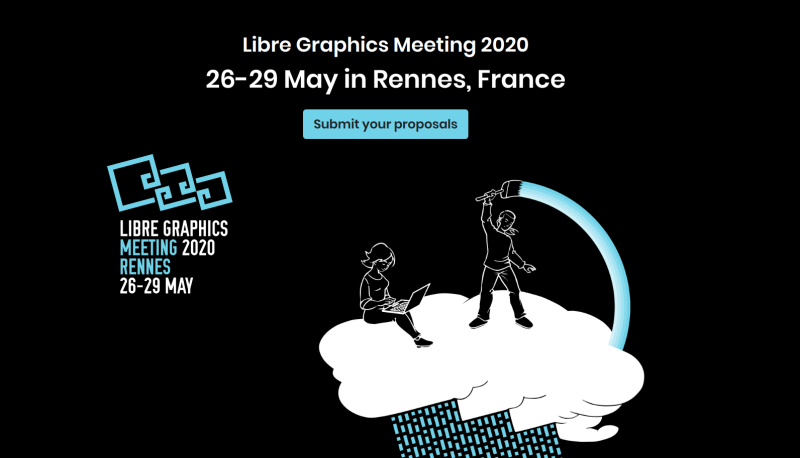
The Libre Graphics Meeting (LGM) is the annual international convention for the discussion and development of free and open source graphics software.
This year it will happen in Rennes, France, from May 26th to 29th. We are welcoming all relevant projects to submit a proposal for a talk and/or a workshop. We already expect Krita and Kdenlive teams to be present. The Krita sprint will be held after the meeting and Kdenlive are planning to have a sprint around that time too. It would be awesome to also see some people from Plasma team working on graphics tablet support and color management, or any other topic of interest for developers and users of graphics creation application.
Read MoreTranslation Workshop in Indonesia this Weekend
Thursday, 21 November 2019
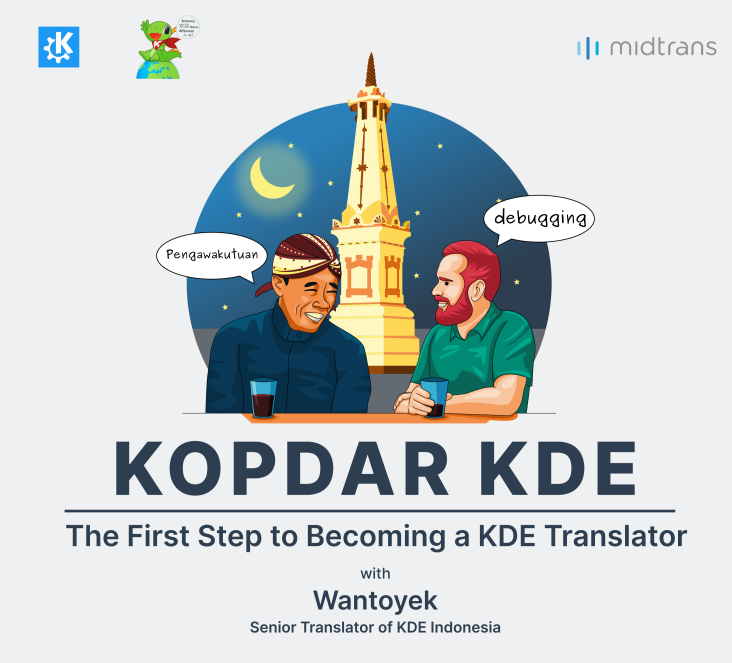
The KDE Indonesia Community will once again hold a Kopdar (local term for BoF). This meeting is the second meeting after the successful meeting in 2018. The activity will be held this weekend with talks and activities about translating KDE software into Indonesian. The main event is for KDE fans in particular and Linux in general to collaborate in KDE translation.
Read MoreApps Update for November
Friday, 8 November 2019
LabPlot
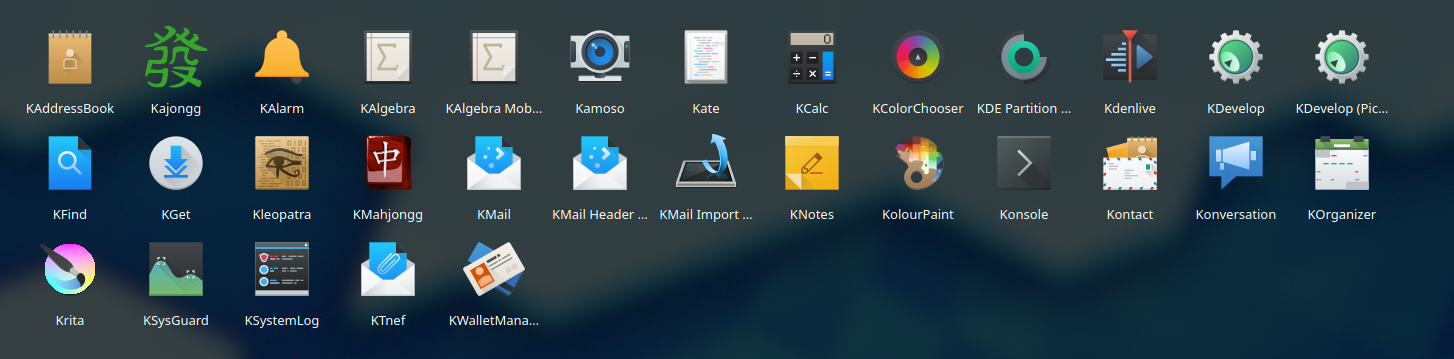
The big release this month has been LabPlot 2.7. LabPlot is fast becoming one of KDE's highest profile apps. It is an application for interactive graphing and analysis of scientific data. LabPlot provides an easy way to create, manage and edit plots. It allows you to produce plots based on data from a spreadsheet or on data imported from external files. Plots can be exported to several pixmap and vector graphic formats.
Read MoreKDE is All About the Apps: October Update
Monday, 7 October 2019
KDE is all about the Apps!
We are a community of thousands of contributors who make hundreds of Apps using collaborative open source methods. Our apps run on Linux with Plasma, of course, but also fit in well with GNOME, Enlightenment, XFCE, or any other desktop you happen to be using. Many of our apps run on Windows, Android and macOS.
Read MorePlasma 5.17 Beta Out for Testing
Thursday, 19 September 2019
<figure class="topImage">
    <a href="http://www.kde.org/announcements/plasma-5.17/plasma-5.17.png" data-toggle="lightbox">
        <img src="http://www.kde.org/announcements/plasma-5.17/plasma-5.17-wee.png" height="342" width="600" style="width: 100%; max-width: 600px; height: auto;" alt="Plasma 5.17 Beta" />
    </a>
    <figcaption>KDE Plasma 5.17 Beta</figcaption>
</figure>

<p>Thursday, 19 September 2019.</p>
<p>Today KDE launches the beta release of Plasma 5.17.</p>

<p>We've added a bunch of new features and improvements to KDE's lightweight yet full featured desktop environment.</p>

<p><a href='https://kde.org/plasma-desktop'>Plasma's updated web page</a> gives more background on why you should use it on your computer.</p>

<figure style="float: right; text-align: right">
<a href="http://www.kde.org/announcements/plasma-5.17/guillermo.png" data-toggle="lightbox">
<img src="http://www.kde.org/announcements/plasma-5.17/guillermo-wee.png" style="padding: 10px" width="350" height="334" alt="Guillermo Amaral" />
</a>
<figcaption style="text-align: right">Guillermo Amaral</figcaption>
</figure>

<p>System Settings has gained new features to help you manage your fancy Thunderbolt hardware, plus Night Color is now on X11 and a bunch of pages got redesigned to help you get your configuration done easier.  Our notifications continue to improve with a new icon and automatic do-not-disturb mode for presentations.  Our Breeze GTK theme now provides a better appearance for the Chromium/Chrome web browsers and applies your color scheme to GTK and GNOME apps. The window manager KWin has received many HiDPI and multi-screen improvements, and now supports fractional scaling on Wayland.</p>
<p>You can test the Plasma 5.17 beta for the next three weeks until the final release in mid-October.  Give it a whirl with your favorite distribution!</p>

<p>The Plasma 5.17 series is dedicated to our friend Guillermo Amaral. Guillermo was an enthusiastic KDE developer who rightly self described as 'an incredibly handsome multidisciplinary self-taught engineer'.  He brought cheer to anyone he met.  He lost his battle with cancer last summer but will be remembered as a friend to all he met.</p>

<br clear="all" />

<h3 id="desktop">Plasma</h3>
<figure style="float: right; text-align: right">
<a href="http://www.kde.org/announcements/plasma-5.17/unsplash-pic-of-day.png" data-toggle="lightbox">
<img src="http://www.kde.org/announcements/plasma-5.17/unsplash-pic-of-day-wee.png" style="border: 0px" width="350" height="280" alt="<a href='https://unsplash.com/'>Unsplash</a> Picture of the Day" />
</a>
<figcaption style="text-align: right"><a href='https://unsplash.com/'>Unsplash</a> Pic of the Day</figcaption>
<br />
<a href="http://www.kde.org/announcements/plasma-5.17/inches-to-cm.png" data-toggle="lightbox">
<img src="http://www.kde.org/announcements/plasma-5.17/inches-to-cm-wee.png" style="border: 0px" width="350" height="159" alt="<a href='https://unsplash.com/'>Unsplash</a> Pic of the Day" />
</a>
<figcaption style="text-align: right">KRunner now converts fractional units</figcaption>
<br />
<a href="http://www.kde.org/announcements/plasma-5.17/notification-widget.png" data-toggle="lightbox">
<img src="http://www.kde.org/announcements/plasma-5.17/notification-widget-wee.png" style="border: 0px" width="250" height="230" alt="Improved Notifications widget and widget editing UX" />
</a>
<figcaption style="text-align: right">Improved Notifications widget and widget editing UX</figcaption>
</figure>

<ul>
<br clear="all" />
<h3 id="systemsettings">System Settings: Thunderbolt, X11 Night Color and Overhauled Interfaces</h3>
<figure style="float: right; text-align: right">
<a href="http://www.kde.org/announcements/plasma-5.17/night-color.png" data-toggle="lightbox">
<img src="http://www.kde.org/announcements/plasma-5.17/night-color-wee.png" style="border: 0px" width="350" height="250" alt="Night Color settings are now available on X11 too" />
</a>
<figcaption style="text-align: right">Night Color settings are now available on X11 too</figcaption>
<br />
<a href="http://www.kde.org/announcements/plasma-5.17/thunderbolt.png" data-toggle="lightbox">
<img src="http://www.kde.org/announcements/plasma-5.17/thunderbolt-wee.png" style="border: 0px" width="350" height="344" alt="Thunderbolt device management" />
</a>
<figcaption style="text-align: right">Thunderbolt device management</figcaption>
<br />
<a href="http://www.kde.org/announcements/plasma-5.17/settings-consistency.png" data-toggle="lightbox">
<img src="http://www.kde.org/announcements/plasma-5.17/settings-consistency-wee.png" style="border: 0px" width="390" height="280" alt="Reorganized Appearance settings, consistent sidebars and headers" />
</a>
<figcaption style="text-align: right">Reorganized Appearance settings, consistent sidebars and headers</figcaption>
</figure>
<ul>
<br clear="all" />
<h3 id="breeze">Breeze Theme</h3>
<figure style="float: right; text-align: right">
<a href="http://www.kde.org/announcements/plasma-5.17/window-borders.png" data-toggle="lightbox">
<img src="http://www.kde.org/announcements/plasma-5.17/window-borders-wee.png" style="border: 0px" width="350" height="250" alt="Window borders are now turned off by default" />
</a>
<figcaption style="text-align: right">Window borders are now turned off by default</figcaption>
</figure>
<ul>
<br clear="all" />
<h3 id="ksysguard">System Monitor</h3>
<figure style="float: right; text-align: right">
<a href="http://www.kde.org/announcements/plasma-5.17/ksysguard.png" data-toggle="lightbox">
<img src="http://www.kde.org/announcements/plasma-5.17/ksysguard-wee.png" style="border: 0px" width="350" height="157" alt="CGroups in System Monitor" />
</a>
<figcaption style="text-align: right">CGroups in System Monitor</figcaption>
</figure>
<ul>
<br clear="all" />
<h3 id="discover">Discover</h3>
<figure style="float: right; text-align: right">
<a href="http://www.kde.org/announcements/plasma-5.17/discover.png" data-toggle="lightbox">
<img src="http://www.kde.org/announcements/plasma-5.17/discover-wee.png" style="border: 0px" width="350" height="255" alt="Discover now has icons on the sidebar" />
</a>
<figcaption style="text-align: right">Discover now has icons on the sidebar</figcaption>
</figure>
<ul>
<h3 id="kwin">KWin: Improved Display Management</h3>
<ul>
<br clear="all" />
<a href="http://www.kde.org/announcements/plasma-5.16.5-5.16.90-changelog.php">Full Plasma 5.16.90 changelog</a>
<!-- // Boilerplate again -->
<section class="row get-it">
<article class="col-md">
<h2>Live Images</h2>
<p>
The easiest way to try it out is with a live image booted off a USB disk. Docker images also provide a quick and easy way to test Plasma. </p>
<a href='https://community.kde.org/Plasma/Live_Images' class="learn-more">Download live images with Plasma 5</a>
<a href='https://community.kde.org/Plasma/Docker_Images' class="learn-more">Download Docker images with Plasma 5</a>
</article>
<article class="col-md">
<h2>Package Downloads</h2>
<p>
Distributions have created, or are in the process of creating, packages listed on our wiki page. </p>
<a href='https://community.kde.org/Get_KDE_Software_on_Your_Linux_Distro' class="learn-more">Get KDE Software on Your Linux Distro wiki page</a>
</article>
<article class="col-md">
<h2>Source Downloads</h2>
<p>
You can install Plasma 5 directly from source. </p>
<a href='https://community.kde.org/Guidelines_and_HOWTOs/Build_from_source' class='learn-more'>Community instructions to compile it</a>
<a href='http://www.kde.org/info/plasma-5.15.90.php' class='learn-more'>Source Info Page</a>
</article>
</section>
<section class="give-feedback">
<h2>Feedback</h2>
<p class="kSocialLinks">
You can give us feedback and get updates on our social media channels: <a class="shareFacebook" href="https://www.facebook.com/kde/" rel="nofollow">Post on Facebook</a>
<a class="shareTwitter" href="https://twitter.com/kdecommunity" rel="nofollow">Share on Twitter</a>
<a class="shareDiaspora" href="https://joindiaspora.com/people/9c3d1a454919ef06" rel="nofollow">Share on Diaspora</a>
<a class="shareReddit" href="http://www.reddit.com/r/kde/" rel="nofollow">Share on Reddit</a>
<a class="shareYouTube" href="https://www.youtube.com/channel/UCF3I1gf7GcbmAb0mR6vxkZQ" rel="nofollow">Share on YouTube</a>
<a class="shareMastodon" href="https://mastodon.technology/@kde" rel="nofollow">Share on Mastodon</a>
<a class="shareLinkedIn" href="https://www.linkedin.com/company/29561/" rel="nofollow">Share on LinkedIn</a>
<a class="sharePeerTube" href="https://peertube.mastodon.host/accounts/kde/videos" rel="nofollow">Share on PeerTube</a>
</p>
<p>
Discuss Plasma 5 on the <a href='https://forum.kde.org/viewforum.php?f=289'>KDE Forums Plasma 5 board</a>. </p>
<p>You can provide feedback direct to the developers via the <a href='https://webchat.kde.org/#/room/#cutehmi:kde.org'>Plasma Matrix chat room</a>, <a href='https://mail.kde.org/mailman/listinfo/plasma-devel'>Plasma-devel mailing list</a> or report issues via <a href='https://bugs.kde.org/enter_bug.cgi?product=plasmashell&amp;format=guided'>bugzilla</a>. If you like what the team is doing, please let them know!
<p>Your feedback is greatly appreciated.</p>
KDE Plasma 5.16 Beta: Your Three Week Notification for a More Tidy and Composed Desktop
Thursday, 16 May 2019
<figure class="topImage">
    <a href="https://www.kde.org/announcements/plasma-5.16/plasma-5.16-full-2.png" data-toggle="lightbox">
        <img src="https://www.kde.org/announcements/plasma-5.16/plasma-5.16-full-2-wee.png" height="338" width="600" style="width: 100%; max-width: 600px; height: auto;" alt="Plasma 5.16" />
    </a>
    <figcaption>KDE Plasma 5.16</figcaption>
</figure>

<p>Thursday, 16 May 2019.</p>
<p>Today KDE launches the beta release of <a href="https://kde.org/announcements/plasma-5.15.90.php">Plasma 5.16</a>.</p>

<p>In this release, many aspects of Plasma have been polished and
rewritten to provide high consistency and bring new features. There is a completely rewritten notification system supporting Do Not Disturb mode, more intelligent history with grouping, critical notifications in fullscreen apps, improved notifications for file transfer jobs, a much more usable System Settings page to configure everything, and many other things. The System and
Widget Settings have been refined and worked on by porting code to
newer Kirigami and Qt technologies and polishing the user interface.
And of course the VDG and Plasma team effort towards <a href="https://community.kde.org/Goals/Usability_%26_Productivity">Usability & Productivity
goal</a> continues, getting feedback on all the papercuts in our software that make your life less
smooth and fixing them to ensure an intuitive and consistent workflow for your
daily use.</p>

<p>For the first time, the default wallpaper of Plasma 5.16 will
be decided by a contest where everyone can participate and submit art. The
winner will receive a Slimbook One v2 computer, an eco-friendly, compact
machine, measuring only 12.4 x 12.8 x 3.7 cm. It comes with an i5 processor, 8
GB of RAM, and is capable of outputting video in glorious 4K. Naturally, your
One will come decked out with the upcoming KDE Plasma 5.16 desktop, your
spectacular wallpaper, and a bunch of other great software made by KDE. You can find
more information and submitted work on <a href="https://community.kde.org/KDE_Visual_Design_Group/Plasma_5.16_Wallpaper_Competition">the competition wiki
page</a>, and you can <a href="https://forum.kde.org/viewtopic.php?f=312&t=160487">submit your own wallpaper in the
subforum</a>.</p>

<h3 id="desktop">Desktop Management</h3>
<figure style="float: right; text-align: right">
<a href="https://www.kde.org/announcements/plasma-5.16/notifications.png" data-toggle="lightbox">
<img src="https://www.kde.org/announcements/plasma-5.16/notifications-wee.png" style="border: 0px" width="350" height="315" alt="New Notifications" />
</a>
<figcaption style="text-align: right">New Notifications</figcaption>
<br clear="all" />
<a href="https://www.kde.org/announcements/plasma-5.16/plasma-theme-fixes.png" data-toggle="lightbox">
<img src="https://www.kde.org/announcements/plasma-5.16/plasma-theme-fixes.png" style="border: 0px" width="281" height="251" alt="Theme Engine Fixes for Clock Hands!" />
</a>
<figcaption style="text-align: right">Theme Engine Fixes for Clock Hands!</figcaption>
<br clear="all" />
<a href="https://www.kde.org/announcements/plasma-5.16/panel-edit-mode-alternatives.png" data-toggle="lightbox">
<img src="https://www.kde.org/announcements/plasma-5.16/panel-edit-mode-alternatives-wee.png" style="border: 0px" width="350" height="183" alt="Panel Editing Offers Alternatives" />
</a>
<figcaption style="text-align: right">Panel Editing Offers Alternatives</figcaption>
<br clear="all" />
<a href="https://www.kde.org/announcements/plasma-5.16/sddm-theme.png" data-toggle="lightbox">
<img src="https://www.kde.org/announcements/plasma-5.16/sddm-theme-wee.png" style="border: 0px" width="350" height="490" alt="Login Screen Theme Improved" />
</a>
<figcaption style="text-align: right">Login Screen Theme Improved</figcaption>
</figure>

<ul>
<li>Completely rewritten notification system supporting Do Not Disturb mode, more intelligent history with grouping, critical notifications in fullscreen apps, improved notifications for file transfer jobs, a much more usable System Settings page to configure everything, and more!</li>
<li>Plasma themes are now correctly applied to panels when selecting a new theme.</li>
<li>More options for Plasma themes: offset of analog clock hands and toggling blur behind.</li>
<li>All widget configuration settings have been modernized and now feature an improved UI. The Color Picker widget also improved, now allowing dragging colors from the plasmoid to text editors, palette of photo editors, etc.</li>
<li>The look and feel of lock, login and logout screen have been improved with new icons, labels, hover behavior, login button layout and more.</li>
<li>When an app is recording audio, a microphone icon will now appear in the System Tray which allows for changing and muting the volume using mouse middle click and wheel. The Show Desktop icon is now also present in the panel by default.</li>
<li>The Wallpaper Slideshow settings window now displays the images in the selected folders, and allows selecting and deselecting them.</li>
<li>The Task Manager features better organized context menus and can now be configured to move a window from a different virtual desktop to the current one on middle click.</li>
<li>The default Breeze window and menu shadow color are back to being pure black, which improves visibility of many things especially when using a dark color scheme.</li>
<li>The "Show Alternatives..." button is now visible in panel edit mode, use it to quickly change widgets to similar alternatives.</li>
<li>Plasma Vaults can now be locked and unlocked directly from Dolphin.</li>
</ul>

<br clear="all" />

<h3 id="settings">Settings</h3>
<figure style="float: right; text-align: right">
<a href="https://www.kde.org/announcements/plasma-5.16/color-scheme.png" data-toggle="lightbox">
<img src="https://www.kde.org/announcements/plasma-5.16/color-scheme-wee.png" style="border: 0px" width="350" height="321" alt="Color Scheme" />
</a>
<figcaption style="text-align: right">Color Scheme</figcaption>
<br clear="all"/>
<a href="https://www.kde.org/announcements/plasma-5.16/application-style.png" data-toggle="lightbox">
<img src="https://www.kde.org/announcements/plasma-5.16/application-style-wee.png" style="border: 0px" width="350" height="194" alt="Application Style and Appearance Settings" />
</a>
<figcaption style="text-align: right">Application Style and Appearance Settings</figcaption>
</figure>

<ul>
<li>There has been a general polish in all pages; the entire Appearance section has been refined, the Look and Feel page has moved to the top level, and improved icons have been added in many pages.</li>

<li>The Color Scheme and Window Decorations pages have been redesigned with a more consistent grid view. The Color Scheme page now supports filtering by light and dark themes, drag and drop to install themes, undo deletion and double click to apply.</li>

<li>The theme preview of the Login Screen page has been overhauled.</li>

<li>The Desktop Session page now features a "Reboot to UEFI Setup" option.</li>

<li>There is now full support for configuring touchpads using the Libinput driver on X11.</li>
</ul>

<br clear="all" />

<h3 id="settings">Window Management</h3>
<figure style="float: right; text-align: right">
<a href="https://www.kde.org/announcements/plasma-5.16/window-management.png" data-toggle="lightbox">
<img src="https://www.kde.org/announcements/plasma-5.16/window-management-wee.png" style="border: 0px" width="350" height="197" alt="Window Management" />
</a>
<figcaption style="text-align: right">Window Management</figcaption>
</figure>

<ul>
<li>Initial support for using Wayland with proprietary Nvidia drivers has been added. When using Qt 5.13 with this driver, graphics are also no longer distorted after waking the computer from sleep.</li>

<li>Wayland now features drag and drop between XWayland and Wayland native windows.</li>

<li>Also on Wayland, the System Settings Libinput touchpad page now allows you to configure the click method, switching between "areas" or "clickfinger".</li>

<li>KWin's blur effect now looks more natural and correct to the human eye by not unnecessary darkening the area between blurred colors.</li>

<li>Two new default shortcuts have been added: Meta+L can now be used by default to lock the screen and Meta+D can be used to show and hide the desktop.</li>

<li>GTK windows now apply correct active and inactive colour scheme.</li>
</ul>

<br clear="all" />

<h3 id="plasma-nm">Plasma Network Manager</h3>
<figure style="float: right; text-align: right">
<a href="https://www.kde.org/announcements/plasma-5.16/plasma-nm-wireguard.png" data-toggle="lightbox">
<img src="https://www.kde.org/announcements/plasma-5.16/plasma-nm-wireguard-wee.png" style="border: 0px" width="350" height="287" alt="Plasma Network Manager with Wireguard" />
</a>
<figcaption style="text-align: right">Plasma Network Manager with Wireguard</figcaption>
</figure>

<ul>
<li>The Networks widget is now faster to refresh Wi-Fi networks and more reliable at doing so. It also has a button to display a search field to help you find a particular network from among the available choices. Right-clicking on any network will expose a "Configure…" action.</li>
<li>WireGuard is now compatible with NetworkManager 1.16.</li>
<li>One Time Password (OTP) support in Openconnect VPN plugin has been added.</li>
</ul>

<br clear="all" />

<h3 id="settings">Discover</h3>
<figure style="float: right; text-align: right">
<a href="https://www.kde.org/announcements/plasma-5.16/discover-update.png" data-toggle="lightbox">
<img src="https://www.kde.org/announcements/plasma-5.16/discover-update-wee.png" style="border: 0px" width="350" height="250" alt="Updates in Discover" />
</a>
<figcaption style="text-align: right">Updates in Discover</figcaption>
</figure>

<ul>
<li>In Discover's Update page, apps and packages now have distinct "downloading" and "installing" sections. When an item has finished installing, it disappears from the view.</li>
<li>Tasks completion indicator now looks better by using a real progress bar. Discover now also displays a busy indicator when checking for updates.</li>
<li>Improved support and reliability for AppImages and other apps that come from store.kde.org.</li>
<li>Discover now allows you to force quit when installation or update operations are proceeding.</li>
<li>The sources menu now shows the version number for each different source for that app.</li>
</ul>
Plasma 5.15 Beta
Thursday, 17 January 2019
<figure class="topImage">
<a href="http://www.kde.org/announcements/plasma-5.15/plasma-5.15-apps.png" data-toggle="lightbox">
<img src="https://www.kde.org/announcements/plasma-5.15/plasma-5.15-apps-wee.png" width="600" height="338" alt="Plasma 5.15 Beta">
</a>
<figcaption>KDE Plasma 5.15 Beta</figcaption>
</figure>
<p>
Today KDE launches the beta release of Plasma 5.15. </p>
<p>
For the first release of 2019, the Plasma team has embraced KDE's <a href="https://community.kde.org/Goals/Usability_%26_Productivity">Usability & Productivity goal</a>. We have teamed up with the VDG (Visual Design Group) contributors to get feedback on all the papercuts in our software that make your life less smooth, and fixed them to ensure an intuitive and consistent workflow for your daily use. </p>
<p>
Plasma 5.15 brings a number of changes to our configuration interfaces, including more options for complex network configurations. Many icons have been added or redesigned. Our integration with third-party technologies like GTK and Firefox has been made even more complete. Discover, our software and add-on installer, has received a metric tonne of improvements to help you stay up-to-date and find the tools you need to get your tasks done. </p>
<p>
Please test this beta release and send us bug reports and feedback. The final release will be available in three weeks' time. </p>
Browse the full Plasma 5.15 Beta changelog to learn more about other tweaks and bug fixes included in this release:
Read MorePlasma and KDE neon Team Visit Deployments in Catalunya
Saturday, 13 October 2018
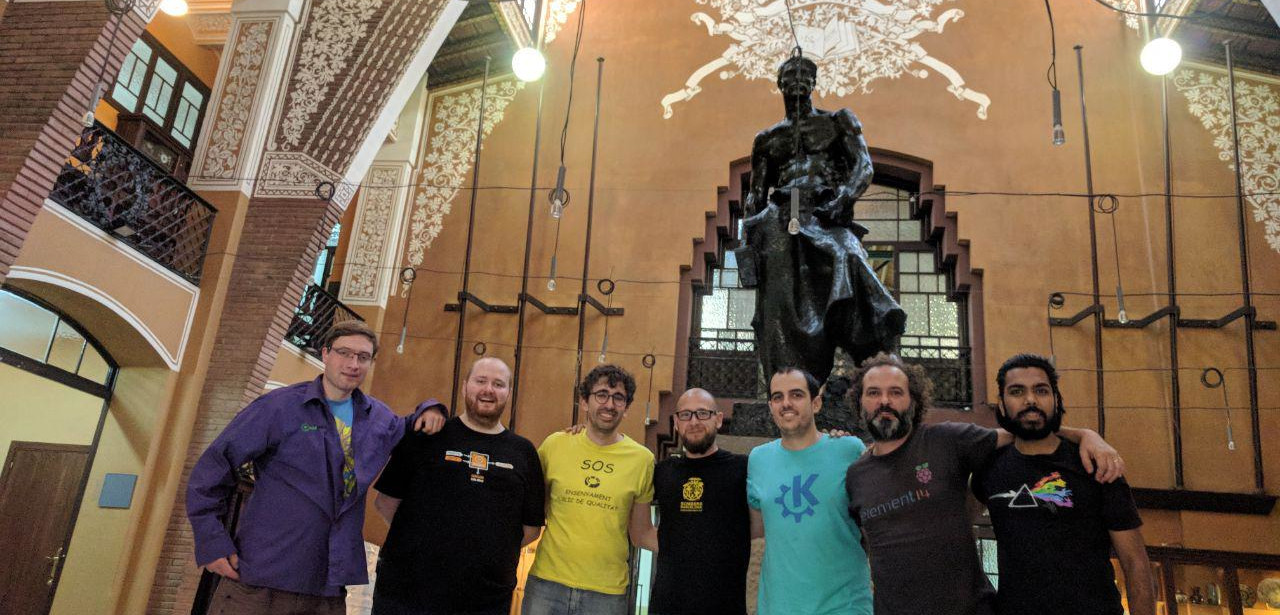
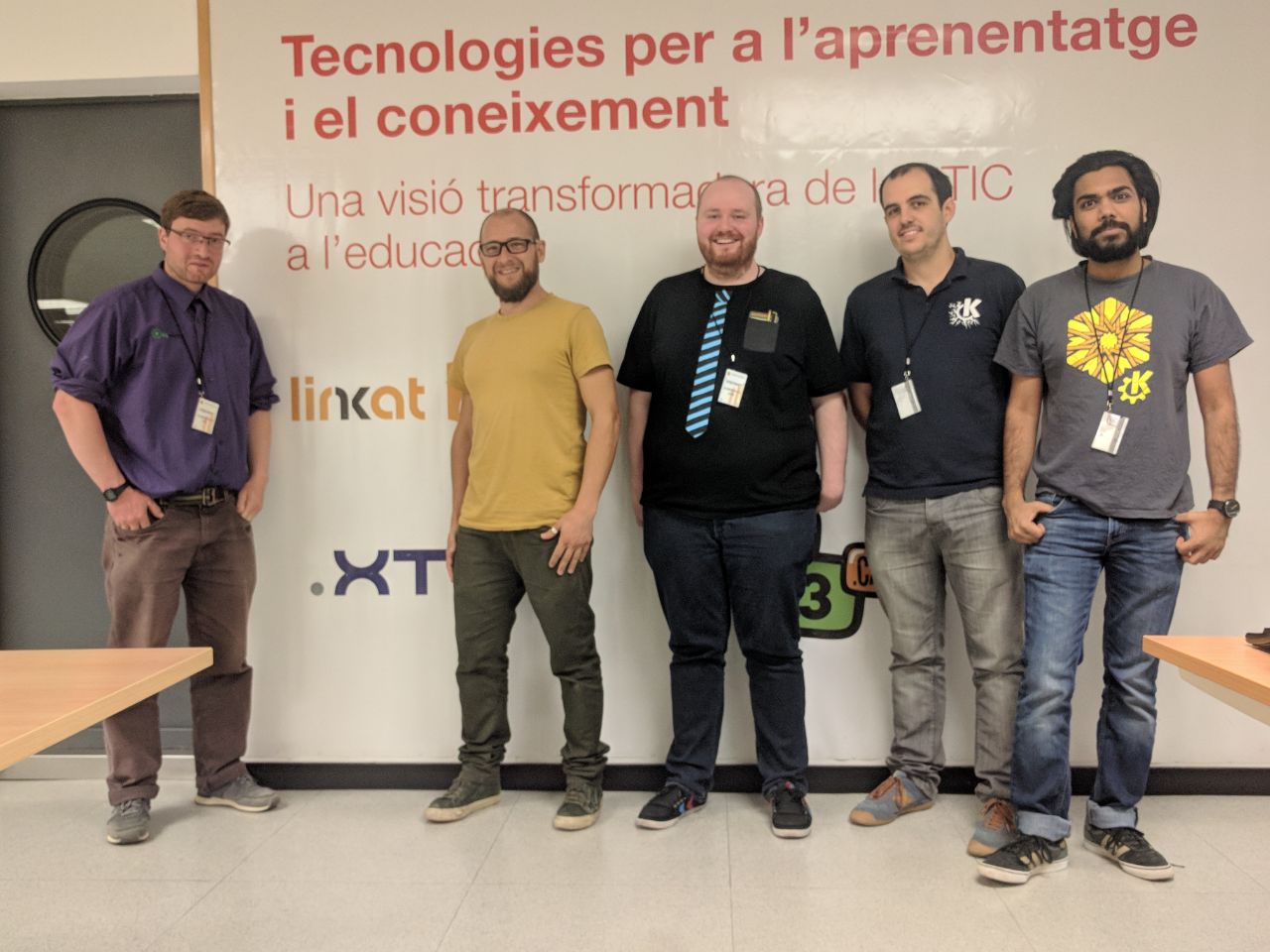
Last week developers from the KDE neon and Plasma teams visited Barcelona. We were there to meet with some KDE software projects we had heard about in the Catalan government and schools. Aleix Pol lives locally and works on Plasma and Discover. He invited Plasma release manager and KDE neon developer Jonathan Riddell, KDE neon continuous integration master Harald Sitter, and hardware enablement guru Rohan Garg to meet the teams evaluating our software and supporting our users.
Read MorePlasma 5.14 Comes with New Features and a Much Polished Environment
Tuesday, 9 October 2018
<figure class="topImage">
	<a href="http://www.kde.org/announcements/plasma-5.14/plasma-5.14.png">
		<img src="https://www.kde.org/announcements/plasma-5.14/plasma-5.14-wee.png" width="600" height="338" alt="Plasma 5.14">
	</a>
	<figcaption>KDE Plasma 5.14</figcaption>
</figure>
<p>
Tuesday, 9 October 2018.		Today KDE launches the first release of <a href="https://www.kde.org/announcements/plasma-5.14.0.php">Plasma 5.14</a>.	</p>
<p>
Plasma is KDE's lightweight and full featured Linux desktop. For the last three months we have been adding features and fixing bugs and now invite you to install Plasma 5.14.	</p>
<p>
A lot of work has gone into improving Discover, Plasma's software manager, and, among other things, we have added a Firmware Update feature and many subtle user interface improvements to give it a smoother feel. We have also rewritten many effects in our window manager KWin and improved it for slicker animations in your work day. Other improvements we have made include a new Display Configuration widget which is useful when giving presentations.	</p>
Browse the full Plasma 5.14 changelog to find out about more tweaks and bug fixes featured in this release: Full Plasma 5.14 changelog
Read MoreKDE neon Rebased on Ubuntu 18.04 LTS "Bionic Beaver"
Wednesday, 26 September 2018

The KDE neon team is proud to announce the rebase of our packages onto Ubuntu 18.04 LTS "Bionic Beaver". We encourage all users to upgrade now. The installable ISOs and Docker images have also been updated to run on 18.04.
Read MorePlasma 5.14 Beta Updates Discover, KWin and Adds New Widgets
Thursday, 13 September 2018
<figure class="topImage">
	<a href="/sites/dot.kde.org/files/plasma-5.14.png">
		<img src="/sites/dot.kde.org/files/plasma-5.14.png" width="600" alt="Plasma 5.14 Beta">
	</a>
	<figcaption>KDE Plasma 5.14 Beta</figcaption>
</figure>

<p>
	Thursday, 13 September 2018.		Today KDE launches the beta release of Plasma 5.14.	</p>

<p>
	Plasma is KDE's lightweight and full featured Linux desktop. For the last three months we have been adding features and fixing bugs and now invite you to test the beta pre-release of Plasma 5.14.	</p>

<p>
	A lot of work has gone into improving Discover, Plasma's software manager, and, among other things, we have added a Firmware Update feature and many subtle user interface improvements to give it a smoother feel. We have also rewritten many effects in our window manager KWin and improved it for slicker animations in your work day. Other improvements we have made include a new Display Configuration widget which is useful when giving presentations.	</p>

    <p>
	Please test and send us bug reports and feedback. The final release is scheduled for three weeks' time.	</p>
Browse the full Plasma 5.14 Beta changelog to find out about more tweaks and bug fixes featured in this release: Full Plasma 5.14 Beta changelog
Read MoreKDE Plasma on ARM Laptop Pinebook
Wednesday, 22 August 2018
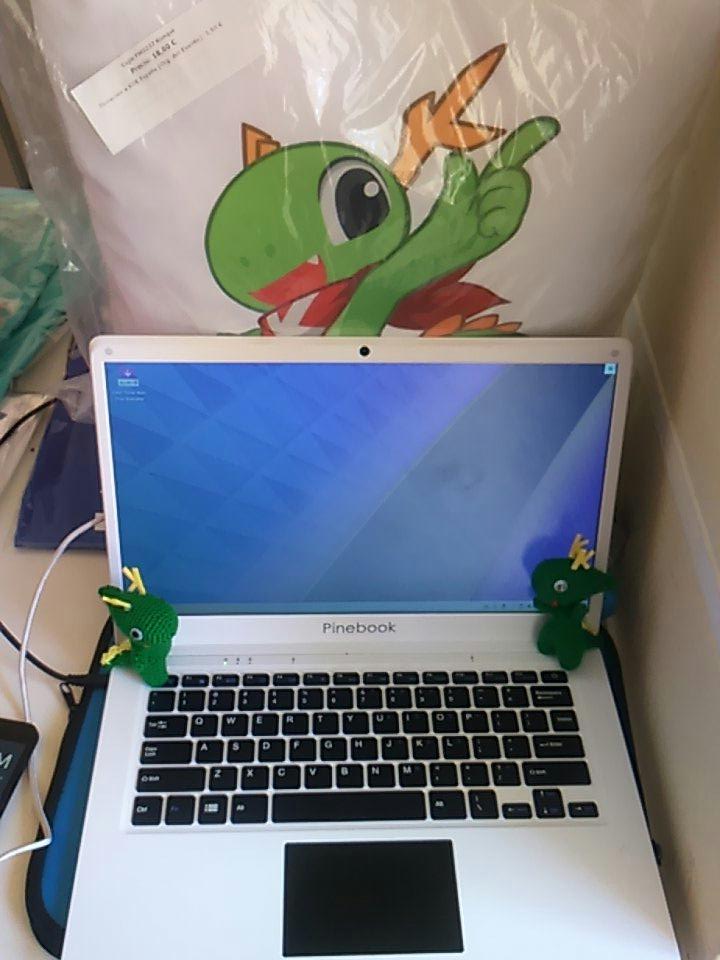 Plasma running on a Pinebook.
In the last few years, smartphone hardware has become powerful enough to drive conventional desktop software. A developing trend is to create laptops using hardware initially designed for smartphones and embedded systems. There are distinct advantages to this approach: those devices are usually very energy efficient, so they can yield a long runtime on a single battery charge; they're also rather inexpensive and lighter than conventional laptops.
Read MorePlasma 5.13 Beta
Friday, 18 May 2018
<figure class="topImage">
	<a href="http://www.kde.org/announcements/plasma-5.13/plasma-5.13.png">
		<img src="https://www.kde.org/announcements/plasma-5.13/plasma-5.13-wee.png" width="600" height="338" alt="Plasma 5.13 Beta">
	</a>
	<figcaption>KDE Plasma 5.13 Beta</figcaption>
</figure>
<p>
Thursday, 17 May 2018.		Today KDE unveils a beta release of Plasma 5.13.0.	</p>
<p>
Members of the Plasma team have been working hard to continue making Plasma a lightweight and responsive desktop which loads and runs quickly, but remains full-featured with a polished look and feel.  We have spent the last four months optimising startup and minimising memory usage, yielding faster time-to-desktop, better runtime performance and less memory consumption.  Basic features like panel popups were optimised to make sure they run smoothly even on the lowest-end hardware.  Our design teams have not rested either, producing beautiful new integrated lock and login screen graphics.	</p>
<br clear="all" />
New in Plasma 5.13
Plasma Browser Integration
Plasma Browser Integration is a suite of new features which make Firefox and Chrome, and Chromium-based browsers work with your desktop. Downloads are now displayed in the Plasma notification popup just as when transferring files with Dolphin. The Media Controls Plasmoid can mute and skip videos and music playing from within the browser. You can send a link to your phone with KDE Connect. Browser tabs can be opened directly using KRunner via the Alt-Space keyboard shortcut. To enable Plasma Browser Integration, add the relevant plugin from the addon store of your favourite browser.
Read MorePlasma Sprint in Berlin
Monday, 14 May 2018
Last month the developers of Plasma, KDE's featureful, flexible and Free desktop environment, held a sprint in Berlin, Germany. The developers gathered to discuss the forthcoming 5.13 release and future development of Plasma. Of course, they didn't just sit and chat - a lot of coding got done, too.
Read More
Plasma's Vision
Tuesday, 25 July 2017
Sebastian Kügler writes on his blog about Plasma's vision statement, which names durabililty, usability and elegance as its corner stones.
Akademy Awards 2017
Monday, 24 July 2017
Every year at Akademy we celebrate some of our hardest working achievers in the community. The prizes are selected and awarded by the previous year's winners. The winners this year are:
Read More
Akademy Monday Wrapup Session Video
Monday, 24 July 2017
Akademy has had its first full day of BoFs, group sessions discussing our plans for the next year. The wrapup session has just finished so watch the video to find out about what Plasma devs are working on, what tutorials happened and how we avoided a fist fight to the finish.
Read More
Akademy-es 2017 Fue Muy Bien
Sunday, 23 July 2017
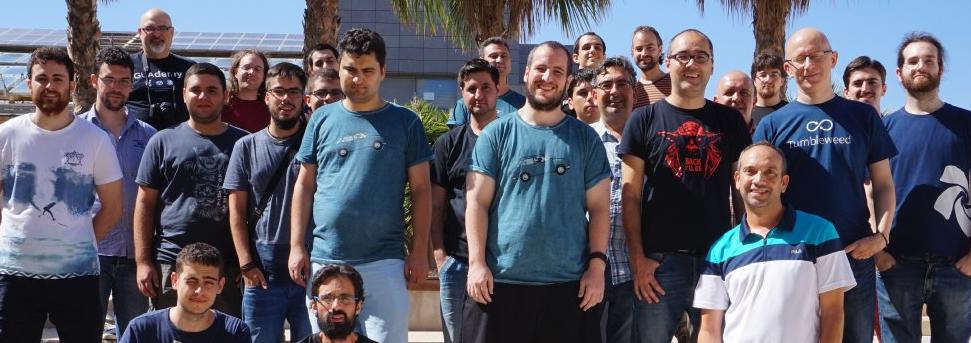
On the 20th and 21st of July, KDE España held, with the invaluable help of UNIA, HackLab Almería and the University of Almería, and with the sponsorship of Opentia, its 12th annual gathering: Akademy-es 2017.
Read MoreKDE Arrives in Almería for Akademy 2017
Friday, 21 July 2017
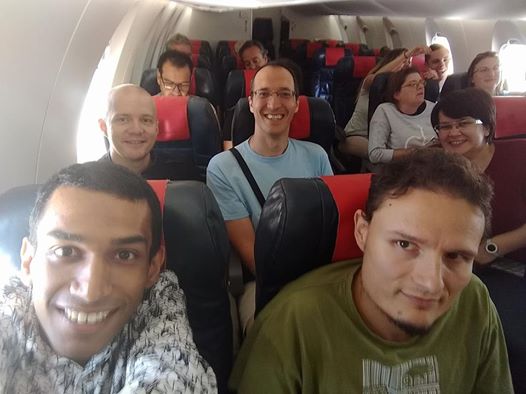
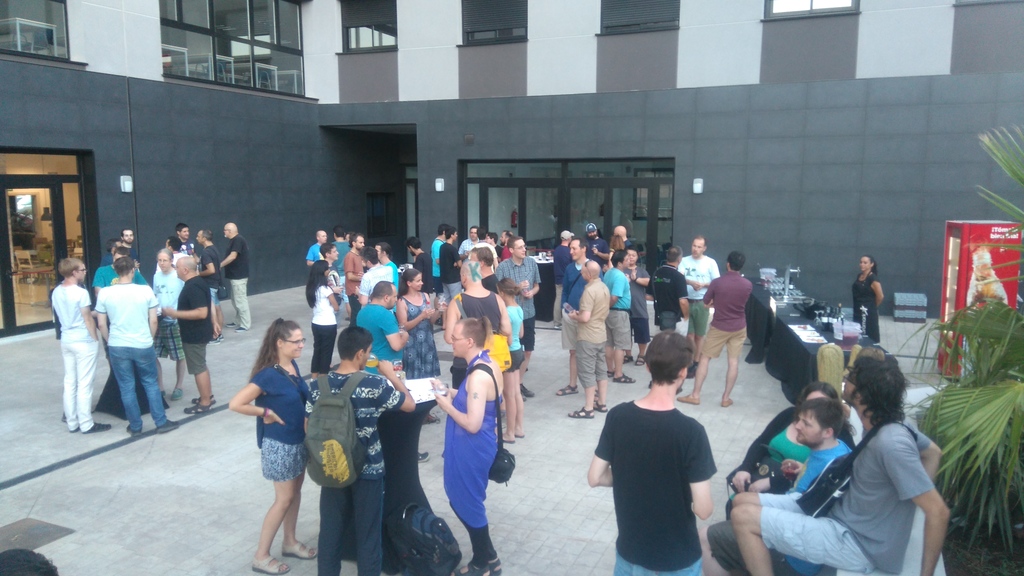
Today we meet from around the globe, KDE contributors have flown in from Taiwan, US, all over Europe and British Isles, India, Brazil, Canada.
Read MoreKDE at Asian FOSS conferences
Monday, 3 July 2017
It feels great to say that KDE has active contributors across the globe. Two KDE contributors recently presented talks in Asia about their work and encouraged new contributors to join us and get started.
Read More
Plasma 5.10, Simple by Default Powerful When Needed
Tuesday, 30 May 2017
<figure class="topImage">
	<a href="https://www.kde.org/announcements/plasma-5.10/plasma-5.10.png">
		<img src="https://www.kde.org/announcements/plasma-5.10/plasma-5.10-wee.png" width="600" height="338" alt="Plasma 5.10" />
	</a>
	<figcaption>KDE Plasma 5.10</figcaption>
</figure>
<p>
Monday, 30 May 2017.		Today KDE has released Plasma 5.10 with new features across the suite to give users an experience which lives up to our tagline: simple by default, powerful when needed.	</p>
Panel Task Manager
Task Manager, the list of applications in the panel, has gained options for middle mouse click such as grouping and ungrouping applications.
Read MorePlasma 5.10 Beta, Slicker Desktop
Monday, 15 May 2017
<p>Also available in:<br /><br /><a href="https://www.kde.org/announcements/plasma-5.9.95.php?site_locale=en">English</a> | <a href="https://www.kde.org/announcements/plasma-5.9.95.php?site_locale=ca">Català</a> | <a href="https://www.kde.org/announcements/plasma-5.9.95.php?site_locale=nl">Nederlands</a> | <a href="https://www.kde.org/announcements/plasma-5.9.95.php?site_locale=sv">Svenska</a> | <a href="https://www.kde.org/announcements/plasma-5.9.95.php?site_locale=uk">Українська</a><br /><br /></p><!--
<figure class="videoBlock">
	<iframe width="560" height="315" src="https://www.youtube.com/embed/<%= youtubeid %>?rel=0" allowfullscreen='true'></iframe>
</figure>
-->
Read MoreHow to Create a Look and Feel Theme
Wednesday, 22 February 2017
How to Create a Look and Feel Theme video tutorial.
Find out more on KDE community wiki.
KDE Talks at FOSDEM
Wednesday, 22 February 2017
KDE had 4 talks at this year's FOSDEM conference. Here's the recordings.
From Gtk to Qt: A Strange Journey, part 2
The continuation of the original talk from Dirk Hohndel and Linus Torvalds about the port of Subsurface from Gtk to Qt, now with mobile in mind.Interview: Thomas Weissel Installing Plasma in Austrian Schools
Monday, 20 February 2017

A lab running Thomas' current rollout of Plasma 4.
With Plasma 5 having reached maturity for widespread use we are starting to see rollouts of it in large environments. Dot News interviewed the admin behind one such rollout in Austrian schools.
Read MoreBeautiful New Design on kde.org
Saturday, 11 February 2017
KDE's main website www.kde.org has gained a beautiful new design.
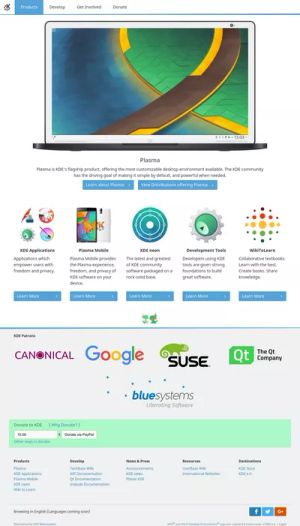
While in KDE we pride ourselves on making beautiful software our website has lagged behind modern requirements and trends. Visual Design Group member Ken Vermette has quietly worked away with key stakeholders to create a design and update the content. The new site uses correct HTML5 and is responsive to working on mobiles and tablets. It includes an introduction to our products, community and how you can get involved.
Read MorePlasma 5.9 Kicks off 2017 in Style
Tuesday, 31 January 2017

Tuesday, 31 January 2017. Today KDE releases this year’s first Plasma feature update, Plasma 5.9. While this release brings many exciting new features to your desktop, we'll continue to provide bugfixes to Plasma 5.8 LTS.
Read MoreMeet KDE at FOSDEM Next Month
Monday, 16 January 2017
Next month is FOSDEM, the largest gathering of free software developers anywhere in Europe. FOSDEM 2017 is being held at the ULB Campus Solbosch on Saturday 4th and Sunday 5th of February. Thousands of coders, designers, maintainers and managers from projects as popular as Linux and as obscure as Tcl/Tk will descend on the European capital Brussels to talk, present, show off and drink beer.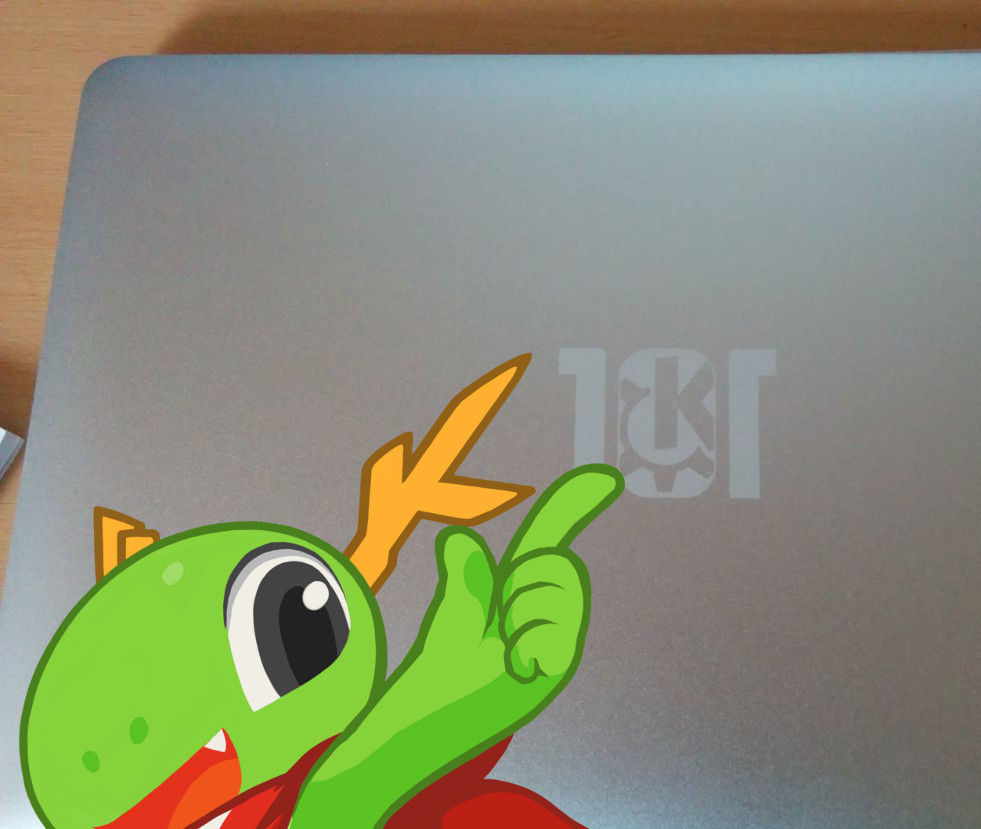
KDE will have a stall in building K where we will demonstrate our latest software including KDE neon running on Docker, the newest build of Plasma Mobile using Android Open Source Project, and a very exciting mystery announcement.
Read MoreKDE Plasma 5.9 Beta Kicks off 2017 in Style
Thursday, 12 January 2017
Thursday, 12 January 2017. Today KDE releases the beta of this year’s first Plasma feature update, Plasma 5.9. While this release brings many exciting new features to your desktop, we'll continue to provide bugfixes to Plasma 5.8 LTS.
Read MoreWikiToLearn Reaches 1.0
Thursday, 3 November 2016

WikiToLearn is KDE's project to create textbooks for university and school students. It provides free, collaborative and accessible text books. Academics worldwide contribute in sharing knowledge by creating high quality content.
Read MoreLeslie Zhai Talks 20 Years of KDE in China
Thursday, 20 October 2016
Amongst the 20 year of KDE parties around the world one of the busiest was held in Beijing. Dot News interviewed the organiser Leslie Zhai about KDE in China.
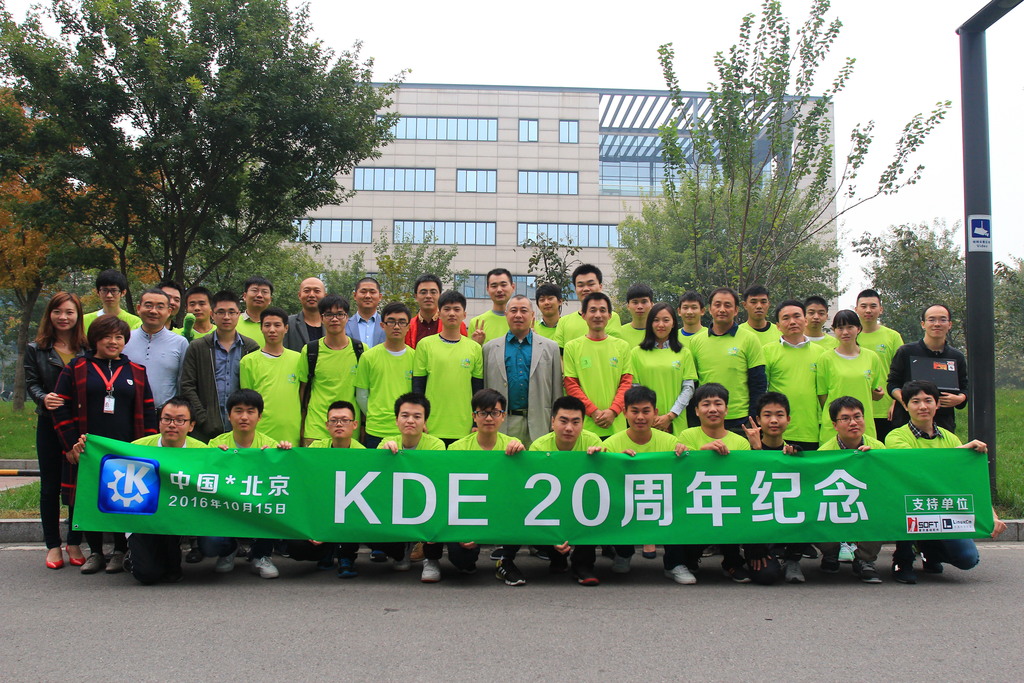
KDE China's 20th Anniversary Group Photo
Leslie Zhai
How KDE Celebrates 20 Years
Friday, 14 October 2016
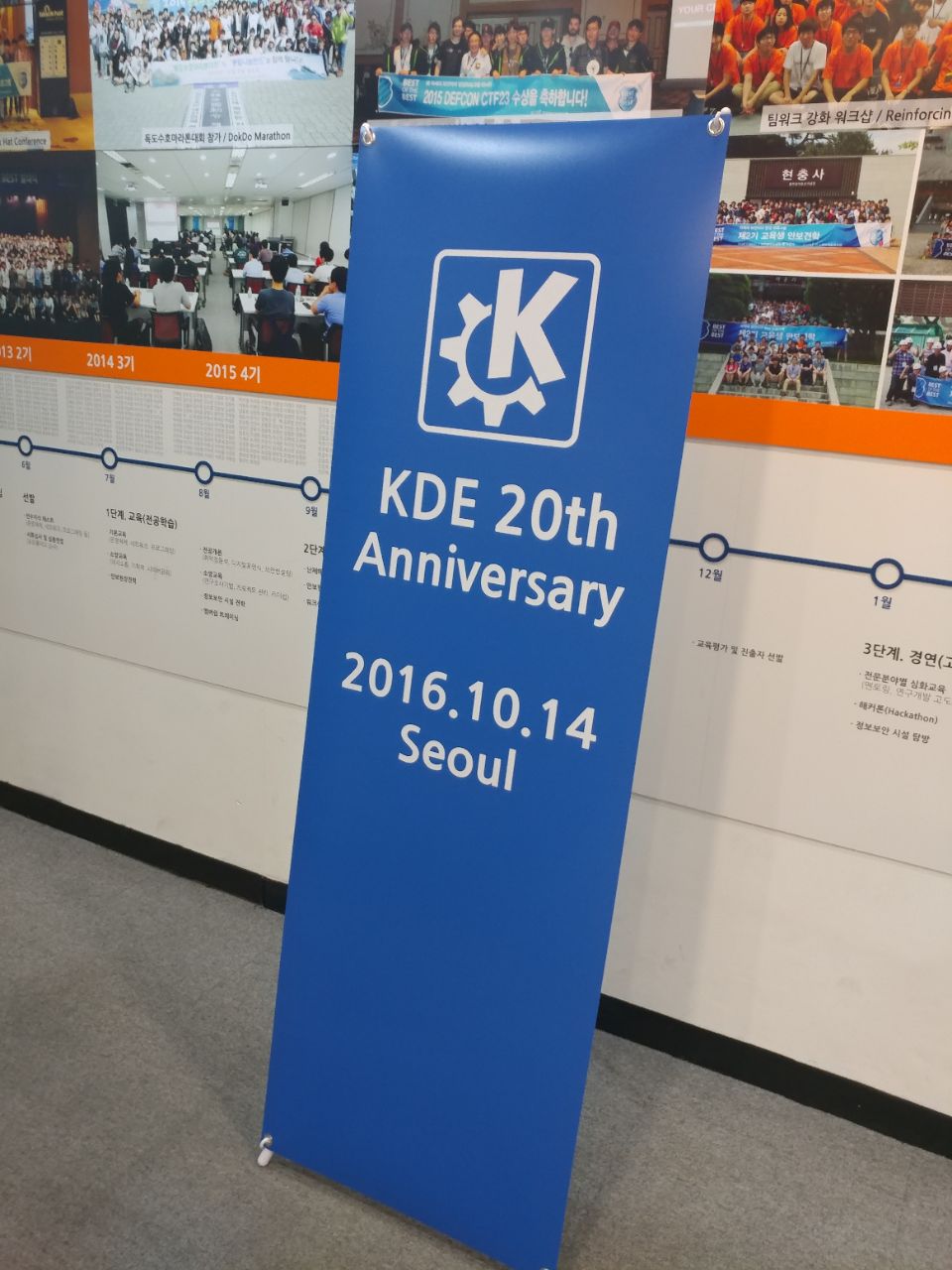
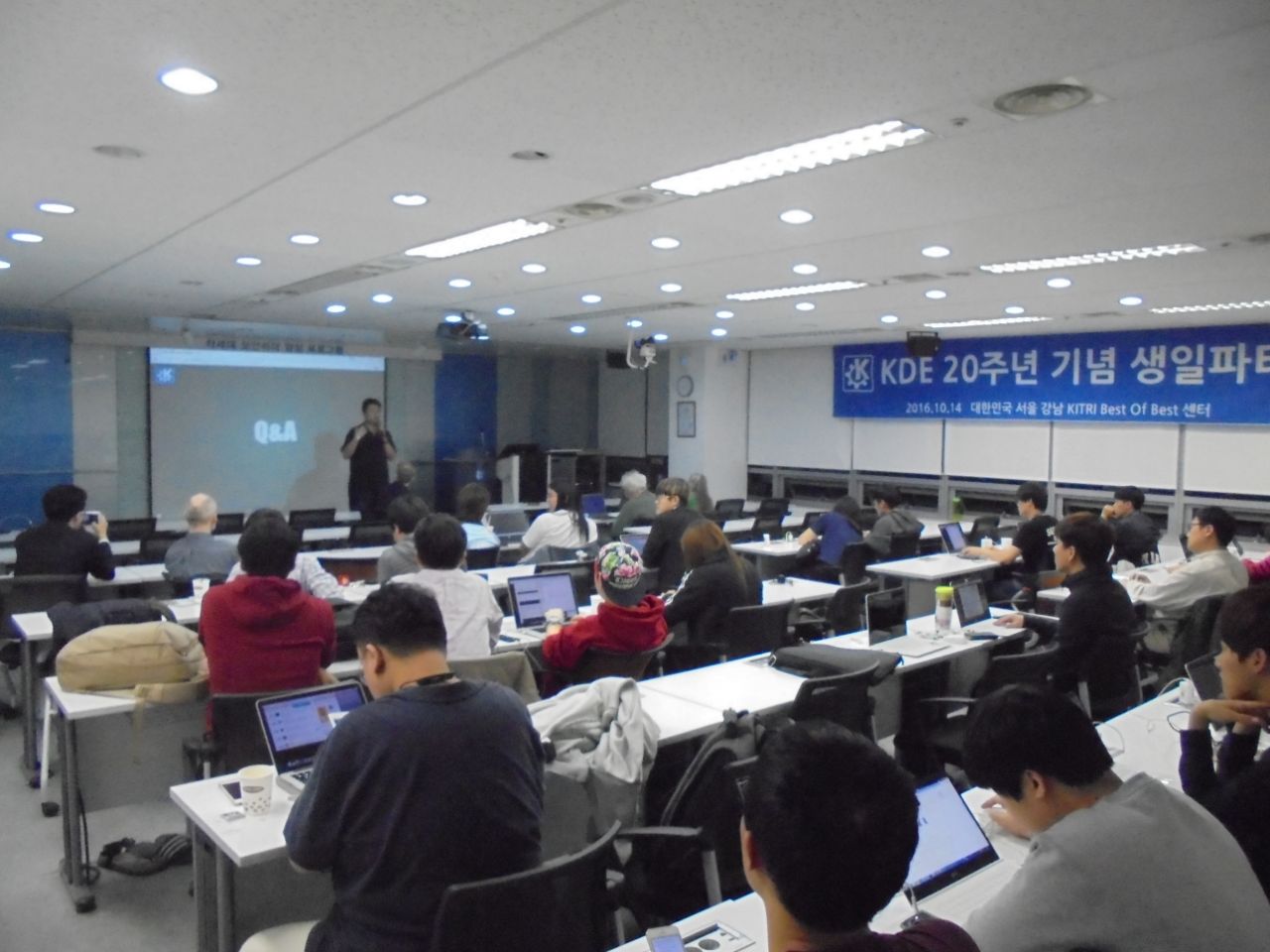
KDE is 20 years old, a community working on beautiful software to free the world and spread privacy, all while having a lot of fun which we do it.
In cities across the world there are parties being held this weekend to celebrate. As we write the KDE Korea party in Seoul is setting up for some talks and drinks.
KDE at 20: Plasma 5.8 LTS Out Now with Comprehensive Features
Tuesday, 4 October 2016

Tuesday, 4 October 2016. Today KDE releases its first Long Term Support edition of its flagship desktop software, Plasma. This marks the point where the developers and designers are happy to recommend Plasma for the widest possible audience be they enterprise or non-techy home users. If you tried a KDE desktop previously and have moved away, now is the time to re-assess, Plasma is simple by default, powerful when needed.
Read MoreKDE at 20: Plasma 5.8 LTS Beta. Here for the Long Term.
Thursday, 15 September 2016
Thursday, 15 September 2016. Today KDE releases a beta of its first Long Term Support edition of its flagship desktop software, Plasma. This marks the point where the developers and designers are happy to recommend Plasma for the widest possible audience be they enterprise or non-techy home users. If you tried a KDE desktop previously and have moved away, now is the time to re-assess, Plasma is simple by default, powerful when needed.
Read MoreKDE Returns Home, QtCon Talks Videos Available
Monday, 12 September 2016
KDE has finished its fantastic week, celebrating 20 years of hacking and freedom fighting together with Qt, VLC and FSFE in Berlin. We finished our week with a fun day trip to Pfaueninsel, Berlin's Peacock Island.
Read More
20 Years of KDE Timeline
Tuesday, 6 September 2016

KDE is celebrating 20 years as the original and best free software end-user creating community. The milestones of our project are marked on our 20 Years of KDE timeline. Find out the meetings and releases which defined KDE. Learn about the early and recent KDE gatherings around the world and how we have evolved over the years. What was your first KDE release?
Akademy 2016 Tuesday BoF Wrapup Video
Tuesday, 6 September 2016
In today's BoF wrapup at Akademy find out the future of Plasma music player, the Frameworks LTS and the future of KDE neon.
KDE Talk Videos from QtCon
Monday, 5 September 2016
QtCon talks are over, and today we start the discussion groups and hacking sessions to plan out work on the KDE community's projects over the coming year. If you want to learn what's going on in KDE technologies and community you can spend some time watching over the videos from the QtCon KDE talks.
Akademy Awards 2016
Sunday, 4 September 2016

Winners Kenny, Dan, Christoph, Dominik, Aleix
QtCon talks closed with our annual awards ceremony, the Akademy Awards. Given each year to the most valued and hardest working KDE contributors, they are awarded by the jury from the previous year. This year's winners are:
Read MoreInterviews with QtCon Stall Holders
Sunday, 4 September 2016
KDE Dot News sent its roving reporter Devaja round the stalls at QtCon to ask them what they were promoting and of their experience of the conference.
Think-Cell
openSUSE
Read MoreQtCon Closing Keynote with Julia Reda MEP
Sunday, 4 September 2016
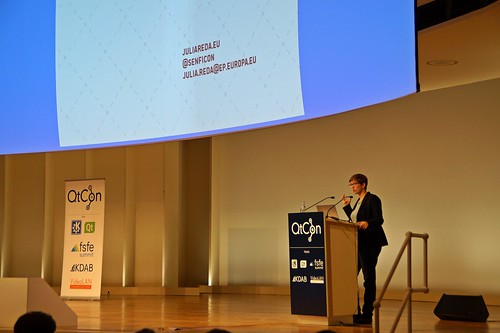
Julia Reda MEP
The talks are over after the three days of QtCon Akademy 2016 which means the BoF sessions and hacking days are about to begin. To close the talks at the conference we had a finishing keynote by Julia Reda, Member of the European Parliament and member of the Pirate Party.
Read MoreKDE Software Store
Saturday, 3 September 2016
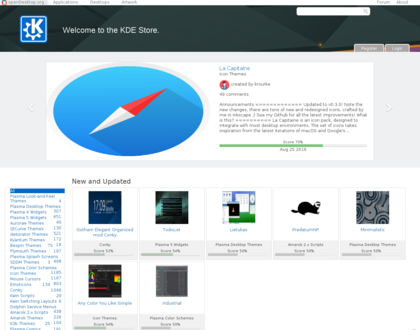
KDE Store
At this year's Akademy, KDE announced The KDE Store. The new store replaces the services provided by openDesktop.org with a Free-as-in-Freedom software sharing platform.
Read MoreTalks and Hacking Continue at QtCon
Saturday, 3 September 2016
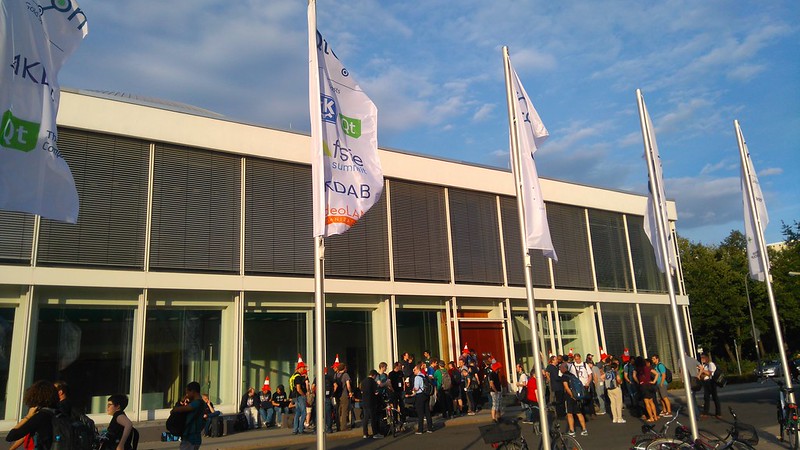 A second packed day of talks has taken place at QtCon, the largest and most diverse and dynamic gathering of end-user software communities for open development ever. KDE contributors gave talks next to pure Qt coders, the VLC team pondered the merits of porting to Telsa cars and the FSF-E celebrated 15 years with their annual awards.
Read More
A second packed day of talks has taken place at QtCon, the largest and most diverse and dynamic gathering of end-user software communities for open development ever. KDE contributors gave talks next to pure Qt coders, the VLC team pondered the merits of porting to Telsa cars and the FSF-E celebrated 15 years with their annual awards.
Read MoreQtCon FInished First Day of 13 Tracks of Talks
Friday, 2 September 2016
Today is a historic day for KDE, a community founded 20 years ago. We are celebrating with like-minded communities doing what we do best; discussing and promoting technical achievements with our friendly communities of FSF-E, Qt and VLC. A massive thirteen tracks of talks run concurrently here at the Berlin Conference Centre covering topics from community to debugging to the switch to Qt 6. Dot News can't begin to cover all of them, and many are available on the CCC streaming coverage which already has many talks from today. Here we've picked a few to give some highlights.
Read More
QtCon Opens in Berlin with Keynote by Raul Krauthausen
Friday, 2 September 2016
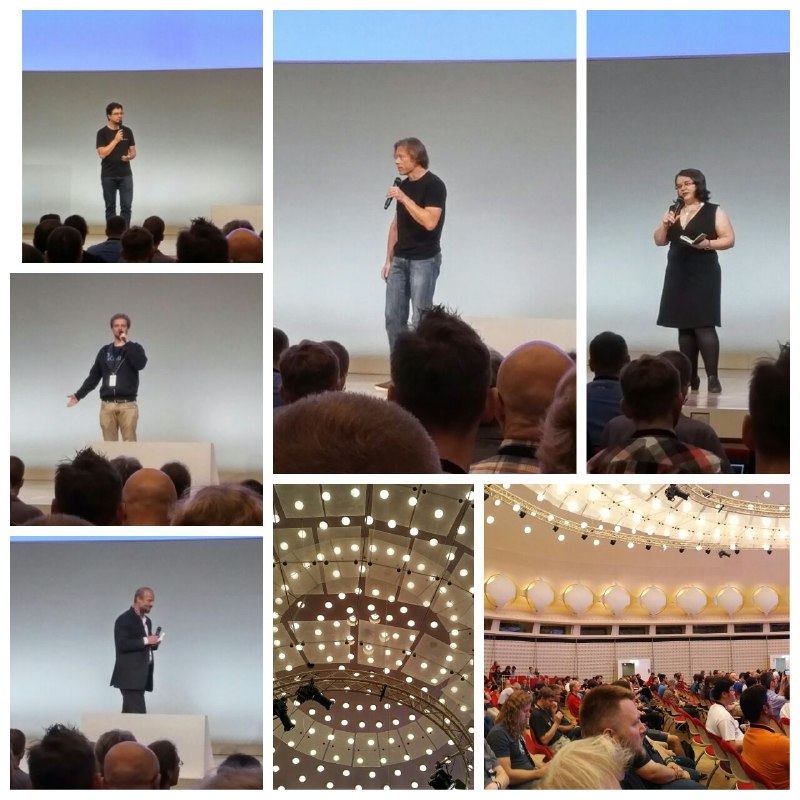
Conference Opening
QtCon has opened in Berlin at the fabulous Berlin Conference Centre. It started with a welcome by president of the KDAB group and one of the original KDE developers Matthias Kalle Dalheimer. He welcomed the different but related communities together and encouraged developers to talk to each other. This is a unique opportunity for volunteer and employed, open source and proprietary, student and old-timers to come together and exchange thoughts, needs and have some fun. He also welcomed representatives from all the communities on stage.
Read MoreKDE Arrives in Berlin, Elects Thomas Pfeiffer to the e.V. Board
Thursday, 1 September 2016
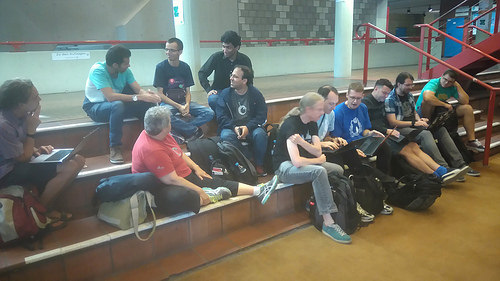
KDE meets, chats and hacks
20 Quotes for 20 Years, What are you looking forward to at this QtCon Akademy?
At this Akademy we celebrate 20 years of KDE, so ahead of QtCon 2016, we went around asking 20 people what they are looking forward to the most this Akademy.
Read MoreRemembering Vernon Adams
Tuesday, 30 August 2016
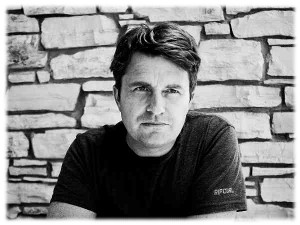
Vernon
LWN reports on the sad death of Vernon Adams, designer of the Oxygen font and author of the invaluable how to use Font Forge guide.
Read MoreQtCon Keynote: Software as a Public Service
Wednesday, 24 August 2016
 QtCon is happy to welcome Julia Reda, the closing keynote speaker. Member of the European Parliament for the Pirate Party and Vice-Chair of the Greens/European Free Alliance. Reda's legislative focus is on copyright and internet policy issues.
Read More
QtCon is happy to welcome Julia Reda, the closing keynote speaker. Member of the European Parliament for the Pirate Party and Vice-Chair of the Greens/European Free Alliance. Reda's legislative focus is on copyright and internet policy issues.
Read MoreKDE Plasma 5.7
Tuesday, 5 July 2016
<style>
figure {text-align: center; float: right; margin: 0px;}
figure img {padding: 1ex; border: 0px; background-image: none;}
figure video {padding: 1ex; border: 0px; background-image: none;}
figcaption {font-style: italic;}
iframe {text-align:center}
</style>
KDE Plasma 5.7 Video
<figure style="float: none">
<a href="http://www.kde.org/announcements/plasma-5.7/plasma-5.7.png">
<img src="http://www.kde.org/announcements/plasma-5.7/plasma-5.7-wee.png" style="border: 0px" width="600" height="375" alt="KDE Plasma 5.7" />
</a>
<figcaption>KDE Plasma 5.7</figcaption>
</figure>
<p>
Tuesday, 5 July 2016. Today KDE releases an update to its desktop software, Plasma 5.7.
</p>
<br clear="all" />
<h3>Improved Workflows</h3>
<figure style="float: right">
<a href="http://www.kde.org/announcements/plasma-5.7/krunner-jump-actions-wee.png">
<img src="http://www.kde.org/announcements/plasma-5.7/krunner-jump-actions.png" style="border: 0px" width="350" height="336" alt="Jump List Actions in KRunner" />
</a>
<figcaption>Jump List Actions in KRunner</figcaption>
</figure>
<p>In our previous release we added Jump List Actions for quicker access to certain tasks within an application. This feature has been extended and those actions are also found through KRunner now.</p>
<br clear="all" />
<figure style="float: right">
<a href="http://www.kde.org/announcements/plasma-5.7/pim-events-wee.png">
<img src="http://www.kde.org/announcements/plasma-5.7/pim-events-wee.png" style="border: 0px" width="350" height="207" alt="Agenda Items in Calendar" />
</a>
<figcaption>Agenda Items in Calendar</figcaption>
</figure>
<p>Plasma 5.7 marks the return of the agenda view in the calendar, which provides a quick and easily accessible overview of upcoming appointments and holidays.</p>
<br clear="all" />
<figure style="float: right">
<a href="http://www.kde.org/announcements/plasma-5.7/plasma-pa-drag-wee.png">
<img src="http://www.kde.org/announcements/plasma-5.7/plasma-pa-drag.png" style="border: 0px" width="350" height="330" alt="Dragging Application to Audio Device" />
</a>
<figcaption>Dragging Application to Audio Device</figcaption>
</figure>
<p>Many improvements have been added to the Volume Control applet: it gained the ability to control volume on a per-application basis and allows you to move application output between devices using drag and drop. Also implemented is the ability to raise the volume above 100%.</p>
<br clear="all" />
<figure style="float: right">
<a href="http://www.kde.org/announcements/plasma-5.7/icons-invert.png">
<img src="http://www.kde.org/announcements/plasma-5.7/icons-invert.png" style="border: 0px" width="167" height="102" alt="Icons Tint to Match Highlight" />
</a>
<figcaption>Icons Tint to Match Highlight</figcaption>
</figure>
<p>For improved accessibility, Breeze icons within applications are now tinted depending on the color scheme, similarly to how it's done within Plasma. This resolves situations where our default dark icons might show up on dark surfaces. </p>
<br clear="all" />
<h3>Better Kiosk Support</h3>
<p>The <a href="https://userbase.kde.org/KDE_System_Administration/Kiosk/Introduction">Kiosk Framework</a> provides means of restricting the customazibility of the workspace, in order to keep users in an enterprise or public environment from performing unwanted actions or modifications. Plasma 5.7 brings many corrections about enforcing such restrictions. Notably, the Application Launcher will become read-only if widgets are locked through Kiosk policies, i.e. favorites are locked in place and applications can no longer be edited. Also, the Run Command restriction will prevent KRunner from even starting in the first place.</p>
<h3>New System Tray and Task Manager</h3>
<p>The System Tray has been rewritten from scratch to allow for a simpler and more maintainable codebase. While its user interface has only seen some minor fixes and polishing, many issues caused by the complex nature of the applet housing applets and application icons within have been resolved.</p>
<p>Similarly, the task bar has gained a completely revamped backend, replacing the old one that has already been around in the early days of our workspace. While the old backend got many features added over the period of time it was used, the new one has a remarkably better performance and could be engineered more cleanly and straight-forward as the requirements were known beforehand. All of this will ensure a greatly increased reliability and it also adds <a href="https://blog.martin-graesslin.com/blog/2016/06/a-task-manager-for-the-plasma-wayland-session/">support for Wayland</a> which was one of the most visible omissions in our Wayland tech previews.</p>
<br clear="all" />
<h3>Huge Steps Towards Wayland</h3>
<figure style="float: right">
<a href="https://c2.staticflickr.com/8/7418/26639077964_445c1761e3_b.jpg">
<img src="https://c2.staticflickr.com/8/7418/26639077964_445c1761e3_b.jpg" style="border: 0px" width="350" alt="Betty the Fuzzpig Tests Plasma Wayland" />
</a>
<figcaption>Betty the Fuzzpig Tests Plasma Wayland</figcaption>
</figure>
<p>This release brings Plasma closer to the new windowing system Wayland. Wayland is the successor of the decades-old X11 windowing system and brings many improvements, especially when it comes to tear-free and flicker-free rendering as well as security. The development of Plasma 5.7 for Wayland focused on quality in the Wayland compositor KWin. Over 5,000 lines of auto tests were added to KWin and another 5,000 lines were added to KWayland which is now released as part of KDE Frameworks 5.</p>
<p>The already implemented workflows got stabilized and are ensured to work correctly, with basic workflows now fully functional. More complex workflows are not yet fully implemented and might not provide the same experience as on X11. To aid debugging a new debug console got added, which can be launched through KRunner using the keyword “KWin” and integrates functionality known from the xprop, xwininfo, xev and xinput tools.</p>
<p>Other improvements include:</p>
<ul>
<li>When no hardware keyboard is connected, a <a href="https://blog.martin-graesslin.com/blog/2016/05/virtual-keyboard-support-in-kwinwayland-5-7/">virtual keyboard</a> is shown instead, bringing a smooth converged experience to tablets and convertibles</li>
<li>The sub-surface protocol is now supported which means that System Settings works correctly and no longer errorneously opens multiple windows.</li>
<li>Mouse settings, such as pointer acceleration, are honored and the touchpad can be enabled/disabled through a global shortcut. Touchpad configuration is still missing.</li>
</ul>
<div style="text-align: center">
<iframe width="560" height="315" src="https://www.youtube.com/embed/_29BYcm8xKk" frameborder="0" allowfullscreen></iframe><br />
Virtual Keyboard Support in Plasma Wayland
</div>
<p><a href="http://www.kde.org/announcements/plasma-5.6.5-5.7.0-changelog.php">
Full Plasma 5.7.0 changelog</a></p>
<!-- // Boilerplate again -->
<h2>Live Images</h2>
<p>
The easiest way to try it out is with a live image booted off a USB disk. You can find a list of <a href='https://community.kde.org/Plasma/LiveImages'>Live Images with Plasma 5</a> on the KDE Community Wiki.
</p>
<h2>Package Downloads</h2>
<p>Distributions have created, or are in the process of creating, packages listed on our wiki page.
</p>
<ul>
<li>
<a href='https://community.kde.org/Plasma/Packages'>Package download wiki page</a></li>
</ul>
<h2>Source Downloads</h2>
<p>You can install Plasma 5 directly from source. KDE's
community wiki has <a href='http://community.kde.org/Frameworks/Building'>instructions to compile it</a>.
Note that Plasma 5 does not co-install with Plasma 4, you will need to uninstall older versions or install into a separate prefix.
</p>
<ul>
<li><a href='http://www.kde.org/info/plasma-5.7.0.php'>Source Info Page</a></li>
</ul>
<h2>Feedback</h2>
You can give us feedback and get updates on <a href='https://www.facebook.com/kde'><img style='border: 0px; padding: 0px; margin: 0px' src='https://www.kde.org/announcements/facebook.gif' width='32' height='32' /></a> <a href='https://www.facebook.com/kde'>Facebook</a> or <a href='https://twitter.com/kdecommunity'><img style='border: 0px; padding: 0px; margin: 0px' src='https://www.kde.org/announcements/twitter.png' width='32' height='32' /></a> <a href='https://twitter.com/kdecommunity'>Twitter</a> or <a href='https://plus.google.com/105126786256705328374/posts'><img style='border: 0px; padding: 0px; margin: 0px' src='https://www.kde.org/announcements/googleplus.png' width='30' height='30' /></a> <a href='https://plus.google.com/105126786256705328374/posts'>Google+</a>.
<p>
Discuss Plasma 5 on the <a href='https://forum.kde.org/viewforum.php?f=289'>KDE Forums Plasma 5 board</a>.</a>
</p>
<p>You can provide feedback direct to the developers via the <a href='irc://#plasma@freenode.net'>#Plasma IRC channel</a>,  <a href='https://mail.kde.org/mailman/listinfo/plasma-devel'>Plasma-devel mailing list</a> or report issues via <a href='https://bugs.kde.org/enter_bug.cgi?product=plasmashell&format=guided'>bugzilla</a>.  If you like what the team is doing, please let them know!</p>
<p>Your feedback is greatly appreciated.</p>
KDE Plasma 5.7 Beta
Friday, 17 June 2016

Thursday, 16 June 2016. Today KDE releases a beta update to its desktop software, Plasma 5.7.
Read MoreKDE neon User Edition 5.6 Available now
Wednesday, 8 June 2016
KDE is thrilled to announce the first at-large version of KDE neon User Edition.
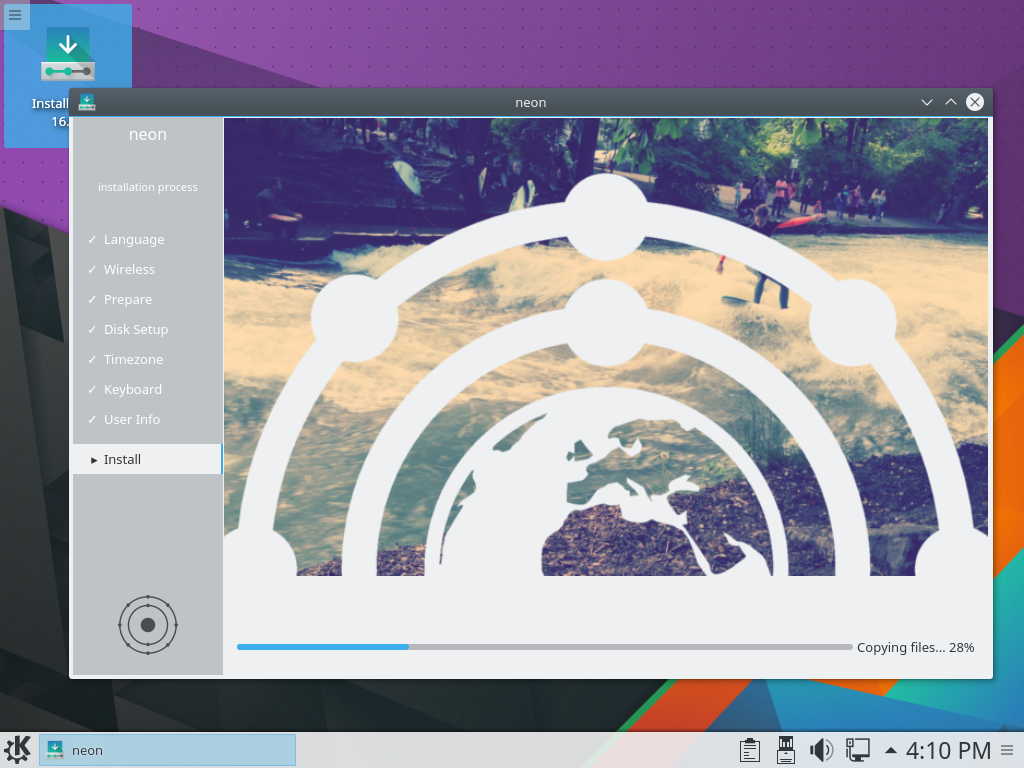
KDE neon User Edition 5.6 installer
KDE neon User Edition 5.6 is based on the latest version of Plasma 5.6 and intends to showcase the latest KDE technology on a stable foundation. It is a continuously updated installable image that can be used not just for exploration and testing but as the main operating system for people enthusiastic about the latest desktop software.
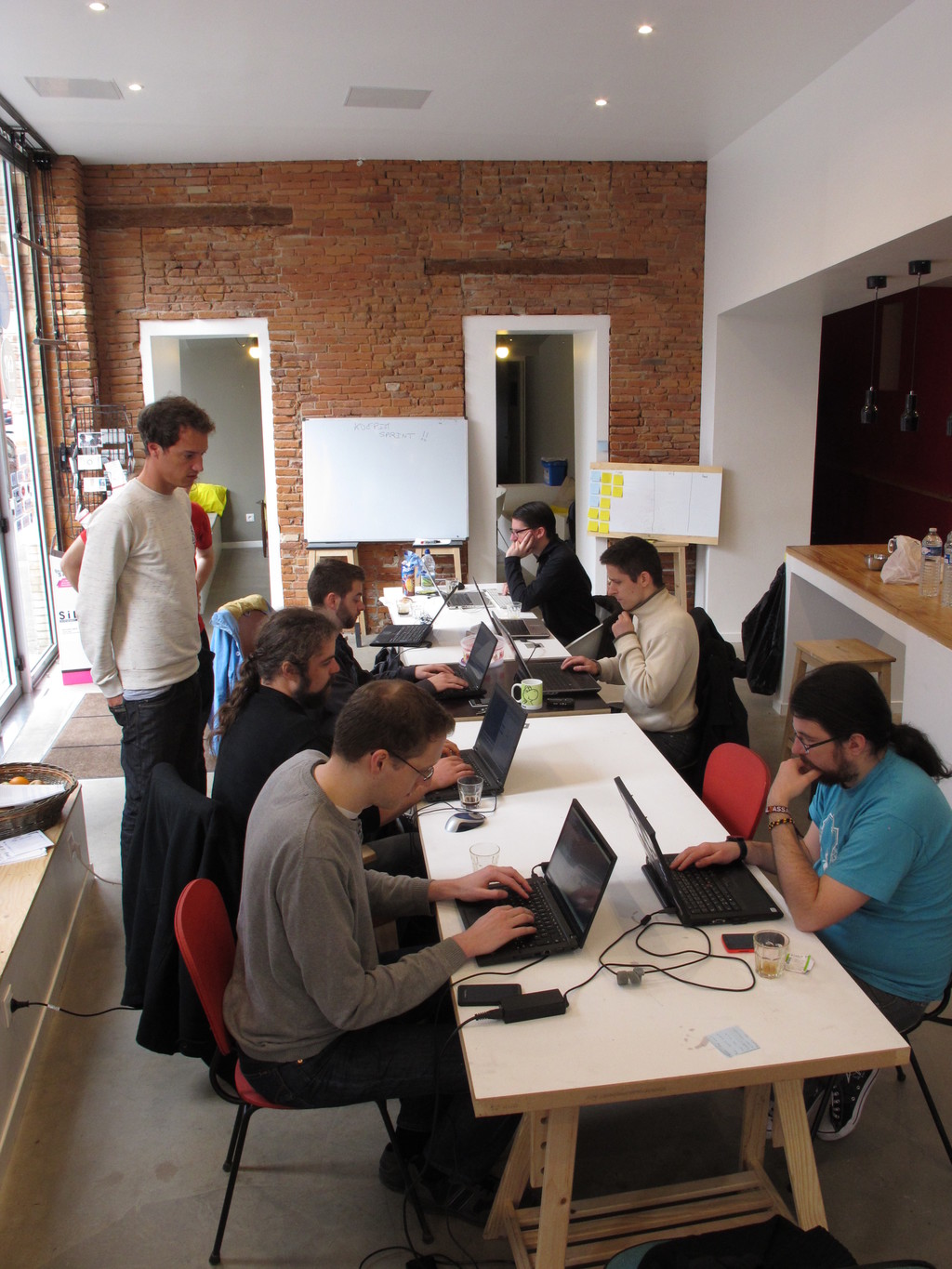
Read MoreKDE PIM Spring Sprint Report in Toulouse
Friday, 15 April 2016
KDE Plasma 5.6 Release
Tuesday, 22 March 2016
KDE Plasma 5.6 Video
 KDE Plasma 5.6
Tuesday, 22 March 2016. Today KDE releases a feature-packed new version of its desktop user interface, Plasma 5.6.
Read MorePlasma 5.6 Beta
Wednesday, 2 March 2016

Wednesday, 02 March 2016. Today KDE releases a beta update to its desktop software, Plasma 5.6.
Read MoreKDE Interview Questions - Riccardo Iaconelli
Sunday, 7 February 2016
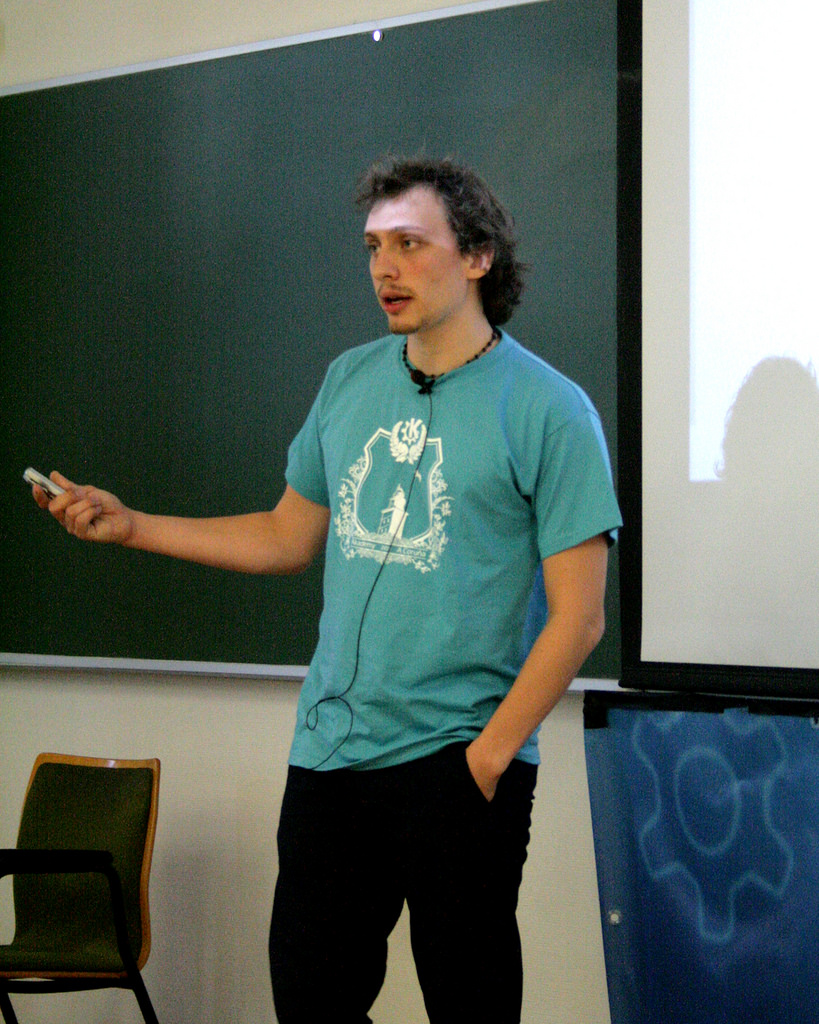
Following his talk at FOSDEM last weekend, we present an interview with WikiToLearn founder Riccardo Iaconelli by Google Code-in student Stanford.
What do you do for a living?
Read MoreKDE Project Br-Print3D at Campus Party Brazil
Thursday, 4 February 2016

Last week, between January 26 and 31, the ninth Campus Party Brazil (promo video on Facebook) was held in Sao Paulo. 8000 people inside an arena, with talks, workshops and hackathons, with the main subject being technology.
Read MoreLuca Toma KDE Interview
Tuesday, 2 February 2016
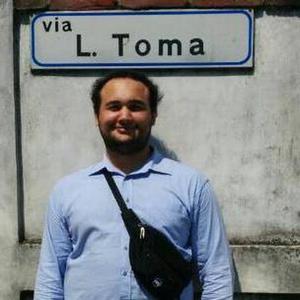
Luca Toma
Google Code In is our annual project to give tasks to school pupils to contribute to KDE projects. One task this year is to write a Dot article and top Code In student Stanford L has interviewed WikiToLearn contributor and Sysadmin Luca Toma.
Read MoreFOSDEM: Announcing KDE neon
Saturday, 30 January 2016

Review KmPlot Application
Wednesday, 27 January 2016
Our series of articles by Google Code In students continues with this review of graphing applications KmPlot by Andrey Cygankov.
Studying maths, I often work with functions and graphs. Graph plotter KmPlot is a great help with this. A list of its features shows it can do enough to solve even the most difficult tasks.
Read MoreApp Review of GCompris: Kids' Happiness
Tuesday, 26 January 2016
Our series of articles by Google Code In students continues with a review of educational applications GCompris by Sergey Popov.
If you have children, you know how hard it is to make a child happy and interested in something for a long time. But there is an easy way to do that: show them GCompris. It is a really great game set for children 2-10 years old and they surely will like it. You may ask, if GCompris is really so good, and I would answer you "Yes". And that is not a joke. Here are some proofs of that. But, you know, nothing is ideal, so I will also mention its bad sides (unfortunately, they are present too).
Read MoreKDE Plasma 5.5: The Quintessential 2016 Review
Tuesday, 12 January 2016
KDE contributor Ken Vermette has written The Quintessential 2016 Review of Plasma 5.5 which was released last month, a 9 page cover of the good, the bad and the beautiful.
Read MoreFirst Plasma Wayland Live Image
Friday, 18 December 2015
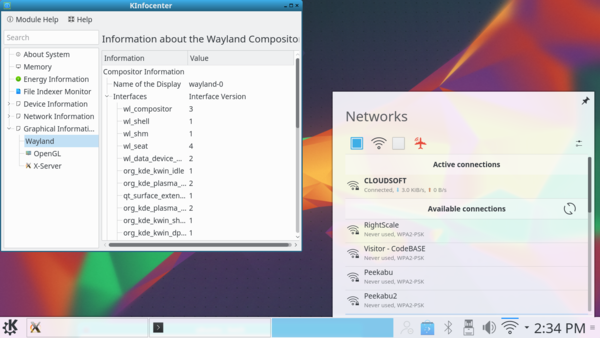
The Plasma team has been working on an early Christmas present: a live image running Plasma on Wayland.
Being able to run a full session of Plasma with applications is a major milestone in our aim of moving from the 30 year old X Window System to its replacement.
Read MorePlasma 5.5 With Beautiful New Artwork
Tuesday, 8 December 2015

Tuesday, 8 December 2015. Today KDE releases a feature update to its desktop software, Plasma 5.5.
Read MoreKDE Ships Plasma 5.4.3, Bugfix Release for November
Tuesday, 10 November 2015

Today KDE releases a bugfix update to Plasma 5, versioned 5.4.3. Plasma 5.4 was released in August with many feature refinements and new modules to complete the desktop experience.
Read MoreKDE PIM Sprint in Toulouse
Monday, 12 October 2015

The sprint was very important, because the team needed to decide how to continue from the current situation. At the previous sprint in Munich in November when Christian Mollekopf and Aaron Seigo introduced their new concept for the next version of Akonadi it was decided to refocus all the efforts on working on that, which meant switching to maintenance mode of the Kontact Suite for a very long time and then coming back with a "big boom". In Toulouse this plan was re-evaluated and decided that it is not working for the team and that it will be much better for the project as well as the users if they continue active development of Kontact Suite instead of focusing exclusively on the “next big thing” and take the one-step-at-the-time approach.
Read MoreSeason of KDE 2015 Now Open
Thursday, 8 October 2015
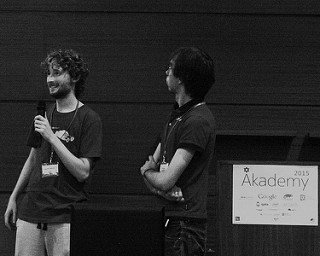
2 of last years students presenting at Akademy
Season of KDE is a community outreach program, much like Google Summer of Code that has been hosted by the KDE community for s years.
It is meant for people who could not get into Google Summer of Code for various reasons, or people who simply prefer a differently structured, somewhat less constrained program. Season of KDE is managed by the same team of admins and mentors that takes care of Google Summer of Code and Google Code-in matters for KDE, with the same level of quality and care.
Season of KDE 201 is now open for applications. To apply head to season.kde.org register as a student and click "Submit a proposal".
FAQ Below
Who can take part?
Everyone can apply for Season of KDE. We give preference to those who have applied for Google Summer of Code and to students, but we will gladly consider applications from anybody interested contribut to KDE.
What do I get out of this?
A great season working on a really cool KDE project and gaining valuable experience. If you complete your project successfully you also get a T-shirt, a certificate and maybe a few other goodies. Also a great project to boost your C.V. too!
What is the timeline?
Season of KDE is a flexible project to fit around school terms, work, and other commitments, and start and end dates can be discussed with your mentor. Projects should be completed before the , typical Season of KDE project should take around 4 months. This year, we are planning to host it in Autumn from Oct 7, 201 to , 201
- Student application deadline: Oct 201
- Mentor application deadline: 201
How do I apply?
First get in touch with a mentor about your ideas, and what projects they want to .
Do I need to have a mentor before applying?
It is preferred. Ideally, you should contact a KDE subproject well before applying, ask for feedback on your idea if you have one, and request a mentor directly. A list of KDE subproject contacts is available on the Google Summer of Code 201 ideas page.
Do I need to have a project idea before applying?
It is preferred. If you do not have one, we will try to find one for you! But generally for a successful project completion proposal helps a lot! This way you can actually get to know a lot more about how your idea is going to be implemented.
Keep in mind that KDE is huge, so you should have an idea of which KDE subproject you wish to work on. You should visit the ideas page [https://community.kde.org/SoK/Ideas/2015 too.
Do I need to write a proposal like in Google Summer of Code?
No, but we would like to see a brief project plan describing what you will be working on.
Is it only for coders like Google Summer of Code?
We are willing to consider non-coding projects as well including artwork and promotion, but you should definitely get in touch to figure out the details beforehand. The KDE Community Wiki describes ways to get involved with KDE that do not require coding.
I applied for a project in Google Summer of Code but another student got selected for it. Can I still work on it?
Maybe, but likely not. You should ask the mentor that was assigned to your idea. We can try to find something related for you if you want, or something completely different. Let us know what you wish and we will do our best to accommodate your request.
Is this an extension of Google Summer of Code or connected to Google?
No. While Season of KDE is in many ways modeled after Google Summer of Code and administered by the same members of the KDE , it is completely independent from Google Summer of Code and has no connection to Google whatsoever.
What if I do not get a reply from a mentor within some days or have some other queries about SoK?
Feel free to join our IRC channel #kde-soc on freenode or email the admin team at kde-soc-mentor-owner@kde.org
KDE Signs the User Data Manifesto 2.0
Wednesday, 7 October 2015

KDE, through its legal body KDE e.V., is one of the launch partners and initial signatories of the User Data Manifesto 2.0. The User Data Manifesto defines basic rights for people to control their own data in the internet age:
Read MoreKDE Ships Plasma 5.4.2, bugfix Release for October
Tuesday, 6 October 2015
Today KDE releases a bugfix update to Plasma 5, versioned 5.4.2. Plasma 5.4 was released in August with many feature refinements and new modules to complete the desktop experience.
Read MorePlasma 5.4.1 Bugfix Release for September
Tuesday, 8 September 2015
Tuesday, 08 September 2015. Today KDE releases a bugfix update to Plasma 5, versioned 5.4.1. Plasma 5.4 was released in August with many feature refinements and new modules to complete the desktop experience.
Read MoreKDE Ships Plasma 5.4.0, Feature Release for August
Tuesday, 25 August 2015

Tuesday, 25 August 2015. Today KDE releases a feature release of the new version of Plasma 5.
Read MorePlasma 5.4 Beta Adds Shine
Tuesday, 11 August 2015
Tuesday, 11 August 2015. Today KDE releases a beta release of the new version of Plasma 5.4.
Read MoreAkademy Talks Day 2
Sunday, 26 July 2015
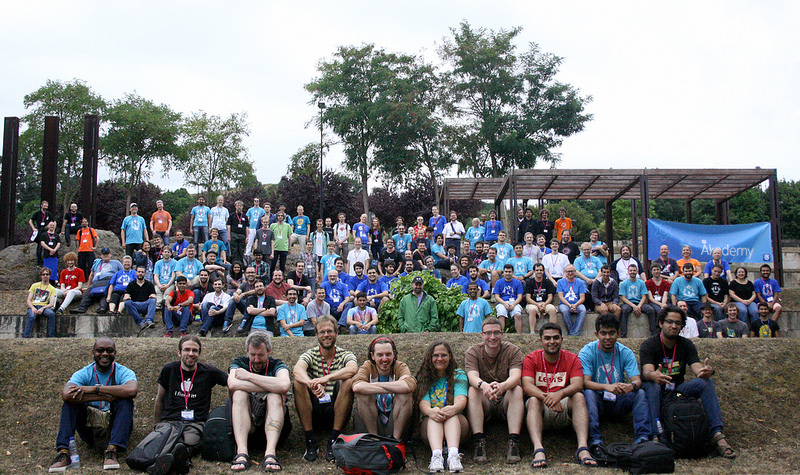
The day today started out with showers of water drops as the late comers to Akademy waded their way amidst raincoated cyclists and residents of A Coruna sheltering themselves underneath coloured umbrellas.
Read MoreAkademy Talks Day 1
Saturday, 25 July 2015
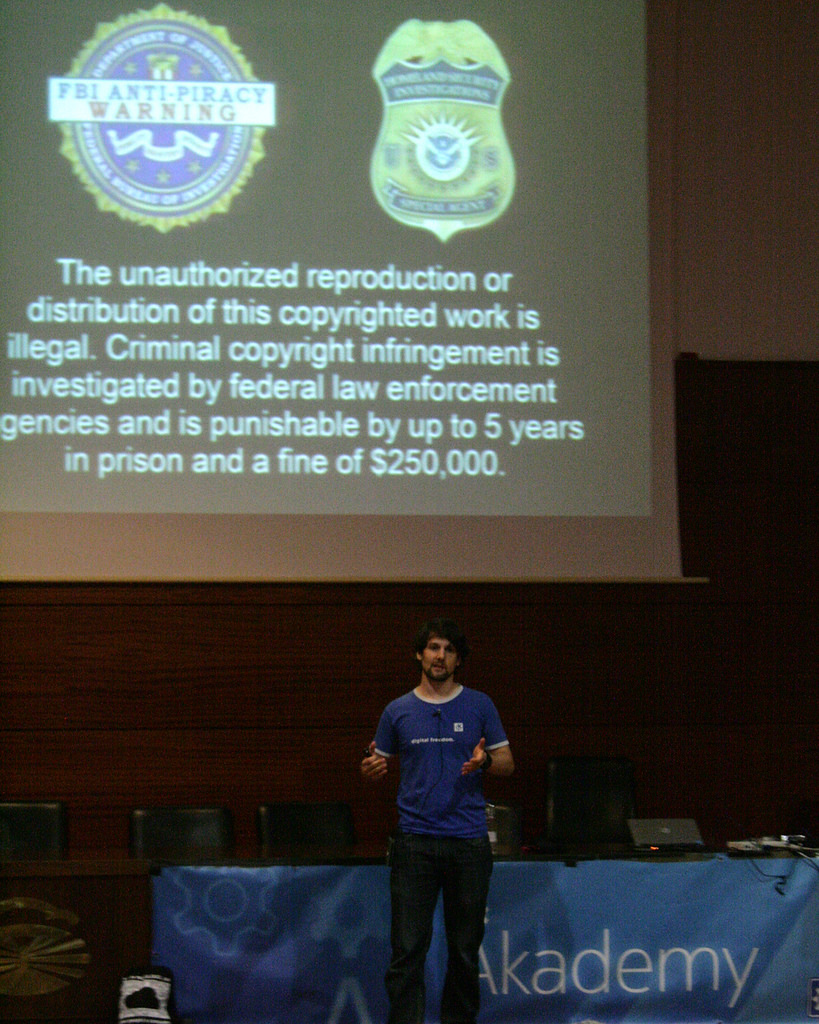 The KDE community has spent the day in western Spain giving and watching talks showing new developments in the community and where we are likely to be going in the next year.
Read More
The KDE community has spent the day in western Spain giving and watching talks showing new developments in the community and where we are likely to be going in the next year.
Read MoreKDE Arrives in A Coruña for Akademy
Friday, 24 July 2015
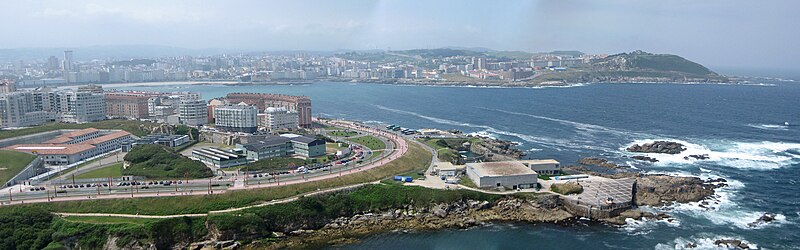
Photo by slideshow bob
KDE is de-camping to the far west of Europe today to A Coruña in Galicia. In this north west corner of the Iberian Peninsula the sun is warm and the air is fresh. KDE contributors of all varieties will be spending a week in talks, discussions, hacking, renewing old friendships and getting to know people new to our KDE Community.
Read MorePlasma 5.3.2 Fixes Your Shutdown Scripts
Tuesday, 30 June 2015

Tuesday, 30 June 2015. Today KDE releases a bugfix update to Plasma 5, versioned 5.3.2. Plasma 5.3 was released in April with many feature refinements and new modules to complete the desktop experience.
Read MorePlasma 5.3.1 Fixes Important Bugs
Tuesday, 26 May 2015
Today KDE releases a bugfix update to Plasma 5, versioned 5.3.1. Plasma 5.3 was released in January with many feature refinements and new modules to complete the desktop experience.
Read MorePlasma 5.3 Adds Improved Power Management and Media Center Preview
Tuesday, 28 April 2015
Today KDE makes a feature release of Plasma 5, versioned 5.3.
Highlights


Enhanced Power Management
- Power management settings can be configured differently for certain activities
- Laptop will not suspend when closing the lid while an external monitor is connected ('cinema mode', by default, can be turned off)
- Power management inhibitions block lock screen too
- Screen brightness changes are now animated on most hardware
- No longer suspends when closing the lid while shutting down
- Support for keyboard button brightness controls on lock screen
- KInfoCenter provides statistics about energy consumption
- Battery monitor now shows which applications are currently holding a power management inhibition for example ('Chrome is currently suppressing PM: Playing video')

Better Bluetooth Capabilities
- New Bluetooth applet
- Bluedevil was ported to a new library from KDE, BluezQt
- Added support for blocking and unblocking Bluetooth
- Connected devices with Browse Files (ObexFTP) support are now displayed in the file dialog's Places panel


Improved Plasma Widgets
- Clipboard applet gains support for showing barcodes The Desktop and Folder View containment codebases were unified, and have seen performance improvements
- The Recent Documents and Recent Applications sections in Application Menu (Kicker) are now powered by KDE activities
- Comics widget returns
- System monitor plasmoids return, such as CPU Load Monitor and Hard Disk usage
Plasma Media Center - Tech Preview

Plasma Media Center is added as a tech preview in this release. It is fully stable but misses a few features compared to version 1. You can log directly into a Plasma Media Center session if you want to use it on a media device such as a television or projector or you can run it from Plasma Desktop. It will scan for videos, music and pictures on your computer to let you browse and play them.
Read MorePlasma 5.3 Beta Improves Power Management and Adds Media Centre Preview
Tuesday, 14 April 2015
Tuesday, 14 April 2015. Today KDE releases a beta release of Plasma 5, versioned 5.2.95.
Read MorePlasma Sprint 2015
Wednesday, 8 April 2015
In February 2015 the Plasma developers met in the Blue Systems office in Barcelona to discuss and plan out where we would take Plasma over the duration of the next year. The sprint consisted of active Plasma developers and visual designers from around the world, from Canada to India.
Read More
Plasma 5.2 Bugfix Update
Tuesday, 24 March 2015

Plasma Konqi
Tue, 24 Mar 2015. Today KDE releases a bugfix update to Plasma 5, versioned 5.2.2. Plasma 5.2 was released in January with many feature refinements and new modules to complete the desktop experience.
Read MoreNow accepting Google Summer of Code student applications
Tuesday, 17 March 2015

Attention prospective Google Summer of Code students: the student applications window has begun.
If you haven’t contacted the relevant KDE subproject yet (including umbrella projects Kubuntu and Calamares) to submit your proposal for review, it is high time to do so. Take a look at our Google Summer of Code project ideas page, pick one or more of our exciting project ideas, dazzle us with your proposal and hack your way to ultimate glory this summer! A nice paycheck is also part of the deal.
Read Moree.V. President Lydia Pintscher on the Role of a Nonprofit in Open Source Development
Thursday, 12 March 2015
Linux.com interviews KDE e.V. president Lydia Pintscher. She talks about what KDE's legal body does and why it is important for open source communities to have a charity to represent them. She also discusses the difference between company and community supported projects and the status of women in open source.
Read MoreCalligra 2.9 Brings Biggest Krita Release and New Kexi Partnership
Thursday, 26 February 2015
We are happy to announce the release of final version 2.9 of the Calligra Suite, Calligra Active and the Calligra Office Engine. This version is the result of thousands of changes which provide new features, polishing of the user experience and bug fixes.
Read More
Plasma 5.2 Bugfix Update
Tuesday, 24 February 2015

Tuesday, 24 February 2015. Today KDE releases a bugfix update to Plasma 5, versioned 5.2.1. Plasma 5.2 was released in January with many feature refinements and new modules to complete the desktop experience.
Read MoreMeet KDE at FOSDEM this Weekend
Wednesday, 28 January 2015
 KDE will be at Europe's largest gathering of free software developering this weekend, taking over the city of Brussels for FOSDEM. We start with the traditional beer event on the Friday, sampling 100 flavours of beer while we mingle with old friends and new. On Saturday we will have a stall showing off Plasma 5.2, our beautiful desktop launched only yesterday. We will also show off upcoming ideas like KDE software on Android. There will be t-shirts to buy for those who wants to show their support for the original and best free software desktop community. Saturday evening sees the Kubuntu 10th anniversary party in Grand Place to which all KDE friends are welcome (but remember to book on first). On Sunday we'll be running the Desktop devroom with our friends from other projects. Bruno Coudoin will be talking about his port to Qt of GCompris. Hope to see you there!
Plasma 5.2 Is Beautiful and Featureful
Tuesday, 27 January 2015
Today KDE releases Plasma 5.2. This release adds a number of new components, many new features and many more bugfixes.
New Components

KScreen dual monitor setup
This release of Plasma comes with some new components to make your desktop even more complete:
Read MorePlasma 5.2 Beta out for Testing
Tuesday, 13 January 2015
Today KDE releases a beta for Plasma 5.2. This release adds a number of new components and improves the existing desktop. We welcome all testers to find and help fix the bugs before our stable release in two weeks' time.
Read More
Plasma 5.1.2 Bugfix Release
Tuesday, 16 December 2014
Plasma 5.1.2 is the December output from our desktop team. It's a bugfix release which adds several dozen fixes and the latest translations.
Some highlights include:
- The Breeze icons licence has been clarified as LGPL 3+.
- The remaining battery time in PowerDevil now updates correctly.
- VirtualBox shell resizing fixed.
- The free space notifier icon hides correctly when space becomes available again.
- Dr Konqi updated for future proofing.
This is the final update to Plasma 5 for this year, we'll see you again next year with a new feature release at the end of January.
Read MoreRelease of KDE Frameworks 5.5.0
Friday, 12 December 2014
KDE today announces the release of KDE Frameworks 5.5.0.
KDE Frameworks are 60 addon libraries to Qt which provide a wide variety of commonly needed functionality in mature, peer reviewed and well tested libraries with friendly licensing terms. For an introduction see the Frameworks 5.0 release announcement.
Read MoreGoogle Code In 2014 : Call for Participation
Friday, 28 November 2014

The Google Code-in is a contest to introduce pre-university students (ages 13-17) to the many kinds of contributions that make open source software development possible. The contest runs from December 1, 2014 to January 19, 2015. For many students the Google Code-in contest is their first introduction to open source development.
Read MorePlasma Bugfix Release Increases Integration with KDELibs 4 Apps
Tuesday, 11 November 2014
This month the Plasma 5 team brings you 5.1.1, a bugfix release to polish up the offering. It includes all the latest translations and a bunch of bugfixes. The bugfixes include syncing settings better with kdelibs4 applications so if you select which web browser you prefer to use that will affect all KDE applications. The VDG team have also continued their impressive work with numberous tweaks to the Breeze and Oxygen styles to get those margins just right as well as improve support for right-to-left languages.
Season of KDE 2014
Monday, 27 October 2014
Season of KDE is a community outreach program, much like Google Summer of Code that has been hosted by the KDE community for six years straight.
It is meant for people who could not get into Google Summer of Code for various reasons, or people who simply prefer a differently structured, somewhat less constrained program. Season of KDE is managed by the same team of admins and mentors that takes care of Google Summer of Code and Google Code-in matters for KDE, with the same level of quality and care.
Read MoreMake the World a Better Place! - KDE End of Year 2014 Fundraising
Thursday, 16 October 2014
<img src="https://www.kde.org/images/teaser/bannerFundraiser2014.png" width="830" height="300"alt="fundraiser banner" />
As we approach the end of the year we begin the season of giving. What would suit the holiday better than giving to the entire world through the KDE Year End 2014 fundraiser?
Read More
Plasma 5.1 Brings Back Many Popular Features
Wednesday, 15 October 2014

Plasma 5
Today, KDE releases Plasma 5.1, the first release containing new features since the release of Plasma 5.0 this summer. Plasma 5.1 sports a wide variety of improvements, leading to greater stability, better performance and new and improved features. Thanks to the feedback of the community, KDE developers were able to package a large number of fixes and enhancements into this release, among which more complete and higher quality artwork following the new-in-5.0 Breeze style, re-addition of popular features such as the Icon Tasks taskswitcher and improved stability and performance.
Read MoreThird Release of KDE Frameworks Brings a Multitude of Fixes
Tuesday, 7 October 2014
Releases of KDE Frameworks are now a monthly feature. The release of KDE Frameworks 5.3 brings many small, but important fixes including:
- KWindowSystem has added features needed for future versions of KWin,
- KTextEditor used in Kate fixes memory leaks,
- Frameworkintegration was fixed for Qt 5.4, and
- KActivities can load plugins at runtime.
KDE will be at Qt Developer Days in Force
Friday, 3 October 2014

Qt Developer Days Europe is next Monday to Wednesday in Berlin. It features tutorials and talks on making the most of the Qt toolkit most KDE Software is based upon. Since Qt opened up its development process a large part of KDE Frameworks development has been to ensure close cooperation between the two projects. This has succeeded spectaularly well and at this Qt Dev Days an incredible over 50% of the speakers are active or past developers with KDE.
Read MoreTime to Test Plasma 5's Second Release
Tuesday, 30 September 2014
Put your testing hats on, Plasma 5 has a beta release. The second version of Plasma 5 is due out in under two weeks and now is your chance to test it for bugs which have crept in. It features a bunch of missing features which have been added back such as the much requested icon only task bar. The Visual Design Group have been hard at work over the last three months adding a Qt 4 Breeze theme to make all KDE applications fit into the desktop and many new icons as part of the Breeze icon theme. Check for packages for your distro and try it out.
Akademy 2014 Talk Videos Available
Thursday, 25 September 2014
Videos of all of the Akademy Talks are now available online to watch in your own time.
You can access them from the Akademy schedule. Follow the schedule to the talks for the links to the videos and the slides.
Read MoreAkademy Wednesday and Thursday Wrapup
Thursday, 11 September 2014
Akademy continues with hacking and BoF meetings. This wrapup meeting video covers sessions from Wednesday and Thursday including accessibility, release team, user information reporting, KDE applications websites, KDevelop and share-like-connect.
Akademy Tuesday Wrapup
Wednesday, 10 September 2014
Akademy is in full swing here in Brno in the Czech Republic. The days are now filled with BoF sessions to discuss given topics and make decisions in person much faster than would be possible online. Here is the wrapup session from Tuesday which covered the outcomes from sessions on Solid, Plasma Media Centre, Inqlude, UI design, Frameworks and more.
Read More
Akademy Award Winners 2014
Monday, 8 September 2014
The talks weekend at Akademy finished with the traditional announcing of the Akademy Awards, our recognition of the stars of KDE. The winners are selected by those who received the award the previous year.
Read More
KDE Arrives in Brno for Akademy
Saturday, 6 September 2014

Yesterday KDE contributors from around the world arrived in Brno for Akademy, our annual meeting. Over the next week, we will share ideas, discover common problems and their solutions, and rekindle offline friendships for another year. We have traveled from around the world to work on free software in the spirit of community and cooperation. This year we can celebrate the success of the last 12 months when we released major new versions of our platform—KDE Frameworks—and our desktop—Plasma 5. This work has been well received by the press and our community of users, but we know there is much more to do to keep KDE Software relevant for the years to come in a world where desktops are only one way of using computer software. We'll be discussing and planning how to make the best desktop software for Linux and how to expand to new platforms.
Read MoreKDE Frameworks Sprint - How to Release a Platform
Wednesday, 13 August 2014
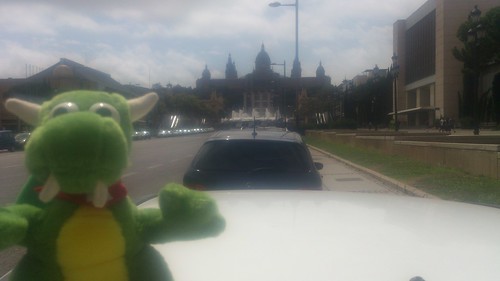
Konqui finds the Spectacular Montjuic next door to the KDE office.
KDE Frameworks 5 is the result of two years of hard work porting, tidying, modularizing and refactoring KDELibs4 into a new addition to the Qt 5 platform. In January, Alex Fiestas announced The KDE Barcelona Hub—an office where anyone is welcome to come and work on KDE projects. It was just what the Frameworks team needed to finish off the code so it could be released to the world. Read on for some of what happened.
Read MoreFirst Bugfix Update to Plasma 5
Tuesday, 12 August 2014

This update adds all the translations for the last month as well as a bunch of fixes for issues such as using the right icons, showing toolbars on second screens, using translations and fixes for right to left text. Grab your distro packages or you can try the new Kubuntu Plasma 5 images.
Read MoreFirst Update to KDE Frameworks 5
Thursday, 7 August 2014

KDE has today made the first update to KDE Frameworks 5. Frameworks are our addon libraries for Qt applications which provide numerous useful features using peer reviewed APIs and regular monthly updates. This release has 60 different Frameworks, adding features from Zip file support to Audio file previews. For a full list, see KDE's Qt library archive website Inqlude. In this release KAuth gets a backend so you can again add features which require root access, KWallet gets a migration system from its KDELibs 4 version, and support has been added for AppStream files.
Read MoreKDE Frameworks 5 Makes KDE Software More Accessible for all Qt Developers
Monday, 7 July 2014
 Today, the KDE community has made available the first stable release of Frameworks 5. At the Randa Meetings back in 2011, we started work on porting KDE Platform 4 to Qt 5. But as part of this effort, we also began modularizing our libraries, integrating portions into Qt 5 proper and modularizing the rest so applications can just use the functionality they need. Three years later, while a fundraiser for the 2014 Randa Meetings is in progress, Frameworks is out. Today you can save yourself the time and effort of repeating work that others have done, relying on over 50 Frameworks with mature, well tested code. For a full list and technical details coders can read the API documentation.
Highlights
KArchive offers support for many popular compression codecs in a self-contained, featureful and easy-to-use file archiving and extracting library. Just feed it files; there's no need to reinvent an archiving function in your Qt-based application!
ThreadWeaver offers a high-level API to manage threads using job- and queue-based interfaces. It allows easy scheduling of thread execution by specifying dependencies between the threads and executing them satisfying these dependencies, greatly simplifying the use of multiple threads.
Plasma 5 Second Beta Needs Testing
Tuesday, 10 June 2014

The next generation desktop from KDE is taking shape and the second beta is out now for testing. The developers have settled on a name - Plasma 5, and there is only one month to go until the first release so please test packages from your distro or download the Neon 5 Live ISO to see what is working and what needs fixed.
Read MorePlasma Next Beta Ready for Testing
Tuesday, 13 May 2014
 KDE is pleased to announce that Plasma Next Beta 1 has been released. Plasma Next is the codename for the new version of our beautiful desktop workspace built on KDE Frameworks 5. It features the same familiar layout you will be used to but with a simplified and more slick look from the new KDE Visual Design Group. For the first time our desktop ships with its own font, the Oxygen Font. Internally much has been rewritten in QML to make it smoother to render and easier to develop. The source has been split into over 20 sources making it easier for distributions to package. We need as many testers as possible to iron out the many bugs we know still exist. Many distributions have started making packages so you can easily test it, listed on the unstable packages wiki page. The easiest way to try it out is to download the Neon5 ISO and boot from it on a USB drive, Neon5 has the latest daily builds of Plasma code. Please test it out and let the Plasma team know what to work on.
KDE at FOSDEM 2014
Tuesday, 7 January 2014
KDE will be at FOSDEM in Brussels on 1&2 February this year. We will have a stall both days showing off the latest builds of Frameworks 5 and Plasma 2. Saturday will see our Desktop devroom which is shared with GNOME, LXDE and Unity. There will be a a panel discussion with the governing bodies of the GNOME Foundation and KDE e.V. (the association that supports KDE), a presentation about KDE Frameworks 5, and a personal account of challenges and triumphs—"Do you have to be brain damaged to care about desktop Linux?.
Read More
Early KDE Plasma 2 Images Now Available
Monday, 9 December 2013
Project Neon, the daily builds of KDE Frameworks 5 and KDE Plasma 2 for Kubuntu, has started releasing ISO images for testing. These are very early previews of the next generation of KDE Software. It is strongly recommended not be installed on a production machine but can be tested as live images or installed into a VirtualBox or other VM. Crashes and bugs are virtually guaranteed. The only supported upgrade path is to install a later ISO image. More information on Rohan's blog. Project Neon introduction on the Dot.
Read More
Second Calligra Release Available
Wednesday, 15 August 2012
Calligra—the productivity suite from KDE—has made its second release. The nine applications in the suite have all received new features and bug fixes, such as improved table editing in Words, neater cell editor in Sheets and a compositions docker in Krita for movie storyboard generation.
Read More
conf.kde.in Talks Close With KDE Legend Sirtaj
Saturday, 12 March 2011
conf.kde.in talks have finished after a busy three days packed with inspiration and knowledge. Closing the conference was keynote speaker and old-time KDE developer Sirtaj. He spoke from his personal experience being a KDE developer from the start of the project. Working on an open source project gives programming students the confidence and knowledge necessary for real world programming. It will improve your employment chances massively because you can show you can produce results. On top of that it is a great way to make friends and travel the world. He said that KDE does all this best out of all the open source projects. Read on for more talks.
In the first of two KDE Edu talks Anne-Marie introduced the projects and the range of applications it includes. Stephanie G made the case for more Indian content in KDE Edu. Many KDE Edu applications need locale specific content written for them such as KGeography. She showed a video of Bijra High School in a remote village near where she lives. The school had recently received computers which run Kubuntu with KDE Edu. The pupils explained the range of uses they made of the computers which run in Bengali. They were also offered some Windows computers but the pupils and staff rejected them because they were had no software in a suitable language and, having tasted KDE Edu, they didn't want to use anything else.
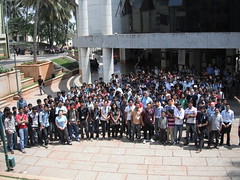
There have been tutorials on a number of topics. Frederick Gladhorn gave one on Qt Quick, covering the QML language and how to use it to make dynamic designer led user interfaces. A Calligra talk by Mani Chamdrasekar showed how Calligra can be embedded in any Qt application to use OpenDocument similar to how WebKit can be embedded. This was followed by a tutorial taking participants through creating an application which includes Calligra. Jonathan Riddell took students through the lengthy journey of creating an application in PyKDE, the various fiddly bits to get that into a state where it can be released, then packaging it and putting it into Kubuntu. Other tutorials included Qt Model/View and VCreate Logic's Generic Component Framework.
Read Moreconf.kde.in Opens in Bengaluru
Thursday, 10 March 2011
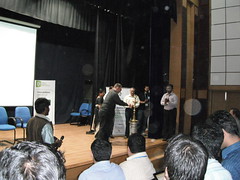
Lighting the Auspicious Lamp
The first session was by Lydia Pintscher who set the keynote for the conference with her talk "So Much to do, So Little Time". She introduced KDE and spoke about the elements that make it special, the high quality software, breadth of the project and most importantly the community.
Read Moreconf.kde.in Announces Talks, Keynotes and Registration
Tuesday, 8 February 2011
 There is only a month to go before the first KDE and Qt conference in India opens. The event will be headlined by three keynotes speakers talking on the effects of technology on culture, the law and what makes our community tick. Talks and workshops have been announced and registration is open for anyone planning to attend. Read on for details.
The Keynotes
 Runa Bhattacharjee is a translator for KDE and other projects who works for Red Hat. Her talk on Traditional Hues and Technology will look at the way culture is being changed by computers and the significant impact open source is having on this process.
KDE at FOSDEM Next Weekend
Friday, 28 January 2011
Next weekend (5-6 February 2011) is FOSDEM, one of the largest gatherings of Free Software developers in the world. KDE will be in Brussels with a stall and as part of the crossdesktop devroom. KDE talks will cover: education, an introduction to Qt and Qt Quick, Phonon, KDE on Windows and mentoring. In the crossdesktop devroom, there will be other talks on topics such as application distribution and games development, which will be interesting to KDE developers too. In the main track, there is a talk on Qt WebKit. That's not to mention the many other tracks of talks or the legendary Beer Event. See you there.
Amarok Insider, Written By Google Code-In Students
Wednesday, 26 January 2011
The latest Amarok Insider features the writing of seven Google Code-In students, writing nine different articles. They range from an interview with developer Bart Cerneels to "How To install a new script in Amarok". Besides the mentors, students were able to get assistance and encouragement in their tasks and research from Amarok developers and users in the #amarok IRC channel on Freenode, which is what makes these articles of such high quality.
Read More
Behind KDE: Nuno Pinheiro
Wednesday, 26 January 2011
Oxygen designer Nuno Pinheiro has done an interview for People Behind KDE. He discusses his work on KDE Platform 4.5 and how he organises (or not) his busy week, "At the end of the week I don't know what I did on Monday". He reveals where his inspiration for artwork comes from, how to become an artist and the secret to design success, "First and most important is imagination".
New Behind KDE 'Platform' Series Launches with Patrick Spendrin
Tuesday, 11 January 2011
Behind KDE is our site for interviews with KDE contributors and a new series is being started by Pau Garcia i Quiles. The theme of the series is the different platforms that KDE is available for. The first interview is with Patrick Spendrin. Patrick works on the KDE Windows project and tells us how the project works, what can be done with it, how he got involved and how you can get involved. Future articles in this series will talk about Mac, BSD, Solaris and other platforms.
Canonical Donates Server to KDE
Wednesday, 8 December 2010
KDE is a growing community with growing needs. The KDE Sysadmin team works hard to keep up, but lately the servers have been coming under some strain.
To help ease the situation, Canonical has donated a new server for the KDE Sysadmins to use. The server, named kundong, features an impressive 8 CPU cores, 6 GB of memory, and a 130 GB disk with space for several more disks as needed. It is hosted in Canonical's data center in central London.
Read MoreCall for Talks at FOSDEM 2011
Wednesday, 1 December 2010
FOSDEM is one of the largest gatherings of Free Software contributors in the world and happens each February in Brussels. We are now inviting proposals for talks on KDE, KDE software and general desktop topics to take place in the Cross Desktop devroom. This is a unique opportunity to show the novel ideas of KDE to a wide audience of developers.
Read More
Plasma Mobile Technology Preview Features in Kubuntu 10.10
Monday, 11 October 2010
Plasma Mobile
Kubuntu 10.10 also features an application-focused KDE interface to the cross-distribution PackageKit package management layer, providing a modern and easy to use native interface for installing and updating your software.
Read MoreNokia Releases Qt 4.7 with Qt Quick
Wednesday, 22 September 2010
Nokia has released Qt 4.7. It features some impressive performance improvements through hardware accelerated compositing in QtWebkit, a new text renderer and painting improvements on OpenGL. Notably Qt Quick is included, featuring the new QML (Qt Meta-Object-Language) language for writing programs based on outcomes. According to the release, QML is "an easy to learn, declarative language that ‘describes’ the interface of a program and how it behaves." Sources are available from the FTP server.
KDE e.V. Quarterly Reports Relaunched
Sunday, 11 July 2010
KDE e.V. is the legal body which holds our finances and represents the project in a range of issues. Our Quarterly Reports have restarted with a special bumper issue covering 2009 Q2 to 2010 Q1. It covers the many sprints which e.V. organises for our contributors to get together in person with their KDE teams. It also covers events e.V. has helped KDE to attend and the working groups it oversees.
Read More
KDE Software Compilation 4.4.5 Available
Wednesday, 30 June 2010
Despite all the work going into 4.5, those of you wanting to live a stable life have not been forgotten. KDE SC 4.4.5 (codenamed "Ceilidh") is the last scheduled update in the 4.4 series and includes bug fixes and translation updates. Particular love has been given to beasties in Konsole, KAlarm and Okular. See the info page for where to download and the changelog for the details.
Qt's Knut Yrvin in Norway's Got Talent Final
Friday, 21 May 2010

Knut's got talent
Tonight is the final and Knut has made it to the last few contestants. The streets of Oslo will be silent as everyone will be eagerly watching the Norwegian Ant and Dec introduce the acts. Will Knut triumph or will the judges buzz him out? KDE will be backing him all the way.
Read MoreKDE at FOSDEM this Weekend
Tuesday, 2 February 2010
KDE will be at FOSDEM this weekend, the largest gathering of free software contributors there is. We will have a KDE devroom on the Saturday with a packed programme of talks covering KDevelop, PIM, Designer and more. On the Sunday we have been working with our friends at Gnome on a cross desktop schedule of talks. This will include semantic desktop, zeroconf, package installing and accessibility. There will also be a KDE stall showing off the almost-final release of KDE Software Compilation 4.4. See you there!
Read MoreKOffice Based Office Viewer Launched for Nokia N900
Thursday, 21 January 2010
An alpha version of Office Viewer has been uploaded to the repositories for the N900. Users of Nokia's smart phone can install the KOffice based app to view word processing documents, spreadsheets and presentation. The application can also be used to give presentations. "This shows both how portable and lean on resources KOffice is" says Inge Wallin, the marketing coordinator of KOffice, "we hope and believe that this is only the first port of KOffice to other mobile devices.
Read MoreKOffice 2.1.1 Gets the Bug Count Down
Thursday, 14 January 2010
Your hard-working KOffice team have been coding away over the last couple of months and the resulting KOffice 2.1.1 is now available. This is a bugfix release and the changelog shows that it improves every app in the suite. KOffice is the most integrated and complete suite of office applications available, however the 2.1 series is still recommended to experimental adopters only.
Speakers Wanted for FOSDEM 2010
Tuesday, 15 December 2009
 FOSDEM is the largest gathering of Free Software developers in Europe. KDE has a room for talks on the Saturday and a crossdesktop room on the Sunday shared with Gnome and XFCE. We want you to give a talk on any KDE related topic. Do you have an interesting program which more people should be using? Maybe you want to show off a language binding. Are you part of a distro which uses KDE? You could share cross desktop development experiences. Take a look at the 2009 schedule for more inspiration.
To submit a talk add it to our FOSDEM 2010 wiki page. The deadline is January 3rd.
Read MoreopenSUSE KDE Sneak Peek Lifts the Lid on Innovations
Tuesday, 3 November 2009
Over at openSUSE News, the new KDE features in openSUSE 11.2 come under the spotlight before its release in a few days. KWin stalwart and openSUSE hacker Luboš Luňák bares his soul. See how KDE is presented as the default desktop on openSUSE, and find out how the openSUSE team made Firefox fit in on a KDE desktop.
KOffice 2.1 Release Candidate
Thursday, 29 October 2009
The KOffice team is happy to the release candidate of KOffice 2.1. As usual, the team worked diligently to remove all release blocker bugs leading up to this candidate. See the full changelog for the details. This is the last chance to test before the final release of KOffice 2.1. We ask that all of our users who wish to help us make KOffice 2.1 the best it can be try out this pre-release and report any remaining bugs.
KOffice 2.1 Beta 3 Released
Thursday, 8 October 2009
 "Gentlebot" made with Krita
Alex Spehr Interviewed About KDE and BugSquad
Wednesday, 7 October 2009
Linux Pro Magazine has interviewed Alex Spehr about her work on BugSquad and promoting KDE. The interview reveals what she's doing to help North America catch up with KDE promotion and what the most scary thing is about working with free software.
First KDE 4.3 Update Available
Tuesday, 1 September 2009
KDE has released the first update in its 4.3 series. Bugs have been fixed and translations made more complete. 4.3.1 includes a new Croatian translation. KMail and KWin have both recieved a lot of fixes and a crash when editing toolbars was solved making this an important update for all. The release info page has the links for source downloads and information on the distro packages which are currently available.
Read More
GCDS Slides and Videos Online
Tuesday, 28 July 2009
The available slides and videos from GCDS are now available for download. Grab the slides to catch up on over 40 of the best talks, and get the videos to over 50 enlightening presentation. Thanks to GeekSoc for hosting and thanks to the team from KDE who manned the cameras.
Qt Labs America and Other Akademy Talks & Sessions
Friday, 10 July 2009
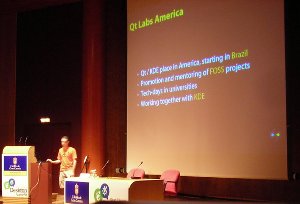
Qt Labs Americas being announced
One of the big announcements was for Qt Labs America. The team at OpenBossa are working with Qt Software to promote Qt development in Latin America, starting with Brazil. They want to find students to work on KDE as a means to learning development, similar to the methods tried by the university in Toulouse. They will sponsor KDE developer sprints, and are looking for KDE teams to invite out to Brazil.
Read MoreDay 2 at Gran Canaria Desktop Summit
Tuesday, 7 July 2009
The conference auditorium
The Desktop Summit is continuing with talks in the Cross Desktop tracks and the start of the Akademy tracks. Between the talks developers can be spotted huddled in groups discussing everything from problems with their code to building community. The tracks covered metadata, community, infrastructure and multimedia. Read on for some of the talks.
Read MoreAkademy Awards 2009
Monday, 6 July 2009
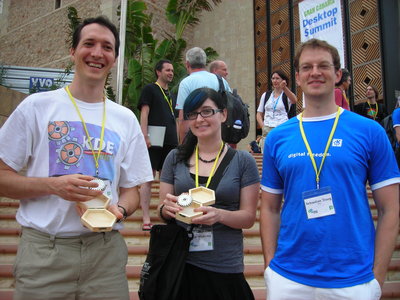
Award Winners David Faure, Celeste Lyn Paul and Peter Penz accepted by Sebastian Trueg
Aaron Seigo, as played by Sebas, one of last year's winners presenting an award
Peter Penz
Peter Penz is the developer of Dolphin and won the award for best application category. Unfortunatly Peter was not at Akademy so his award was accepted by Sebastian Trueg on his behalf.
Canonical Party Welcomes Gran Canaria Desktop Summit
Saturday, 4 July 2009
Free t-shirts were popular
Tonight the Gran Canaria Desktop Summit was opened with a party sponsored by Kubuntu's very own Canonical. Stickers, t-shirts and beer were all given out to contributors and users of KDE, Gnome and any other free software environment. Some converts were made from the local Canary island population who were enthused by the spirit of freedom.
Read MoreKOffice 2 Receives its First Update
Monday, 29 June 2009
Today, exactly one month since the release of KOffice 2.0.0, the KOffice team releases the first bugfix release in the 2.0 series. This release contains no new features but lots of bugfixes for almost all of the components in KOffice 2.0. We are planning at least two more bugfix releases of 2.0 before starting the 2.1 series in October this year.
Read More
KDevelop 4 Beta 4 Released
Sunday, 28 June 2009
On behalf of the KDevelop team I am happy to announce the Beta 4 release of KDevelop 4. This release includes some major new features, such as working sets (only available when building with KDE 4.3), integration of the quickopen functionality into the toolbar and a new perspective switcher (see the upper right corner of the mainwindow). We have of course also fixed again a lot of bugs, for example non-text files such as images will not crash KDevelop anymore when closing them, Valgrind execution is working again, the debugger's variable view has been fixed and a lot of crash fixes related to parsing and code-completion popups. Altogether we have managed to fix 30 bugs in just 30 days.
Read More
Kubuntu Tutorials Day will Get You into KDE Programming
Friday, 26 June 2009
Time for another Kubuntu Tutorials Day. Learn about KDE and Kubuntu development in a helpful atmosphere next Monday from 19:00UTC in the #kubuntu-devel IRC freenode channel. We have a lineup of exciting speakers on a range of topics. Read on for the timetable
Read More
KOffice 2.0 Release Candidate 1 Released
Wednesday, 8 April 2009
Today, the KOffice team has released the first, and hopefully the only, release candidate for KOffice 2.0, bringing more than three years of work to a temporary conclusion. Compared to Beta 7, this release candidate brings a multitude of bug fixes and not a single new feature, as it should be!
Read More
One Year Anniversary of BugSquad: KMail Bug Weekend Starting Saturday, April 4th
Wednesday, 1 April 2009
Full Circle Magazine Interviews KDE and Kubuntu Developers
Tuesday, 31 March 2009
Full Circle Magazine has a new issue out (4MB PDF) with a couple of KDE themed interviews. Lydia Pintscher, Amarok community manager and Kubuntu Council member, is interviewed about how she got into Linux, her role in the community, the fate of KDE women and even how she fell in love. Elite Kubuntu packaging ninja, Steve Stalcup talks about how he got into packaging, where to get help and what makes him amazed.
Gran Canaria Desktop Summit Opens Registration and Call for Papers
Monday, 16 March 2009
This year the annual KDE community summit, Akademy, is being held in Las Palmas, Gran Canaria, Spain, from 3rd to 11th of July. It will be part of a larger event, the Gran Canaria Desktop Summit co-located with the GNOME community's annual summit, GUADEC.
Read MoreFirst Free Software Conference Held in Nigeria
Tuesday, 10 March 2009
 The first Nigerian conference on Free and Open Source Software was held this week in Kano, Nigeria. The conference featured local speakers, consultants, network engineers, system administrators and academics, and international guests from KDE for three days at Bayero University of Kano. Over 500 students and professionals attended, filling the hall to capacity.
 Group Photo
The honourable commissioner for science and technology Dr Bashir Galadanci opened the conference on Friday morning, referring to his experiences with Free Software in Italy in the 1990s; he expressed hope for the future of Free Software in Nigeria and encouraged all those present to develop their technical skills. The director of the Centre for Information Technology, Dr. Muntari Hajara Ali, echoed these sentiments and stressed that the attendees are in the forefront of the effort to domesticate IT and giving Free and Open Source software a place in the Nigerian economy.
Read MorePeople Behind KDE: Luboš Luňák
Sunday, 22 February 2009
In the latest People Behind KDE interview, we cover someone who has been with us for a long time. Alternately known as "Evil Genius" or "Rock Star with an International Fan Club". He still has his plushy lion, but has to now rectify his work on KWin with a dislike of fancy graphics and reveals the story behind his blue hair appearance. These are the publishable parts from our interview with our current star of People Behind KDE: Luboš Luňák.
Read More
Interview: Eigen Developers on 2.0 Release
Monday, 16 February 2009
KOffice 2.0 Beta 6 Released
Sunday, 15 February 2009
The KOffice developers have released their sixth beta for KOffice 2.0.
With this release we start to approach the end of the beta series and
move towards the Release Candidates. As usual the list of changes
is rather long, but it is obvious that the really large issues are
starting to dry up. Take a look at the full announcement to find
out more, or look at the changelog for the details.
Read More
Computerworld: OpenChange, KDE bring Exchange Compatibility to Linux
Saturday, 31 January 2009
Computerworld covers progress in OpenChange, the Microsoft Exchange server and client replacement. He looks at integration work being done in Akonadi and how that will arrive in KDE 4.3. "Speaking at the Linux.conf.au conference in Hobart last week, Canberra-based OpenChange and KDE developer Brad Hards said 'We're working with the Microsoft Exchange protocols and work it mostly does. Mail is easy, the stuff which is hard is the address book, calendar, free-busy lists, and notes. These are a big deal in the enterprise.'"
Interview with Developer Dario Freddi
Saturday, 31 January 2009
It is with great pleasure that we publish this interview with Dario Freddi, the developer known as drf in the KDE community. For those who do not know, Dario dedicates his time to many aspects of KDE 4; PowerDevil for example, the power manager that has debuted in KDE 4.2, is the result of his hard work. Other projects which he contributes are Arch Linux and the Chakra Project, DeviceSync and PolicyKit-KDE! You can find much interesting information in his blog and in the various links here and there in this interview which comes from KDE Italia from last December.
Read More
NLnet Foundation Sponsors Lokalize
Friday, 30 January 2009
The Dutch NLnet Foundation, aiming to stimulate open network research and development and more general to promote the exchange of electronic information, has decided to financially support the Lokalize project of KDE.
Read More
KDE 4.2 Released
Tuesday, 27 January 2009
It has been a full year since the beginning of the KDE 4 series and today the KDE community proudly announces the release of KDE 4.2, "The Answer". This
third feature release brings a stunning amount of new features and great stability. The KDE community is confident that KDE 4.2 is a compelling choice for the majority of end users, after previous releases targeting enthusiasts.
Read More
Qt Everywhere: 4.5 To Be Relicensed As LGPL
Wednesday, 14 January 2009
Nokia has announced that starting with version 4.5, Qt will be available under the LGPL 2.1. From the announcement,
The move to LGPL licensing will provide open source and commercial developers with more permissive licensing than GPL and so increase flexibility for developers. In addition, Qt source code repositories will be made publicly available and will encourage contributions from desktop and embedded developer communities. With these changes, developers will be able to actively drive the evolution of the Qt framework.This exciting change, made with consultation of the KDE Free Qt Foundation, should encourage KDE and Qt use among commercial and proprietary developers and makes the philosophy of "Qt Everywhere" complete.
Kai Öistämö, Executive Vice President of Devices at Nokia expands,
Read MoreKMail BugDay on Sunday
Friday, 12 September 2008
The KDE BugSquad is pleased to announce another BugDay! Come and learn the fine art of bug triage. How might one do so? Join us for a KMail BugDay on Sunday, September 14th (7:00 UTC). All you need is KMail version 4.1 or more recent. That is it! We will provide all the training and support. No programming knowledge is needed. Join #kde-bugs on irc.freenode.net anytime to find out more details. Also, we have a spiffy mailing list and lots of new documentation on techbase. See you there!
Read More
KDE Congratulates CERN's Large Hadron Collider
Thursday, 11 September 2008
Today was Big Bang Day at CERN as the world's largest science experiment was turned on. Like all good technology enthusiasts the KDE developers have been keeping up with the progress of the Large Hadron Collider in Switzerland. We are pleased to see that like all world class physicists the first ever ATLAS results come from KDE. Their impressive control centre is also making excellent use of KNotes. Just as good, the world has not yet been sucked into a black hole.
Read More
Interview with Krita developers
Saturday, 30 August 2008
Alexandre Prokoudine has an interview with Krita developers on his blog. Taken at the Libre Graphics Meeting he talks to Boud and Cyrille about KDE's painting application. When asked what are Krita's primary goals the answer is "Krita is a very flexible foundation for all kinds of image processing. Weve got an unparalleled architecture to build raster graphics on and a really flexible system of plug-ins", which covers pretty much everything.
Read More
Video Comes to KDE://Radio from the Akademy Boat Trip
Saturday, 16 August 2008
After a hard week's discussion and hacking the Akademy attendees took a relaxing trip along the river Dijle towards Antwerp. The KDE discussion continued of course but most of the KDE contributors took the chance to rest from hacking and enjoy the countryside of Flanders. KDE://Radio has been updated with some short video interviews which will introduce you to your friendly KDE contributors.
Read More
Mobile and Embedded Day at Akademy
Friday, 15 August 2008
This year Akademy held a dedicated day for mobile and embedded talks. With Trolltech being owned by Nokia, mobile is suddenly a hot topic for KDE and several variants of Qt and KDE on mobiles were in progress at Akademy. Read on for an overview of the talks.
Read More
Interview: Qt Comes to Mozilla and Firefox
Tuesday, 12 August 2008
Developers from Nokia and Mozilla have been working hard to port the Mozilla Platform and Firefox to Qt and there are now some solid results available. An experimental build of Firefox Qt is available, and you can download the sources from Mozilla's mercurial repository. The plan is to merge the Qt branch into the central Mozilla branch to make the port official. KDE Dot News spoke to developer Oleg Romaxa from Nokia who came to Akademy 2008 from Finland.
Read More
Akademy 2008 Talks Programme Published
Thursday, 3 July 2008
Akademy 2008 has published the programme of talks. Track themes include research, applications and community. There are keynotes from Frank Karlitschek of the Open Desktop sites, Sebastian Nyström of Nokia, Cliff Schmidt of KDE users Literacy Bridge. Lightning talk sessions include a Plasma Frenzy and an Akonadi Rumble with KDAB's Till Adam. It is a packed programme to start off the week, the rest of which will be filled with BoFs, Tutorials and an Embedded and Mobile Day. Register now.
Read More
Quickies: Fedora Review, Edu, 3D PDF, Beautiful Akonadi
Thursday, 29 May 2008
Red Hat Magazine has a review of KDE 4 on the new Fedora 9. *** Linux Journal takes a look at Marble which recently gained OpenStreetMap support. *** The Fanatic Attack blog features an article on exceptional Linux programs for kids covering a good number of our own KDE Education apps. *** Another project's loss means we gained one extra summer of code project implementing the 3D part of the PDF specification for Okular. *** The Register takes a look at 4.1 Beta 1. *** SoftVision Blog reviews KDE 4 distros, the all new Kubuntu and Fedora releases plus an older openSUSE. *** Akonadi gained a beautiful new logo, thanks to Nuno and his excellent Oxygen team.
Read More
Qt 4.4 Released
Tuesday, 6 May 2008
Trolltech have released Qt 4.4. This is a major release with many new features including WebKit, KDE's Phonon, Concurrency, Widgets on the Canvas and XQuery. This video covers what's new. Ars Technica has an in depth look while release dude Thiago has blogged with the now traditional developers' group photo.
Read More
KDE in Korea
Tuesday, 29 April 2008
Following our interview covering KDE in Japan last week, we now turn to South Korea. Cho Sung Jae tell us about the Korean KDE Users Group, including some of the problems of using KDE with Korean and just how fast their broadband is.
Read More
KDE to Serve 52 Million Brazilian Students
Friday, 25 April 2008
Piacentini blogs from FISL with information on Brazil's Ministry of Education ProInfo project. The project provides computers and internet connectivity to as well as open content to students in public schools. They are using a Debian based distribution, with KDE 3.5, KDE-Edu, KDE-Games and have deployed it in 29,000 labs with plans for a total of 53,000 labs by the end of next year.
Read More
Google Summer of Code Projects Announced
Thursday, 24 April 2008
Google have announced the projects and students for this years Summer of Code. We received the biggest number of students allocated to a project with 47 taking part. Applications which will be worked on include Amarok, KOffice, Marble and entirely new features such as a collaborative text editor.
Read More
Japan KDE Users Group Interview
Friday, 18 April 2008
Despite their prominent position in the world as leaders of technology, we hear from oriental countries quite rarely in the free software world. To find out what happens to KDE in the East, we asked some questions to Daisuke Kameda (亀田 大輔) of the KDE Japan Users Group.
Read More
Qt to be Supported on Maemo
Wednesday, 16 April 2008
Mobile platform project Maemo are reporting that Qt is to be supported on their platform. Nokia developers are blogging that they will be looking to hire Qt developers. This should make it easier to get KDE apps onto internet tablet devices.
Read More
KDE's ISO Delegate Votes Yes to Office Open XML
Tuesday, 1 April 2008
This week saw the International Standards Organisation vote on adopting Office Open XML as a standard for office documents. KDE gained a representative late last year through our legal body KDE e.V. realising that the only way to ensure a fair process was to be part of it. Today our delegate voted yes to adopting the format as an international standard. "We have studied the standard hard and many changes have been made to it," said KDE's Supreme Leader Aaron Seigo "and following a $10,000 donation from an anonymous North American source we realised the market should decide the best formats to use, not technical bureaucrats".
Read More
EFYTimes Interviews Matthias Ettrich: The KDE-Man
Wednesday, 26 March 2008
EFYTimes has an interview with Matthias Ettrich, one of KDE's founders. He talks about the history of the project, what he thinks of KDE 4.0 and what he's currently working on in Qt. "The desktop problem has been solved many years ago. Try to compare Windows XP with KDE 3: nobody in their right mind would choose Windows over GNU/Linux based on the desktop experience alone."
Read More
KDE Looking for Google Summer of Code Students
Friday, 21 March 2008
Google's Summer of Code will begin accepting applications soon and KDE will be participating for this fourth year. If you are a student over 18 and want to work on KDE this summer take a look at our ideas page. You are not restricted to what is listed there, other projects are welcome. Take the opportunity to talk to potential mentors over e-mail & IRC to see how feasible your project is, then write a project proposal for your application. You will have a week to apply starting from Monday, March 24.
Read More
Tobias König Talks About the Development of Akonadi
Saturday, 15 March 2008
kubuntu-de.org has interviewed Tobias König about his work on Akonadi, the personal information storage server. Tobias shares his impressions about the integration into the KDE desktop environment and Akonadi's development and features. He also talks a bit about himself. Available in the original German and Italian.
Read More
KOffice 2 Alpha 6 Improves OpenDocument Support
Wednesday, 20 February 2008
KOffice 2 Alpha 6 has been released. This preview release improves the OpenDocument infrastructure, adds snap guidelines to several applications and sees major improvements in Krita, Karbon & KPlato. See the changelog for more details. Download it from source or get the packages for Kubuntu or openSUSE.
Read More
Linux Tech Daily: Interview with Sebastian Kügler
Saturday, 2 February 2008
Linux Tech Daily has an interview with Sebastian Kügler. The e.V. board member talks about his work on the Marketing Working Group, what was exciting about the release event, the improved release process and what he is looking forward to in KDE 4.1. On how you can help market KDE he says "It might sound a bit scary, representing KDE in your local LUG, but it’s really what KDE is about. Everybody comes from a local community, that is where our grassroots are."
Read More
Computerworld: Aaron Seigo on Free Software and Reinventing the Desktop
Friday, 1 February 2008
Computerworld interviews Aaron Seigo on life, free software and reinventing the desktop at this week's Linux.conf.au conference. He talks about some of KDE's successes, the targets of the 4.0.0 release, the future of Plasma and Nokia's purchase of Trolltech. He concludes that "The KDE project has never been more exciting".
Read More
Closing Day at the Release Event
Tuesday, 22 January 2008
After the star studded talks of the main event day, the final day of the KDE 4.0 Release Event returned to the un-conference format of small group talks, demos and discussions. KDE Dot News listened in to some of the sessions, read on for brief summaries.
Read More
KOfficeSource: a KOffice Consultancy Company
Wednesday, 9 January 2008
Announcing itself today is KOfficeSource GmbH, a
company that will sell services around KOffice. The founders comprise a small group of
members of the developer community, as well as outside talent. They share an interest in furthering KOffice by supporting it
commercially in addition to the non-commercial support that can be
found on the mailing lists and IRC. As the name suggests
it has been created in Germany but will operate across Europe and further afield.
Read More
Quickies: Eee PC, KDE Reviews, PyKDE Tutorial, New Qt
Sunday, 16 December 2007
LinuxLinks has another review of the KDE using, Eee PC. *** ZDNet introduces the KDE 3 desktop. *** EarthWeb IT Management looks at KDE 4 Beta 4 while Ars Technica takes a first look at RC 2. *** Logs are available from Kubuntu Tutorials Day including an introduction to PyKDE 4. *** Trolltech released Qt 4.3.3. *** Support your favourite open source organisations on Facebook. KDE and Amarok are now on facebook - tell your friends!
Read More
KDE to Have Room at FrOSCon
Thursday, 23 August 2007
FrOSCon is due to start this weekend, and KDE will have our own room and give several talks. The KDE room will be shared with developers from Amarok and Kubuntu DE. There will be talks on Marble, Amarok 2, Kubuntu in Deutschland and in the main track one on KDE 4. If you are in the Bonn area, drop by Sankt Augustin this weekend and meet the developers and community.
Read More
Quickies: Amarok 1.4.7, MEPIS KDE 4, Desktop Survey, Lugradio Talk
Thursday, 16 August 2007
Amarok 1.4.7 was released with improved collection backend, new streams, altered icon and bugfixes. *** The annual Desktoplinux.org Survey is under way. *** MEPIS released a KDE 4 Beta 1 live DVD using packages from Kubuntu. *** The videos from Lugradio Live are up including Ben Lambs' Conquering the Desktop with KDE 4. *** Finally, following the 10th anniversary of the free desktop last year, congratulations to another project which has gained double figures in age, but whatever did happen to those Scheme applets?
Read More
People of openSUSE: Stephan Kulow
Friday, 10 August 2007
KDE oldies may remember this interview with Stephan Kulow from back in 2000. Well the folks at openSUSE have clearly been watching us, not only have they started their own openSUSE news site, they have also started their own interview series with a brand new interview of Stephan Kulow. Stephan has been release dude for much of the KDE 3 series and now shares the same honoured title for openSUSE.
Read More
Qt 4.3.1 Allows for More Free Software Licences
Wednesday, 8 August 2007
Trolltech have announced the release of Qt 4.3.1. This release adds bug fixes and performance optimisations. More significant however is the new licence exceptions added to their Free Software edition. This means Qt software can be used along with a larger range of other Free Software libraries and dependencies. The Trolltech blog is celebrating the release with photos of the Trolltech support teams.
Read More
aKademy 2007: Text Layout Summit
Tuesday, 7 August 2007
aKademy 2007 hosted two mini-summits, one for Schools and Education and one for Text Layout. The Text Layout Summit was a true cross platform event, and followed from the one last year at the Gnome Summit. Text layout is a complex area requiring advanced knowledge of dozens of different writing methods. With funding from The Linux Foundation they brought together people from Pango, Qt, IBM ICU (Intl. Components for Unicode), SIL Graphite, Unifont.org, m17n, W3C and DejaVu. Getting the various widget sets to have the same high quality support for all scripts is a problem the summit hoped to solve. Read on for details of what they discussed.
Read More
Ars Technica Reviews KDE 4.0 Beta 1
Tuesday, 7 August 2007
Ars Technical points out that the first KDE 4.0 beta has hit the streets. "A major milestone release such as 4.0 is a long time in the making. Here follows a number of things to look forward to for those of you brave enough to try this early beta." The lengthy review covers the portability improvements, new build system, new multimedia framework, new artwork from Oxygen, the new Plasma desktop and composite effects in KWin.
Read More
Will Stephenson Talks KDE 4 on Novell Open Audio
Tuesday, 31 July 2007
The current edition of Novell Open Audio podcast features an interview with KDE core developer Will Stephenson. He discusses what is coming in KDE 4, Novell's commitment to KDE and the changes he has been working on recently. The first forty minutes of the podcast are a review of some of the projects from Novell Hack Week, with Will's segment starting at 39:50 minutes in.
Read More
Member of Parliament Patrick Harvie Talks to KDE
Tuesday, 10 July 2007
The final talk on Saturday at aKademy 2007 was from Patrick Harvie, a Member of the Scottish Parliament for the Green Party. While not a technical wizard like most of the other talks of the day, Patrick was able to describe to us the attitudes to free software from the Government he is elected to keep an eye on, and how the work of KDE developers applies to more than just software. Read on for a summary of his talk.
Read More
KDE Arrives in Glasgow for aKademy 2007
Saturday, 30 June 2007
This evening KDE developers from around the world arrived in Scotland's largest city Glasgow for their annual KDE World Summit. The week long meeting will see over 250 delegates from KDE and our partners discuss and hack on the world's original Free Software desktop. Tonight the local team have been busy settings up the network, videos and other infrastructure for the attendees who are busy in the student bar below the building. The first photos have been arriving on the internet.
Read More
aKademy 2007 Sponsors Announced
Monday, 25 June 2007
This Friday will see KDE contributors and our friends arriving from around the world to take part in the KDE World Summit in Glasgow. It costs a lot of money to host a conference of this size, but as in previous years our industry partners have stepped up and made it possible through generous sponsorship. Read on for the full list.
Read More
Plasma is Heating Up
Saturday, 23 June 2007
Linux.com reports on progress in Plasma, the new KDE 4 desktop. "If you visited the Plasma project's outdated website in past weeks, you might have got the impression that the team behind the project to revitalise the KDE desktop has not been up to much these past months. Delve into KDE's SVN repository, mailing lists, or the mind of lead developer Aaron Seigo, however, and you'll find a more exciting story."
Read More
aKademy Keynote Speakers Announced
Thursday, 7 June 2007
The aKademy 2007 team is pleased to announce the keynote speakers for this year's conference. The opening talk will be from Lars Knoll of Trolltech who will tell us about their plans for Qt 4.4 and their relationship with KDE. Mark Shuttleworth of Canonical will be talking on the 10 Challenges to Open Source. On Sunday, Dan Kohn of The Linux Foundation will talk on the state of Linux Standardisation on the Desktop. Continuing the week the Edu and Schools Day will be opened by Sulamita Garcia with a talk on Intel's Classmate PC.
Read More
Trolltech Releases Qt and Qtopia Core 4.3
Monday, 4 June 2007
Qt Blog reports that Trolltech has released version 4.3.0 of Qt, its cross-platform development platform, and Qtopia Core, its basis for embedded application development. Major new features include QtScript, an ECMAscript standard application scripting engine, replacing QSA; SSL support; improved OpenGL engine; more flexible main window architecture; ability to both render and generate SVG images and a new font system.
More on the new features from Trolltech with full changelog available. Get it from Qt downloads. Read More
More on the new features from Trolltech with full changelog available. Get it from Qt downloads. Read More
aKademy Tutorials, BoFs, Power and Video
Tuesday, 29 May 2007
With only a month to go the schedule for aKademy 2007 is filling up. Our tutorial day has been popular enough to fill up two days covering subjects from Interview in Qt 4 to Emacs, Kopete plugins and an introduction to KDE development. Over in the Birds of a Feather meetings[?] we have sessions including LSB compliance, Qt Jambi, Korundum and the intriguing KDE Matchmaker. Such a high quality programme would normally cost hundreds of euro in the proprietary software world, but this is free software and thanks to an increasing number of sponsors we do not charge you a penny, but please remember to register your attendance or we cannot let you in. For those of you new to the British Isles, we will have a number of European to British power adaptors on sale at aKademy at cost price. Finally, for those unsure if they are coming to aKademy, this video shows the fun we had last year.
Read More
Text Layout Summit 2007 at aKademy
Saturday, 28 April 2007
The aKademy team is pleased to announce that we will be hosting the Text Layout Summit 2007 during our week in Glasgow. This is the second Text Layout Summit following the success of the event at Gnome's Boston Summit last year. Experts from the free software world's top text rendering apps and libraries are expected including Qt, Pango and the cross platform effort of HarfBuzz. As previously, register before the end of Monday if you want us to book your accommodation.
Read More
aKademy's Bonny Banks Day Trip; Register By Monday for Accommodation
Thursday, 26 April 2007
Thursday at aKademy 2007 will be our Bonny Banks Day Trip. A chance to get out from infront of your computer, we will be taking the short journey to Loch Lomond. Use this as a chance to socialise and discuss KDE matters without the distraction of the internet. Take your pick from walking along the shores or in the forest, taking the ferry out to expore the island or just sitting about having a coffee in the village, but be back in time for the barbeque on the beach. Remember to register for aKademy. Payment for accommodation needs to be done by Monday if you want us to book for you.
Read More
Python Enters KDE SVN with Guidance
Thursday, 19 April 2007
The first non-C++ application in KDE's SVN has been moved from the playground module to Extragear. Guidance is a number of system configuration modules and a laptop power manager. The recent 0.8 release added a kcontrol module for setting up Wine and improvements to the power manager. One of the aims of KDE 4 is to increase the use of KDE bindings, such as Ruby's Korundum and PyKDE, which will make coding KDE easier for those who do not want to worry about pointers and compilers.
Read More
Call for Location of aKademy 2008
Saturday, 14 April 2007
While you are booking your travel for aKademy 2007, have a thought about whether you could host aKademy 2008. We are looking for a large institution to host our world summit sometime in the summer of 2008. There needs to be a dedicated local team to organise an event like this who will work in partnership with KDE e.V. The aKademy requirements describe what is needed in greater detail.
Read More
aKademy 2007 Registration Open
Friday, 13 April 2007
aKademy 2007 is now open for registration. aKademy is KDE's World Summit, a week long event for all KDE contributors, industry partners and users. The week starts with a two day conference, and is set to include a tutorial day and a schools and education day. As always, attendance to aKademy is free of charge, but you must register. Registration must be in by the end of the month if you want the aKademy Team to book your accommodation for you. See you in Glasgow!
Read More
aKademy Conference Programme Available
Friday, 13 April 2007
The programme for aKademy's conference is now available. With KDE 4 technologies now moving into place the talks give a superb overview of the state of the art on the free desktop. Themes include KDE 4 pillars, language bindings, applications, quality control, libraries, operating systems & distributions and community. The conference closes with the most important event in the KDE calendar, the annual aKademy Awards given to the most dedicated of KDE developers. Keynotes are still to be announced and of course remember to register your attendance.
Read More
LWN.net: KDE 4 Gets More Hot New Stuff
Saturday, 31 March 2007
This week's LWN looks at Get New Hot Stuff in KDE 4. Improvements currently being made by lead developer
Josef Spillner include new options for uninstalling content, content synchronisation, the ability to rate content directly from the application interface, a dramatically faster interface and more. Get Hot New Stuff is now a specification on freedesktop.org and used throughout KDE in apps like Amarok and KOrganizer.
Read More
Final KDE e.V. Quarterly Report of 2006
Tuesday, 6 March 2007
The fourth quarterly report from KDE e.V. is now available. It covers the board meeting in Darmstadt, the fate of the technical working group and the status of the SQO-OSS research project. As usual there are reports from the working groups, including business cards, a branding meeting, an active HCI group and 27,478 commits. New members and finances are also covered. If you have been contributing to KDE for some time and want to get involved in the administrative side, do consider joining KDE e.V.
Read More
Linux.com: New KDE 4 Preview Shows Progress
Tuesday, 27 February 2007
Linux.com is reporting that the New KDE 4 preview shows progress. The article has comments from developers Will Stephenson and Aaron Seigo about the new additions to the pre-release and the improved release process which should see more frequent updates. It also discusses what will happen to the KDE 3 branch and even asks when KDE 4 will be released.
Read More
The Faces of KDE 4
Tuesday, 27 February 2007
The Faces of KDE takes a look at some of the developers working on KDE 4. "In this stage of development it’s a lot of pain for very little glory, re-designing the next generation KDE from the ground up. It’s a task that separates the core developers from the hangers on, and the architects of the new desktop are a pretty dedicated group. There are far too many developers currently active in KDE for me to introduce them all, but here’s a quick glance at what a small handful of them are working on for the next major version of KDE."
Read More
KDE at Guademy, Spain and FOSS MEET, India
Wednesday, 21 February 2007
A joint KDE and Gnome meeting is taking place in Spain next month called Guademy. The objectives are to create new projects and initiatives of collaboration between both Desktops and allow new developers to get started. Aaron Seigo will give an update on KDE 4 and Albert Astals Cid will talk about Okular. Meanwhile in India Pradeepto Bhattacharya of KDE India will be talking at FOSS MEET in NIT Calicut about KDE 4 and why you should develop with Qt.
Quickies: Dev Wiki, Sonnet, Jambi, Scientific Analysis and CSS Compliance
Tuesday, 20 February 2007
Vote for the name of the new KDE developer and sysadmin wiki. *** Nathan Sanders reveals that KDE 4's Sonnet will turbocharge language processing at Linux.com. *** Trolltech announced the first beta release of Qt Jambi, now available for testing and feedback. *** ChainLink is a new Qt 4 integrated environment for scientific data analysis and visualisation using Matlab/Octave/Scilab compatible syntax. Version 0.5.3 was released last week and the author is looking for some talented developers. *** CSS3.info blogs that Konqueror is the most compliant browser for CSS. "The latest release of the KHTML rendering engine passes all of the tests in our CSS selector testsuite - making the Konqueror 3.5.6 browser the most CSS3-compatible of all."
Read More
aKademy Talks Deadline Extended
Sunday, 18 February 2007
Due to a beastie in the submissions system, the aKademy 2007 Programme Committee has extended the deadline for talk proposals until February 23rd. See the Call for Participation for some guidelines and how to submit. Confirmation to those who have already submitted has been sent out, let us know if you have no heard from us. If you contribute to KDE in any way it is likely others will want to know about it, so send us your abstract before next Friday.
Read More
aKademy 2007 Call for Sponsorship
Tuesday, 13 February 2007
The organisers of aKademy 2007 have put out a Call for Sponsorship. aKademy is the KDE World Summit, this year taking place in Glasgow at the end of June. Sponsorship is an opportunity to promote your company or product to the developers, users, deployers and consultants who will attend the conference. It will also provide a marketing avenue for your company to the thousands who read our website and publications. Most importantly, it gives vital support which ensures that hundreds of KDE contributors can meet together to plan the future of the free desktop. If your company would like to sponsor aKademy contact us at akademy-sponsoring@kde.org. If you know any companies in your local area who could also be potential aKademy sponsors please let us know too.
Read More
KDevelop 3.4 Brings Many New Features
Saturday, 27 January 2007
KDevelop 3.4 has been released, bringing many new features to KDE's Integrated Development Environment. The first major release in over a year closes more than 500 bugs. There is an impressive list of additional features including improved Qt 4 support, new debugging abilities, more attractive default user interface layout and improvements for C++, Ruby and PHP support. Packages are available for Kubuntu and openSUSE with unofficial builds for several others on the download page. Update: The developers have put together a slideshow to showcase the new features.
Read More
Computerworld: KDE 4, the Ultimate Business Desktop
Saturday, 16 December 2006
Australian computer news site Computerworld asks if KDE 4 will be the ultimate business desktop. Speaking to developer Hamish Rodda they look at the changes being made to the KDE libraries including the Akonadi storage manager for PIM data. He also explains why KDE 4 will be important for ISVs to support.
Read More
Prize Draw for KPhotoAlbum Translators
Sunday, 10 December 2006
KPhotoAlbum has entered string freeze for its new release, and author Jesper Pedersen is offering a prize draw for those who complete the translation. Individuals and teams with 100% of the strings translated will be entered into the draw for $100 to take place on hogmanay alongside the new release. The prize money is taken from the donations made to the KPhotoAlbum PayPal account and the aim is to show some appreciation for our hard working but often forgotten translators.
Read More
Quickies: Birmingham, Releases, Turkish Magazine, LightScribe and K3b
Sunday, 10 December 2006
Birmingham City Council released a case study for their open source desktop trial. Buried in the 67 page document is the reason for choosing KDE: quick to configure and the bouncing launch feedback cursor. *** For developers Trolltech released Qt 4.2.2 and Kitware released CMake 2.4.5. For users Basket 0.6 makes your clipboard fun. *** Turkish speakers can read about the history of KDE in new online magazine Enixma. *** Finally, showing that free software can work with commercial, CD label buring app LightScribe announced support for K3b. Quotes from Sebastian Trueg within.
Read More
aKademy 2006 Review and Videos
Monday, 4 December 2006
Linux Magazine have put their overview of aKademy 2006 -- the KDE World Conference -- online from their December 2006 issue. They describe how aKademy helped plan the road to KDE 4, and also report on the widely-successful OpenDocument day. There is also a review of KAlarm available from the same issue. In other aKademy 2006 news, the videos of the presentations and talks are now being uploaded.
Read More
KDE e.V. Quarterly Report 2006Q3 Now Available
Tuesday, 21 November 2006
The KDE e.V. Quarterly Report is now available for July to September 2006. Topics covered include the outcomes from the 2006 membership meeting, the status of the Technical Working Group's improved charter, the new press channel from the Marketing Working Group and for the first time a report from the Sysadmin Team. All long term KDE contributors are welcome to join KDE e.V.
Read More
Second KDE 4 Developers Snapshot Available
Thursday, 2 November 2006
The second KDE 4 developers snapshot is now available. This 3.80.2 release includes source from all the KDE modules. Application developers are strongly advised to work primarily on KDE 4 from now on. This release builds with Qt 4.2.0 and 4.2.1 (but not the 4.2 preview). Packages are available for Kubuntu and currently working through the SUSE buildservice.
Read More
KDE Celebrates 10 Years of the Free Desktop
Saturday, 14 October 2006
Yesterday at 10:00 AM the president of the KDE e.V. Eva Brucherseifer welcomed the audience of the presentation track at the KDE anniversary event at the Technische Akademie Esslingen (TAE) in Ostfildern near Stuttgart, Germany. Keynote speakers were Matthias Ettrich, founder of the KDE project, as well as Klaus Knopper of Knoppix fame. During their presentations they looked back at KDE's successful past 10 years and they offered their thoughts about the future of KDE and Free Software.
Read More
People Behind KDE: Jaroslaw Staniek
Friday, 13 October 2006
On tonight's People Behind KDE we present a coder who has been the driving force behind not only the premier free software database client, Kexi, but also single handedly ported kdelibs to win32. Find out how he achieved such feats of development heights while still breeding a herd of crickets for his chameleon in our interview with Jaroslaw Staniek.
Read More
KDE 3.5.5 Hits the Streets
Wednesday, 11 October 2006
The KDE developers are pleased to announce the release of KDE 3.5.5. This release includes plenty of bug fixes and updated translations for 65 languages but also features improvements such as version 0.12.3 of Kopete, sudo in kdesu, CUPS 1.2 support and speed improvements in KHTML. See the changelog for everything new. Grab the source from the info page, compile with Konstruct or get the packages for Archlinux, Debian Sid, Kubuntu, Pardus or openSUSE.
Read More
Developers Gather for ODF Day
Monday, 2 October 2006
Yahoo Business reports on ODF Day at Akademy which brought together developers from KOffice, OpenOffice, IBM, Intel and government. "Dr. Barbara Held, presently serving as Enterprise and Industry Directorate-General of the European Commission Program for Interchange of Data between Administrations (IDA), stated in her keynote address, 'In the view of the European administrations and Member States, the ODF standard is at the very top of the pile by far from all other proposed open standards.'"
Read More
Linux.com: Aaron Seigo talks about aKademy and KDE 4
Monday, 2 October 2006
With aKademy now at a close Aaron Seigo spoke to Linux.com for a podcast. "aKademy's conference track, which ran Saturday and Sunday, was different from those of past years, Seigo says. In the past, Seigo says aKademy has had a user-focused conference, but 'this year, we've decided to focus acutely on the technical side of life.' Most of the talks have focused on KDE 4, and speakers have been able to not only discuss their new applications and technologies, but also to demonstrate them."
Read More
KDE on US TV's "Heroes"
Friday, 29 September 2006
Konversation developer Eike Hein noticed KDE appearing on new US drama Heroes. This follows previous outings on 24, Alias and the making of Lord of the Rings. Kopete is the star of the episode, but you don't have to be a hero to make use of KDE's multi-protocol instant messenger.
Read More
One Week Until aKademy 2006
Sunday, 17 September 2006
There is now less than one week to go until KDE developers meet with our users and industry supporters at Trinity College Dublin for our annual KDE World Summit, aKademy 2006. We are pleased to announce a further two sponsors to our long list. Office automation equipment manufacturer Ricoh and mobile phone company Nokia are now both silver supporters. Read on for the keynote speakers and some more useful information.
Read More
KDE 4 Krash Packages on Mac OS X, SuSE and Kubuntu
Thursday, 14 September 2006
Packages for the first KDE 4 developers snapshot "Krash" have started appearing. Most exciting is packages for a whole new platform, Mac OS X. More details are on Benjamin Reed's blog. For the traditionalists packages are available from openSUSE and Kubuntu. If you are a KDE application developer, this is the easiest way to start porting your application to KDE 4. Meanwhile work is continuing on KDE on Windows where developers have successfully got all of kdelibs compiling. Finally the KDE Women project has a new tutorial to get you started in KDE4 development.
Read More
Jim Bublitz Talks About PyKDE
Sunday, 10 September 2006
Following our interview last month with Phil Thompson on PyQt, we spoke with the maintainer of PyKDE to discover the status of our own Python bindings. Read on for Jim Bublitz talking about how he was suckered into maintaining PyKDE, why you should use it and what his plans for the future are.
Read More
NewsForge: Kalzium Creator Brings the Periodic Table to Life
Thursday, 31 August 2006
NewsForge reports on how Kalzium was created. 'As a teacher in Lower Saxony, Germany, one of Niehaus' main goals when developing Kalzium (the German word for Calcium) was to write an application that was both a teaching and a learning tool. "I want to be able to demonstrate things and I also want my students to be able to learn things from Kalzium and to use it as a reference," he says.'
Read More
People Behind KDE: Celeste Lyn Paul
Thursday, 31 August 2006
Today's People Behind KDE features the American lass who is forging the KDE 4 Human Interface Guidelines. Find out the advantage of a hobby against job, what is wrong with Fruit Salad plus the good fortune of one KDE convert as we interview Celeste Lyn Paul.
Read More
Quickies: Okular, Desktop Survey, Krusader, Presidential Wedding
Tuesday, 29 August 2006
Ten days ago we got the first snapshot of KDE4. If you already played a bit with it, now you can continue discovering more interesting things playing with the unstable package of Okular, a universal document viewer for KDE4 based on the KPDF code. *** Desktop Linux has finished its annual desktop survey with KDE as the most popular desktop once again. *** Krusader released 1.70.1 last month fixing a security issue. *** Finally congratulations to KDE e.V. president Eva Brucherseifer who married the charming Matthias Welwarsky.
Read More
KDE e.V. Quarterly Report 2006Q2 Published
Monday, 28 August 2006
KDE's legal body KDE e.V. has published its second 2006 quarterly report. Topics covered include progress organising Akademy 2006, activities from the working groups and sysadmins, events organised and attended and seven new members. If you have been helping KDE for a while, do consider joining the e.V. membership.
Read More
KPhotoAlbum Splash Screen Contest
Sunday, 27 August 2006
Image management application KPhotoAlbum has launched a splash screen contest. The contest comes with a prize of $100US straight from author Jesper's PayPal account. Some early designs are on the contest page already. The contest runs until September 15th, and after that the KPhotoAlbum community will vote on which one will be used for the next release.
Read More
LWN: Season of KDE Fosters Students
Sunday, 27 August 2006
LWN has reported on KDE's Season of KDE projects. Article one introduces the season and looks at projects for KWin, KOffice, user migration and accessibility. Article two covers projects on Poppler, Umbrello, KMail and more.
Read More
aKademy 2006 Sponsors
Monday, 21 August 2006
aKademy 2006 has announced the sponsor's list for KDE's World Summit. This is one of the our most impressive list of sponsors to date. Our Gold sponsors are the home of Linus Torvalds OSDL and the KDE based distribution Kubuntu. Housing the conference as our host institution is The School of Computer Science at Trinity College Dublin. Read on for the full list.
Read More
Phil Thompson Talks About PyQt
Wednesday, 9 August 2006
High level languages are increasingly being used in preference to C and C++ in new desktop software. One of these languages best supported in KDE and Qt is Python. To find out about the history and current state of PyQt, KDE Dot News talked to Phil Thompson, author and maintainer of the bindings.
Read More
KDevelop Authors Talk About Their Coming Releases
Friday, 4 August 2006
KDevelop is the premier Free integrated development environment. The project is currently working towards KDevelop 3.4 with a bunch of new features and a major new version KDevelop 4. To find out what's coming up in one of KDE's most important projects KDE Dot News spoke to three of the authors about their current work and future plans.
Read More
Linux Link Tech Show Interviews Amarok Developers
Friday, 4 August 2006
The Linux Link Tech Show has interviewed Amarok developers Max Howell and Ian Monroe in their latest show. Max talks about Amarok's many features and what they plan for KDE 4, while Ian explains what the main goals of the Amarok project are. Start 12 minutes in to skip the technical problems and listen to the interview.
Read More
People Behind KDE: Olivier Goffart
Friday, 28 July 2006
Today's star of People Behind KDE is a member of what was once described as "the younger generation of Kopete developers". This man talks Messenger and Jabber nativly but only communicated on IRC thanks to Babelfish. Learn about the trials of a Kopete developer in our interview with Olivier Goffart.
Read More
Trolltech Releases Preview of Qt for Java
Friday, 28 July 2006
Trolltech has released a preview of the long awaited Java bindings for Qt 4. "Qt Jambi technology integrates Qt with the Java programming language, providing new possibilities for both Java and C++ programmers. This technology enables Java developers to take advantage of the powerful features of Qt from within Java Standard Edition 5.0 and Java Enterprise Edition 5.0." More information on the Jambi press release and tech details in the Jambi whitepaper. To get your copy sign up to the preview licence (final release will be also available under an open source license) and download. There is an FAQ
and Trolltech wants to get your feedback on the qt-jambi-interest list.
Update: Trolltech developer Gunnar Sletta provides more details in his blog.
Read More
OpenDocument Day at aKademy
Wednesday, 26 July 2006
This year at aKademy, Tuesday 26th September will be OpenDocument Day. The OpenDocument format (ODF) is a Free document file format for saving and exchanging office documents. KOffice was the first office suite to support OpenDocument and other programs have been following suit. OpenDocument Day at aKademy offers software developers interested in ODF to exchange ideas, build relations and collaborate on all things ODF in an informal setting. Interested parties are being invited from several organisations and companies with an interest in the future of document exchange. For more information see the aKademy OpenDocument Day wiki page.
Read More
Konqcast at KDE://radio
Saturday, 15 July 2006
At the recent KDE Four Core meeting Aaron Seigo interviewed a number of the developers. You can hear them now on the new KDE://radio (listing) site. Subscribe to the podcast feed in Ogg or MP3. The interviews cover the new liveui framework, Akonadi PIM Storage Service, the Human Interface Guidelines and many more. Thanks to OSU Open Source Lab for sponsoring the KDE://radio bandwidth. In related stories Newsforge gives us a wrap up of the blogs from Trysil and here's the group photo you've all been waiting for.
Read More
People Behind KDE: Ellen Reitmayr
Thursday, 13 July 2006
Today on People Behind KDE we introduce you to Ellen Reitmayr, one of KDE and OpenUsability.org's top usability experts. Ellen has done a lot to help the usability of Kontact and other applications but is now focusing on a consistent user experience for the whole KDE desktop. In her interview we get to find out about her "denkbrett" and "liebsters".
Read More
Sebastian Sauer Talks About Scripting with Kross
Monday, 10 July 2006
KOffice 1.5 saw the addition of Kross, a framework to allow for scripting plugins in a number of languages. Krita and Kexi come with a number of plugins with more available for download at KDE-Files.org. To find out more about this intriguing technology and how it came about KDE Dot News interviewed the author Sebastian Sauer. Read on to discover how you can use Kross.
Read More
Trolltech Releases Qt 4.2 Technology Preview
Tuesday, 4 July 2006
"Trolltech announced the release of a technology preview of Qt 4.2 – the upcoming new version of its leading framework for high performance cross-platform application development – to its commercial and open source developer community for feedback. The final release of Qt 4.2 is currently scheduled for the fourth quarter of 2006." 4.2 adds a new canvas, SVG support and improved integration with GTK, CUPS and DBus. Their What's New document includes the full details or just download it directly.
Read More
People Behind KDE: Erik Kjær Pedersen
Sunday, 2 July 2006
Today's interview on People Behind KDE brings us one of KDE's oldest contributors. This man translates KDE into Danish to help preserve our freedom. Find out why he turned away from Emacs as we present Erik Kjær Pedersen.
Read More
Security Updates: Artswrapper and KDM
Thursday, 15 June 2006
KDE made two security announcements today, the KDM Symlink Vulnerability is a potential local exploit on systems using KDM as their login manager. Artswrapper return value checking vulnerability affects Linux 2.6 systems that have artswrapper installed SUID root. A separate update was made for the wv2 library used in KWord to import MS Word files to fix a boundary check error. Your distribution should have updates for these issues.
Read More
People Behind KDE: Petr Rockai
Wednesday, 14 June 2006
Today's People Behind KDE interview is with the person who made the Debian package manager for KDE Adept. KDE's man at the Czech Red Hat office also spends his free time distracting his fellow KDE developers with games of Wesnoth and Freeciv. Find out if you can both be sane and like C++ in our interview with Petr Rockai.
Read More
Quickies: Kopete, ArkLinux, GetMyDistro, Portland, Usability
Sunday, 4 June 2006
Kopete branched from KDE to release Kopete 0.12.0 *** ArkLinux released 2006.1-rc2 with a focus on KDE VoIP programmes. *** We were sent a link to GetMyDistro, a nifty Qt 4 Windows application to download and burn your favourite KDE distro with bittorrent. *** Waldo pointed out an interview he did in Gnome Journal about the Portland Projet and the news that LSB 3.1 was released. *** We were sent this article on bookmarklets in Konqueror. *** Usability Celeste published the results of her HIG survey.
Read More
People Behind KDE: Gilles Caulier
Friday, 2 June 2006
Tonight's People Behind KDE interviews the developer of KDE's premiere photo management application Digikam. Gilles Caulier started out as a French translator for KDE but is now busy programming for hours each day. Find out his development tools of choice and his most influential photographer in our interview.
Read More
Kubuntu 6.06 LTS Here for the Long Term
Thursday, 1 June 2006
KDE based distribution Kubuntu 6.06 LTS has been released. It is available for download now or for the first time you can order free Kubuntu CDs through Shipit. This release comes with KDE 3.5.2 (packages for 3.5.3 are available) and includes a new installer which you can use direct from the live desktop CD. The Desktop CD also includes some of the best KDE software available for Microsoft Windows including KOrganizer, Kexi and Scribus, use it to convert your friends to Freedom.
Read More
People Behind KDE: José Nuno Coelho Sanarra Pires
Saturday, 20 May 2006
KDE's Portugese translation is showing an impressive amount of green in the translation statistics. To find out more about the man who has helped make our winning translation team People Behind KDE interviewed José Nuno Coelho Sanarra Pires, a 'mood chamelion' who has the best name out of any KDE developer we've interviewed so far.
Read More
Phonon and the Future of KDE Multimedia
Thursday, 11 May 2006
Linux.com is running a very informative article on Phonon, the new multimedia layer for KDE 4. It explains the rise and fall of Phonon's predecessor aRts and elaborates on the ups and downs of an audio abstraction layer. The article also gives an overview of common use cases and provides some example code. The Phonon website itself provides more code examples and documentation for using the Phonon API and for writing a backend. In addition to the existing NMM backend by Bernhard Fuchshumer, Tim Beaulen is working on a Xine backend for Phonon.
Read More
Visit KDE at LinuxTag 2006
Wednesday, 3 May 2006
Germany's largest Free Software exhibition LinuxTag has opened today and runs until Saturday at Wiesbaden near Frankfurt. KDE is exhibiting on booth number 937a and will be showing off our plans for KDE 4 plus what's new in KDE 3.5 and KOffice 1.5. KDE related talks include Ariya Hidayat on KOffice, Sven Krohlas on amaroK and a workshop by Torsten Rahn and Daniel Molkentin on Qt 4. Elsewhere at the exhibition OpenUsability will talk about how the work with KDE, openSUSE will show off SUSE Linux 10.1 and their new open build service, The Federal Office for Security in Information Technology (BSI) will demonstrate its KDE based desktop ERPOSS 4 and Mark Shuttleworth will meet with KDE developers to talk about the future of Kubuntu.
Read More
Google's Summer of Code 2006 Opens with KDE
Tuesday, 2 May 2006
Google's Summer of Code has opened for student applications, and KDE is again seeking students to mentor over the holidays. Our ideas page lists some of the projects you could work on, or you are encouraged to come up with your own. Last year we had 24 students working on KDE projects, one of the highest numbers of any project and gained important projects like Okular. For more information see the student FAQ and participant signup page. Update: be quick, the deadline is midnight UTC ending next Monday 8th May.
Read More
Distro Quickies: Tomahawk, QiLinux, Arabian and Kubuntu
Friday, 21 April 2006
A few of the KDE distributions have been sending us their annoucements. Tomahawk Desktop 1.1 has been released. "Tomahawk Desktop is an advanced multimedia centric KDE desktop". *** QiLinux 2.0rc1 free edition was released with KDE 3.5.2, "QiLinux is a KDE-centric distribution for desktop and server made completely from scratch". *** Arabian Linux has released version 0.6, "It's the first Arabic live distribution using KDE as the default GUI and the first to have the Arabic language enabled in consoles". *** Finally Kubuntu 6.06 LTS Beta was announced with the promise of Long Term Support.
Read More
KDE Day at FISL Streaming Now
Thursday, 20 April 2006
The International Free Software Forum is currently being held in Porto Alegre, Brazil. InfomediaTV are now streaming KDE day hosted by Helio Castro and starring many of KDE's best developers. The streaming uses a Java applet or open the Ogg Theora stream directly.
Read More
Reports from the Desktop Linux Printing Summit
Thursday, 20 April 2006
DesktopLinux.com reports on the recent OSDL sponsored Desktop Linux Printing Summit in the USA. "The meeting was attended by about 40 developers from printer vendors, such as Hewlett-Packard, Lanier, and Lexmark; to operating system distributors like Apple Computer, Debian, and Novell; to those two Linux desktop powers, GNOME and KDE; and more. Their job? To nail down exactly what's wrong with printing and Linux, and to work out ways to resolve these problems once and for all." They point to blogs from the KDE attenders, Cristian Tibirna, Kurt Pfeifle and Waldo Bastian. LWN.net has an extended report from Kurt. Linux.com reports on the plan to move to PDF for print spooling. Finally Waldo has the group photo.
Read More
The Return of KDE Commit Digest
Wednesday, 12 April 2006
The weekly summary of happenings in KDE development, The KDE Commit Digest, has returned with a new author, Danny Allen. Highlights in the current issue: "KFileDialog becomes aware of media:/ and system:/. New icons and other fixes in amaroK. New privacy features and multiple webcam connection support for the MSN protocol in Kopete. kcmwifi removed in /trunk (to be replaced by Solid in KDE 4). Kerry, the KDE Beagle frontend, is imported into KDE SVN." It also shows the week's most important postings to the KDE mailing lists and the top ten committers of the week (congratulations Gilles Caulier).
Read More
Quickies: Announcements Galore
Thursday, 6 April 2006
A quick roundup of a few important announcements from Trolltech and others. Last month Qt developers Trolltech released bugfix releases Qt 3.3.6 and 4.1.2. *** Trolltech have also announced that they will be opening offices in Germany, the requirement to work there is incredible coding skills. *** Thiago announced he is collecting requests from KDE developers for Qt. *** On April 1st the amaroK developers surprised the world by announcing amaroK 2.0. *** ZDNet took a look at the Portland Project which announced a technology preview of their platform for ISVs needing cross desktop compatability. *** KDE Forum is back online with a new look and new moderators, thanks Bram and Ruurd. *** Finally congratulations to Annma who announced the newest KDE Edu tester.
Read More
People Behind KDE: Marco Gulino
Monday, 27 March 2006
Today on People Behind KDE we introduce you to Marco Gulino. This man is the author of KMobileTools and the all important Konqueror sidebar for amaroK. We also meet his intelligent dog Ricky and learn about the beauty of Sicily. Enjoy the interview.
Read More
People Behind KDE: Alexander Neundorf
Tuesday, 14 March 2006
People Behind KDE is our fortnightly exposé of the celebrities of KDE. Tonight we bring you the man who made the first Samba io-slave, an NFS io-slave and from those pre-zeroconf days the Lisa lan-browsing io-slave. This same man is single handedly porting KDE to a whole new build system, but get back in your seats ladies, he's not up for adoption. Find out all the gossip in our interview with Alexander Neundorf.
Read More
Jes Hall on Linux Link Tech Show
Thursday, 9 March 2006
Following last week's interview with Zack Rusin the Linux Link Tech Show will be interviewing Jes Hall. The interview starts at 21:00EST Wednesday which is 02:00UTC Thursday. She will be discussing KDE 4, Plasma, her work on KDE documentation and photography. Update: Episode 126 now available for download, Jes starts 42 minutes in.
Read More
Zack Rusin on Linux Link Tech Show
Thursday, 2 March 2006
Zack Rusin, KDE graphics and X developer, will be on the audio streamed Linux Link Tech Show this US-time evening. Zack will be talking about the latest developments in X and how we can make best use of the up-coming new technologies in KDE. The show starts at 0200 Thursday UTC (2100 Wednesday evening Eastern Standard Time) and will last for about 45 minutes, streaming in MP3 format. Update: the 03-01-06 show is now available for download, Zack starts 27 minutes in. Slides are also available from Zack's talk at FOSDEM.
Read More
People Behind KDE: Boudewijn Rempt
Wednesday, 1 March 2006
Tonight's People Behind KDE interview is with the author of the most active program in KDE, Krita. Not only has he made the premier free software painting application he has also added the vital vertical-maximise feature to KWin. Find out what the most inspirational thing is for a hacker fixing his bugs in our interview with Boudewijn Rempt.
Read More
KDE Catalan Team and Catalan Government Work Together
Friday, 24 February 2006
It was announced on Tuesday that the KDE Catalan l10n team will work together with TERMCAT (Catalan link), the organisation that standarises new words, usually technology related, in the Catalan language. Details are still being worked out but the team will provide them access to the NX account on the OpenUsability server, so they can test the translations while we work on them. This will allow them to have a look at how their translation will look in future versions of a given program.
Read More
Interview with Valgrind Author Julian Seward
Tuesday, 21 February 2006
Valgrind is a CPU simulator which is used by KDE and many other projects to profile and debug our programmes. In the interview below Valgrind author Julian Seward talks to KDE Dot News about why he developed Valgrind, how you can use it and, most importantly, where the name comes from. Julian will be giving a talk on Valgrind next Sunday at FOSDEM.
Read More
Quickies: Award Voting, New Releases, Live CD, FOSDEM Talks
Tuesday, 21 February 2006
LinuxQuestions.org launched their Members Choice Awards Polls. Plenty of KDE applications and KDE itself up for your votes. *** Krusader released 1.70.0 of their file manager. "Bringing a feature rich filemanager with new technologies and standards to the Linux desktop." *** Premiere IRC client Konversation released 0.19 with an impressively long changelog. *** Kubuntu released a live CD with the latest KDE, KOffice and Amarok. *** The schedule for the KDE Developers room at FOSDEM is up with talks on Kubuntu, Free Software marketing, KOffice and Krita. See you at the weekend.
Read More
KDE e.V. Quarterly Report 2005Q4 Released
Wednesday, 15 February 2006
KDE e.V. has released its second quarterly report [PDF] covering the activities of KDE's legal body for the last three months. This quarter saw the first meeting of the new KDE e.V. board and of course the creation of the Technical Working Group. You can also find the first quarterly report [PDF] from October 2005 which includes a financial report. All long term contributors to KDE are encouraged to become KDE e.V. members.
Read More
KlamAV: Bringing The Power of ClamAV To The KDE Desktop
Tuesday, 24 January 2006
Linux and BSD forum Linux Gangster has published a guide to Bringing The Power of ClamAV To The KDE Desktop explaining how you can use KlamAV to keep viruses off your system. "While it's true that very few of the viruses out there can do much damage to a Linux system... you certainly don't want to run the risk of passing them on to your Windows-using friends and family."
Read More
Security: KJS and KPDF Security Advisories
Friday, 20 January 2006
The KDE Project released a security advisory today for a heap overflow vulnerability in KJS. Earlier this month, a number of integer overflows affecting KPDF, and consequentially KOffice were found and fixed. Patches have been made available and your distributor should have updated binary packages. The KDE security advisory page has an overview of all KDE advisories. Links to source patches are contained in the advisories.
Read More
People Behind KDE: Görkem Çetin
Monday, 16 January 2006
Tonight's interview on People Behind KDE is with one of the heros of KDE localisation. This man leads the KDE Turkey group and translates KDE into Turkish. For KDE 4 he plans to get 100% Turkish support but how did he get a t-shirt with Che on it and why does he feel an affiliation towards the KDE Run Command dialogue? Find out as People Behind KDE presents Görkem Çetin.
Read More
Interview with kde-redhat Project Leader Rex Dieter
Tuesday, 3 January 2006
Rex Dieter has been making the unofficial KDE Red Hat packages for some years now. Since this is a service depended upon by thousands of Red Hat users to get their required latest build of KDE, KDE Dot News interviewed Rex to find out how he got started, why the need for the project exists and how he makes the packages. Read on for the interview.
Read More
People Behind KDE: Sebastian Trüg
Sunday, 1 January 2006
Welcoming in the new year is People Behind KDE bringing us one of the little known stars of KDE development. Sebastian Trüg is the man behind one of KDE's most successful applications, K3b. Read the interview to find out how K3b started, what KDE needs to conquer the world and what keeps Sebastian motivated to work on the premier CD burning application.
Read More
Diego Calleja: Why KDE Rules
Friday, 30 December 2005
KDE convert Diego Calleja explains Why KDE Rules by showing off some of its power features. He starts by dismissing some myths about KDE then tells us about the application that brought him to KDE, amaroK. Power features explained include KParts, DCOP and KIOSlaves. "I wrote this document to tell everybody why KDE is great, why it's worth using (great functionality), supporting (great development platform) and hacking (great design) and why you can expect many other awesome features from KDE 4."
Read More
Qt 4.1 Now Available
Tuesday, 20 December 2005
Trolltech has released Qt 4.1. The first feature release since Qt 4.0 includes new features which will make it into KDE 4 such as integrated support for rendering scalable vector graphics (SVG) drawings and animations, a PDF backend to the Qt printing system and a lightweight unit testing framework. Qt Designer has been updated, OpenGL support has been improved and SOCKS5 support has been added. Their 4.1.0 changes file has the full details. Get your copy from the X11 download page or from qt-copy in KDE's SVN.
Read More
People Behind KDE: Debian Qt/KDE Packagers
Monday, 19 December 2005
A special treat on tonight's People Behind KDE as we bring you the Debian Qt KDE Packagers. A whole seven interviews in one! How are those packages made and kept up to date? What would the packagers like in KDE 4? What customisations do Debian's finest make to their own desktops? And do they prefer RMS or Linus? Find out on the Debian Qt/KDE People Behind KDE interview, the answers may not be what you think.
Read More
Learn KDE Programming with PyQt
Friday, 9 December 2005
Sebastian Kügler has written a new PyQt tutorial. Python is the perfect language to start learning programming with and this tutorial takes you through making a basic Qt based program. He also shows how pyuic from PyKDE Extensions makes it possible to use Qt Designer with Python. Some wise words to new programmers from the tutorial, "use the examples and try to change things, play around with them, this is the best way to get comfortable".
Read More
KDE Terminals in Rural South Africa
Saturday, 26 November 2005
South African news site Tectonic is reporting how KDE terminals are Giving South African Farmers a Leg-up. Limpopo's Digital Doorways project are installing computers running KDE in rural community centres to assist farmers. KDE language modules have been added for isiZulu, isiXhosa, tshiVenda, Setswana, and Afrikaans. The government's IT manager said "People's perception of open source is that everything is command-based, text-based. Our pilot projects are meant to address that perception."
Read More
Call for Location of aKademy 2006
Wednesday, 23 November 2005
The next annual central meeting of the KDE community, aKademy 2006, is looking
for a location. The event consists of the general assembly of the KDE e.V., a
KDE developer conference and a multi-day hacking session. The main goal of
the event will be to shape the upcoming new major step of the K Desktop
Environment, KDE 4. If you are interested in hosting this large and exciting
free software event, please consider to submit a proposal to the board of the
KDE e.V. which will act as a co-host.
Read More
People Behind KDE: Christoph Cullmann
Monday, 21 November 2005
This man maintains KDE's text editor Kate and the associated KTextEditor interface. He also keeps three cats and disappears from his girlfriend for a week each year in the name of KDE. The star of tonight's People Behind KDE interview is Christoph Cullmann.
Read More
Benjamin Meyer on Type Managers
Wednesday, 16 November 2005
KDE developer Benjamin Meyer explains the concept of a Type Manager as a new form of specialist file manager application. "In the past few years many of us have been introduced to a new type of application, the Type Manager. There are many Type Managers out there such as digiKam and amaroK that are gaining market share and a rabid fan base of users . Type Managers seem to have that magic combinations of features that makes users love them. I have been taking a closer look at the Type Manager, what makes them so useful, what they really provide for the user and came to some surprising results." He concludes that Type Managers are part of the future of the desktop.
Read More
Quickies: QtRuby, amaroK, Create, Ging
Saturday, 5 November 2005
There is an audio interview with Caleb Tennis author of the new book Rapid GUI Development with QtRuby. *** amaroK started their fundraising drive. *** Newsforge reports on Create @ Freedesktop the new project to bring together graphics projects including Scribus and Krita, meanwhile Open Clip Art Library 0.18 was released. *** Ging released 0.1.0 of their Debian GNU/kFreeBSD Live CD based on KDE.
Read More
A Look at Trolltech and Qt 4
Monday, 31 October 2005
Two recent articles cover the success of Trolltech and their product Qt 4, on which KDE 4 will be based. Trolltech: A case study in open source business looks at the continued growth of the company based on dual licenced Free Software. The article describes what KDE and Trolltech gain from each other, including user feedback to Trolltech and sponsored developers for KDE. The Australian Computerworld declares that Qt 4 raises the bar for cross-platform app dev tools. They cover the separate modules of Qt 4 and the cross-platform quality, giving it a 9.2 out of 10 approval rating.
Read More
Free Remote KDE Desktops from CosmoPOD.com
Saturday, 29 October 2005
CosmoPOD.com offers free remote KDE desktops over NX. Anyone can sign up to have their own desktop accessible from any computer with a network connection. CosmoPOP uses KDE's Kiosk framework to ensure security for their system. To find out more about the service and why KDE was the chosen desktop, KDE Dot News spoke to the man behind CosmoPOD, Stephen Ensor. Read on for the interview.
Read More
This Month in SVN for October 2005: KOffice Development
Saturday, 29 October 2005
This Month in SVN for October looks at KOffice development. "While much of the rest of KDE is in feature freeze preparing for the imminent release of KDE 3.5, KOffice developers are starting to work hard for their 1.5 release, scheduled for between KDE 3.5 and KDE 4. This release will be able to be used with KDE 3x and Qt 3x, and will have a great deal of improvements over the current stable version." Topics covered include accessibility improvements, Krita one step closer to world domination and how you can help out.
Read More
App of the Month: KDissert
Saturday, 15 October 2005
KDissert is KDE's mindmapping tool. App of the Month interviews KDissert's author Thomas Nagy about why he started it, the relationship to BKSys and his plans for the future. There is also an overview to help you get started using this exciting application and for the first time we have a Flash Demonstration of KDissert in action. Enjoy app of the month in Dutch, English, French, German and Turkish.
Read More
Kubuntu 5.10 Released With KDE 3.4.3
Friday, 14 October 2005
Kubuntu has released Kubuntu 5.10, including the newly released KDE 3.4.3. Significant additions in this release include Adept package manager and Guidance configuration tools. The Kubuntu 5.10 Live CD also includes the best KDE on Windows software: Kexi and KDE PIM. Download now and test out the newest KDE.
Read More
KDE 3.4.3 Released
Thursday, 13 October 2005
KDE 3.4.3 has been released. This release includes many bugfixes and increased translation coverage compared to previous versions. The 3.4.3 info page has the links to download the source and packages are available for Arch Linux, Kubuntu, Slackware and SuSE. Konstruct is the easy way to build from source.
Read More
People Behind KDE: Sander Koning
Sunday, 9 October 2005
Known in KDE.nl circles as the documentation coordinator for the Dutch localisation project, this man is also a demon player at ultimate frisbee and a reader of Hercule Poirot. He might describe himself as a "nerd trying to have a fairly social life" but he is cute. Tonight's People Behind KDE interview is with Sander Koning.
Read More
KDE e.V. Assembly Meeting 2005 Notes
Thursday, 29 September 2005
KDE's legal body KDE e.V. held its Annual General Meeting at aKademy 2005 last month. Notes from the meeting are now available. A new board was chosen voting in Cornelius Schumacher and Aaron Seigo, and continuing Mirko Böhm and Eva Brucherseifer. Our thanks to the retiring board members Matthias Kalle Dalheimer and Harri Porten. The meeting decided to create working groups to streamline KDE development and activity, notes from the meeting discussing working groups are also available. KDE e.V. is currently discussing how these groups will form and they will be announced soon. All long term KDE contributors are encouraged to become KDE e.V. members.
Read More
Newsforge: KDE 4 Promises Radical Changes to the Free Desktop
Thursday, 29 September 2005
Tom Chance discusses the developments happening in KDE 4 on Newsforge. He looks at the Appeal group which brings artists and usability experts together with developers at the earliest stages of development, the context linking platform Tenor and the ideas coming together for the KDE 4 desktop Plasma. He also looks at RuDI, a library which would help ISVs integrate with KDE. "All of these innovations, if completed, will make KDE an even better desktop environment. When next year's aKademy rolls around, it will be interesting to see what kind of progress has been made."
Read More
People Behind KDE: Janet Theobroma
Monday, 26 September 2005
She is the woman behind the artwork contests on KDE-Look and the KDE-Artists site where artists and coders can "kollaborate". She also has more children than any other KDE contributor we know of and seems to have a liking for chocolate. Tonight's star of The People Behind KDE is geek girl Janet Theobroma.
Read More
KDE 3.5 Beta 1 "Kanzler" Released
Thursday, 22 September 2005
The testing period for the next major KDE release has begun with the release of KDE 3.5 Beta 1, codenamed Kanzler. This will be the last major release in the KDE 3 series so make sure it turns into the best one by downloading and testing today. The 3.5 Beta 1 information page gives the download link as well as an important warning on using Qt 3.3.5. Packages are currently available for Kubuntu or you can use Konstruct to guide you through the compile.
Read More
Aaron Seigo Interviewed on TLLTS Podcast
Thursday, 15 September 2005
Last night KDE developer Aaron Seigo was interviewed on the live weekly Podcast The Linux Link Tech Show. Episode 101 is now available for download. Topics discussed include what happened at KDE's recent aKademy conference, training new developers through Open Source Desktop Workshops, the future of the desktop with SuperKaramba & Plasma and the problems of moving from proprietary to free software. Start 29 minutes in to hear an hour of Aaron.
Read More
Quickies: Qt4 Tutorials, KDE 3.5 Alpha Review, Kontact Introduction
Wednesday, 14 September 2005
The Qt 4 Resource Centre has tutorials for A Zoomable Picture Viewer and Spying on Signals. *** This KDE 3.5 Alpha review shows us some new features coming soon. *** Alternative KDE file manager Krusader found themselves new web hosting. *** Linux.com introduces us to Kontact. *** Real-time 3D strategy game Boson made a new release with extra smooth graphics and multiplayer support. *** Video player Kaffeine added a GStreamer part in their recent 0.7 release. *** Finally congratulations to Stephan Binner who had to leave aKademy early to start a job packaging KDE for SuSE.
Read More
KDE to Migrate to bksys/SCons Build System
Sunday, 11 September 2005
At the build system BoF at aKademy it was decided to start moving the KDE 4 build system from unsermake to the SCons/Python based system bksys. To find out more about this important future technology, KDE Dot News talked to its lead developer Thomas Nagy about the reasons behind the change and what it will mean for KDE developers.
Read More
Kubuntu Breezy Preview Released
Saturday, 10 September 2005
The preview release of Kubuntu 5.10 (Breezy) has been released. The release announcement lists the new features and where to download. Kubuntu Breezy includes the latest KDE 3.4.2. Although this is a beta release it should be quite safe for everyday use, so give it a shot and let us know how you get on.
Read More
Collaboration and Integration at Developer's Conference
Thursday, 1 September 2005
The aKademy 2005 KDE Developers Conference finished yesterday with a second day of talks to prepare for KDE 4. Topics of the day included integration with other programming platforms, marketing KDE and accessibility. In their keynote, David Carson and Deepika Chauhan from Nokia described the challenges involved with porting KHTML to the series 60 platform. Another highlight was Novells desktop migration study. After four days of conference talks the KDE developers are now into a 5 day hacking marathon which will feature not only 24 hour non-stop coding but more spontaneous BoF sessions and two days of usability sessions.
Read More
aKademy 2005 Concludes Users Conference
Monday, 29 August 2005
The KDE Users and Administrators Conference has finished after two successful days of talks, discussion and partying. Highlights from today include Boudewijn Rempt's Krita talk (PDF transcript) and Dirk Müller's update on Firefox/KDE integration. Transcripts for some of the talks are now available and unprocessed videos are being uploaded though edited versions will be available later. Over the weekend there have been several spontanious BoF meetings with initial brainstorming for KDE 4 including the control centre, script languages and IPC. The photos page has an increasing number of snapshots linked. Monday sees the start of the two day KDE Developers and Contributors Conference, live video streaming will be available from Fluendo's streaming server, see the schedule for exciting talks yet to come.
Read More
KDE 4: Understanding the Buzz
Thursday, 11 August 2005
With all the excitement surrounding KDE 4 development at the moment people are starting to ask why they have not seen any updates on what KDE 4 will look like. KDE 4 - Understanding the Buzz answers these increasingly common questions by explaining the current status of KDE 4 development and why the exciting work so far is only visible to developers. "Before any new features can be added to KDE and projects like Plasma can get underway, the porting of KDE to Qt 4 has to be completed."
Read More
KDE-Artists.org: Bastian Salmela Interviewed, Kollaboration Success
Tuesday, 9 August 2005
KDE-Artists.org has interviewed KDE's Konqi artist Bastian Salmela. Basse talks about how he got involved in KDE artwork when he updated the model our maskot Konqi the Dragon. He also reveals his next project to be Orange, the first Open Source animated film. Meanwhile the Kollaboration forum for artist/developer communication has some exciting projects on the go, read on for more.
Read More
People Behind KDE: Nuno Pinheiro
Tuesday, 9 August 2005
The latest People Behind KDE interview is with Nuno Pinheiro. Nuno has been working hard making the KDE OpenOffice icon set. The Portugese civil engineer is also working on the promised new Oxygen icon theme. As usual we find out about the non-geek side too and meet his two dogs.
Read More
KDE Desktop Trial in US Schools
Saturday, 6 August 2005
Linspire has announced that their KDE based operating system is being trialed for use by schools in Indiana state. The Indiana Access Program will provide every classroom with computers for all their pupils. There are already several thousand Linspire machines running KDE in use in dozens of classrooms across the state to explore the benefits of one-to-one classroom computing. Introducing KDE to high school students in this manner will equip these young people with the skills necessary to be comfortable and familiar with the Open Source platform. Many of these students will likely go on to use KDE after school and perhaps even join the KDE project as contributors, helping to spread KDE and GNU/Linux on the desktop even further in North America.
Read More
Qt Developer Blogs Launched
Thursday, 4 August 2005
QDevBlog has launched featuring the thoughts of all your favourite Trolltech engineers. Currently "the ramblings of engineers" has a lead entry from KDE founder and Qt lead developer Matthias Ettrich on some basic thoughts about KDE 4. QDevBlog is also on the increasingly large Planet KDE.
Read More
TUX Magazine: Guarddog, Quanta and digiKam
Monday, 1 August 2005
The August edition of the free to subscribe TUX Magazine covers a number of KDE applications: Guarddog "lets
you have total control over your personal firewall without having to invest years in the study of firewalls and security" while digiKam is "a perfect all-in-one solution for importing, editing and managing photo albums from all my digital cameras over the last few years". There is also an extensive introduction to KDE's webpage editor Quanta Plus and you can vote for your favourite KDE applications in their first readers' choice awards.
Read More
People Behind KDE: Thiago Macieira
Monday, 25 July 2005
The second in the new series of People Behind KDE brings us Thiago Macieira. Thiago is a Brazilian who spends his time reading the kde-bugs-dist mailing list. Somehow he also finds time to look after the networking code in kdelibs and his dog Kayla. He also tells us why he has two clocks and includes a Unix story in Old English.
Read More
Quickies: RSS, HURD, Edu, Icons and Marriage
Sunday, 17 July 2005
LWN did a survey of RSS aggregators featuring aKregator. *** Those clever Debian developers got KDE running on HURD. *** KDE Edu has a list of improvements in 3.5 and the first porting to KDE 4 docs. *** Customise Kicker within an inch of its life with the Kicker Hacks wiki page. *** As reported on Slashdot, KDE was demoed at a Microsoft roadshow. *** Everaldo released his Crystal Clear icon set while David Vignoni announced Oxygen. *** And finally, congratulations to the aforementioned David for getting hired by SUSE to work on KDE and to release dude Stephan Kulow for getting married.
Read More
This Month in SVN for July 2005
Thursday, 14 July 2005
"Another exciting month in KDE development" is covered in the July edition of This Month in SVN. New features include recursive functions in KTurtle, asthetic enhancements in Kalzium, the eye-candy that is SuperKaramba and Konqueror's improved search box. If you spot a new feature that's been recently added to KDE make sure to tell Jes for inclusion in next month's article.
Read More
People Behind KDE: New Series Starts With Antonio Larrosa
Monday, 11 July 2005
The People Behind KDE interviews are back with a new series. First in the hot seat is aKademy organiser Antonio Larrosa. For the new series the original interviewer Tink has handed over management to KDE-NL. The People Behind KDE interviews take a look at the human side of KDE development by asking the important questions to our team of coders, artists, translators and everyone else who helps KDE.
Read More
Cornelius Schumacher on KConfig XT
Friday, 8 July 2005
KConfig XT is an increasingly commonly used technology in KDE programmes. KDE Dot News talked to creator Cornelius Schumacher (also recently interviewed on KDE PIM) to find out the advantages of KConfig XT over plain old KConfig. Read on for the full interview -- and if you think your programme might benefit from KConfig XT, Zack's tutorial is a good place to start.
Read More
This Month in SVN for June 2005
Friday, 24 June 2005
This Month in SVN is a new feature from Jes Hall covering the latest features in KDE's development version. The June edition covers the taskbar's new look, Kopete's new identities and Google Maps now working in Konqueror. "With 3.5 on the horizon and KDE4 work starting, KDE fans have a lot to look forward to."
Read More
TUX Magazine: iPod for KDE and K3b
Friday, 17 June 2005
In this month's TUX magazine KDE's Jes Hall explains how to get your iPod working with amaroK. It also includes a comprehensive guide to KDE's CD burning application K3b. Available in HTML is a review of Kubuntu. TUX is a magazine for new GNU/Linux users and available as free PDF download.
Read More
Quickies: Win32 Kontact, Awards, Hurd, Kubuntu Bounties, Linspire Job
Tuesday, 14 June 2005
KDE/Qt company KDAB will port Kontact to Windows once Qt 4 is out. *** Linux Journal are holding their Readers' Choice Awards, make sure you vote for KDE. *** Some elite Debian hackers ported Qt to the Hurd. *** Kubuntu released a Live CD with KDE 3.4.1 and KOffice 1.4 beta, and if you missed out on the Google bounties you may be interested in the Kubuntu Bounties. *** Finally congratulations to Matt Rogers on getting a job with Linspire to work on instant messenger program Kopete.
Read More
Application of the Month: amaroK
Friday, 3 June 2005
The latest application of the month is KDE's most feature-packed media player amaroK. The overview takes a look at functionality including Audioscrobbler, cover management and scripting. We also have an interview with amaroK's team of developers covering their development process, usability and accusations of being hopeless IRC junkies. Enjoy application of the month in Dutch, English, French, German and for the first time in Turkish.
Read More
KDE Joins Google's Summer of Code
Friday, 3 June 2005
KDE has joined Google's Summer of Code programme. If you are a student looking to get into KDE development this is the perfect opportunity. We have a list of rules and suggested projects. The deadline is soon, June 14th, for a completed proposal and you will probably need a week of communication first to ensure a good proposal for Google, so move quickly.
Read More
KDE 3.4.1 Released
Tuesday, 31 May 2005
KDE 3.4.1 has been released. This is the first translation and bugfix release to the 3.4 series, it includes all security updates to date, numerous minor fixes and improved translations including a new Greek translation pack. See the 3.4.1 Release Announcement for full details and the Changelog for a full list of updates. If you want to test out KDE 3.4.1 we have a new version of the Klax Live CD. Packages are currently available for Conectiva Linux and Kubuntu, see the 3.4.1 Info Page for how to download. Packages for SuSE are currently being uploaded and will be available soon. If you want to compile the sources yourself try using Konstruct which has been updated for this new release.
Read More
Quickies: Trolltech, KHTML, Kontact, VoIP and KOffice
Friday, 27 May 2005
Trolltech announced a successful round of funding and the end of their "relationship" with SCO and Canopy. Read more on Scott Colin's blog. *** LWN.net has an article on KHTML and Apple featuring KDE e.V. board member Harri Porten. *** Open Source Versus did a screenshot comparison of KDE's Kontact against two of its rivals. *** We've been notified of a couple of promising looking Qt/KDE based Internet telephony programmes, OpenWengo and Twinkle phone. *** MEPIS has announced a low-resources version of their distribution using KOffice and if you haven't tried the recent KOffice 1.4 beta there are now packages available for Kubuntu, Mandriva, SuSE and Slackware plus a special KOffice edition of Klax Live CD. *** KDE Brilliant Buttons are available for almost every KDE application, add to your blog or website to show your allegiances.
Read More
KDE-Files.org Launched
Monday, 16 May 2005
KDE's latest community website KDE-Files.org has gone online. The site is a central exchange platform for all sorts of documents and document templates. Users can collaborate, discuss, vote and share documents. Some examples of files you could share are your jogging result spreadsheets, OpenOffice.org presentation templates or Kexi DVD Databases. In the future users will be able to use the KHotNewStuff system to access KDE-Files.org directly from the applications.
Read More
KStars Donates Prize Money to KDE
Sunday, 15 May 2005
Earlier this year KStars won the QtForum.org programming contest. Well the KStars developers decided the best thing to do with their money was to donate it to KDE. The US$1500 prize money is one of the largest donations to KDE e.V. to date. KDE e.V.'s budget mostly goes towards legal fees and travel costs for allowing developers to attend conferences. If you wish to be generous, and feel inspired by the KStars developers, you can do the same on the KDE donations page.
Read More
Jes Hall Talks About KDE's Documentation
Friday, 13 May 2005
Jes Hall is a new contributor to KDE's documentation team. In the interview below she talks about how she joined the team, how KDE's documentation is made, how you can help them and how they can help KDE's coders. She also reveals the 5 finest examples of documentation in KDE.
Read More
LWN.net: KOffice Heads Toward 1.4
Friday, 13 May 2005
LWN has reviewed the recent KOffice 1.4 beta. They look at the existing applications in the suite and the new additions of image editor Krita and database manager Kexi. The conclusion is that "the KOffice 1.4 release will be a significant move forward for KOffice". David Faure has also commented on the file incompatibility (non-subscriber copy) issues mentioned in the article.
Read More
Linux Magazine Covers BasKet, Apollon, Fonts and KoolDock
Tuesday, 10 May 2005
Linux Magazine has made available a number of KDE related articles for download. Alphabet Soup covers installing fonts in KDE. Olympian Exchange explores the file sharing application Apollon. A Virtual Basket looks at BasKet the ultimate scrap book for KDE. Finally On the Docks looks at two replacements for the panel, KoolDock and KXDocker.
Read More
TUX: Using Konqueror for File Management and Domination
Tuesday, 10 May 2005
Issue 2 of TUX Magazine includes a 6 page article on everything you could know about using Konqueror as a file manager. Tux is a magazine for new GNU/Linux users and the article covers split windows, different file view modes and how to find lost files. The magazine is free to subscribe to and available as a PDF download.
Read More
KDE's Switch to Subversion Complete
Thursday, 5 May 2005
The conversion of KDE's source repository from CVS to Subversion is now complete. All KDE developers with CVS accounts now have Subversion accounts. To find out how to use your new Subversion account read the Using Subversion with KDE tutorial. To checkout anonymously use svn://anonsvn.kde.org/home/kde/ as the base of your Subversion repository URL. You can browse the repository through the web at http://websvn.kde.org/.
Read More
Jakub Stachowski: Zeroconf Support in KDE
Thursday, 28 April 2005
Last month's release of KDE 3.4 was the first to feature Zeroconf's service discovery. Relevant applications can advertise their services, such as shared folders or networked games, which can then be browsed with the zeroconf:/ ioslave. KDE Dot News spoke to the man behind KDE's Zeroconf support Jakub Stachowski to find out more on this exciting technology. Read on for the interview and if you have more ideas for KDE technology interviews please add them to this wiki page.
Read More
The Linux Box: Desktop Adapted for Dad
Monday, 25 April 2005
Adam Trickett reports on his experiences of setting up KDE for his father in Desktop Adapted for Dad. His article on The Linux Box shows the range of features KDE has for someone with poor eye-sight and reduced hand coordination. He concludes by saying "modern Linux desktops are highly configurable, and with thought can be adapted for most people".
Read More
aKademy 2005: Website and Logo
Saturday, 9 April 2005
The website for this year's aKademy launched today at conference2005.kde.org. It features the winning logo announced on KDE-Look, Steve King's Blush Stroke logo. It gives an overview of the program and an appeal for sponsors.
Read More
Kubuntu 5.04 Released
Friday, 8 April 2005
Kubuntu has announced its first release. Kubuntu 5.04 includes KDE 3.4 and the finest pick of leading Free Software desktop programmes. Live and install CD images are available for download for x86, PowerPC and AMD64, please download via Bittorrent if possible. OSDir carries some screenshots of the release.
Read More
The Linux Box Show: Aaron Seigo on KDE's Future
Wednesday, 6 April 2005
The Linux Box has interviewed Aaron Seigo on their latest episode of The Linux Box Show. He discusses Appeal and the plans for making KDE 4 the leader for usability, development and cool eye candy. Specific topics he covers include KControl, package management, KOffice and using high level programming languages. Start 5 minutes in for a brief history of KDE and 10 minutes in for the interview. "There's not going to be anything cooler than an interview with Aaron Seigo".
Update: Aaron provided us with a transcript of the interview.
Read More
Linux.com: Using KOffice to Create Good-Looking Reports
Friday, 1 April 2005
Linux.com is featuring an article about using KOffice to create good-looking reports. The article covers importing from a database into KSpread, preparing the data for KChart and formatting it in KWord.
Quickies: amaroK, SUSE 9.3, Qt4Lab, Kompmgr
Friday, 25 March 2005
OSDir.com has posted some screenshots of amaroK 1.2 showing off the eye candy from this feature packed music player. *** The software behind KDE-Apps.org and KDE-Look.org has been rewritten with new features and new categories and they have gained a new sponsor. *** Novell has posted a review of SUSE 9.3 which features KDE 3.4. *** Qt4Lab Data Plotter is looking for beta testers. *** Kompmgr and KDE, window eyecandy (Google cache) has a video (mirror) of the fun you can have with KWin in KDE 3.4. *** Finally congratulations to our own Zack Rusin who will soon be working for Trolltech to "make sure that X11 is again a state of the art technology".
Read More
aKademy 2005 Dates and Call for Papers
Tuesday, 22 March 2005
KDE's World Summit, aKademy 2005, will be held in the University of
Málaga from Saturday 27th of August to Sunday 4th of September. The summit starts with a 2 day user conference followed by a 2 day developers conference then a week long coding marathon. If you plan on coming you should subscribe to the aKademy mailing list. Help in finding sponsors is especially welcomed. The call for papers is below. Update: The KDE e.V. members meeting will be on Friday 26th.
Read More
Kubuntu Preview Released with KDE 3.4
Friday, 18 March 2005
The Kubuntu team is pleased to announce the preview of their first release. Kubuntu is a new distribution using the solid base of Ubuntu and the stunning KDE 3.4 desktop, released yesterday. This preview release includes both install CDs and bootable Live CDs for three architectures available for download now.
Read More
KDE 3.4 is Out
Thursday, 17 March 2005
KDE 3.4 has been released today. "After more than a half year of development the KDE Project is happy to be able to announce a new major release of the award-winning K Desktop Environment. Among the many new features that have been incorporated, the improvements in accessibility are most remarkable." Read the full announcement for an overview of the many changes. You can download source and binary packages from download.kde.org or use the Konstruct automatic build tool.
Read More
Aaron Seigo Interviewed on LugRadio
Tuesday, 15 March 2005
In this week's episode of LugRadio KDE developer Aaron Seigo discusses usability, freedesktop.org, groupware and Get Hot New Stuff. Start 28 minutes in to hear him debate with England's most famous non-KDE users.
Read More
KDE Technologies: Get Hot New Stuff
Sunday, 13 March 2005
There has been some recent buzz around KDE's Get Hot New Stuff framework. As the first in a series looking into KDE technologies, KDE Dot News interviewed author Josef Spillner to find out what all this "stuff" was about... read on for the interview. You may also be interested in recent blog entries about KNewStuff: Kate, desktop backgrounds, Quanta, KNewStuffSecure, its user interface design and the HotStuff server setup.
Read More
Application of the Month: KSpread
Monday, 7 March 2005
Free Software Marketing
Saturday, 5 March 2005
Issue 2 of the Free Software Magazine contains two articles by KDE promo member Tom Chance. In Guerrilla Marketing he discusses how KDE's promotion efforts compare to those of other Free Software projects while his interview with Bernhard Reiter, conducted at aKademy last year, discusses marketing in government and software freedom on the desktop.
Read More
KDE at FOSDEM 2005 Report
Thursday, 3 March 2005
aKademy 2005 Logo Contest Launched
Friday, 25 February 2005
The KDE project is looking for a great new logo for our biggest event of the year: The KDE Developers and Users Conference 2005, also known as aKademy 2005. This logo will be seen everywhere including websites, on t-shirts and in magazines. kde-look is hosting the contest to find the new aKademy logo.
Read More
FOSDEM 2005: Desktop Search Interview
Wednesday, 23 February 2005
The schedule for the KDE developers room talks at FOSDEM is now online. Our final interview with the speakers is with Scott Wheeler who will be giving a talk titled "KDE 4: Beyond Hierarchical Data, The Desktop as a Searchable Web of Context". FOSDEM is this weekend, see you there.
Read More
FOSDEM 2005: Python Bindings Interview
Saturday, 19 February 2005
Simon Edwards will be talking about KDE application development using Python in the FOSDEM KDE Developer's Room. In the interview below he talks about the advantages of Python, how it compares to other languages and whether KDE should be rewritten in Python.
Read More
OSNews Reviews KDE 3.4 Beta2
Thursday, 17 February 2005
OSNews have written a review of KDE 3.4 Beta2. Highlights picked out include the new application welcome screens, the many improvements in KPDF, the new system ioslave and text to speech support. The conclusion, "it looks like the developers have done a great job with this beta release".
Read More
FOSDEM 2005: Developer Tools Interviews
Tuesday, 15 February 2005
FOSDEM have published the interviews of the speakers from their developer tools track. Alexander Dymo and Harald Fernengel talk about KDevelop including Umbrello integration and what might be in store for KDevelop 4. Benoit Minisini answers questions on Gambas discussing how it compares to other IDEs and how programming is like a music composer writing a symphony.
Read More
FOSDEM 2005: Scribus in the Commerical DTP World
Friday, 11 February 2005
In the second in our series of interviews with speakers in the FOSDEM KDE developers room Scribus developers Craig Bradney and Peter Linnell talk about the state of desktop publishing on Unix and its acceptance in the commercial DTP World.
Read More
FOSDEM 2005: Matthias Ettrich Interview
Thursday, 10 February 2005
Matthias Ettrich has been interviewed ahead of his talk at FOSDEM. The KDE founder talks about the relationship between the KDE and GNOME communities, the future of LyX and of course Qt 4 & KDE 4.
Read More
Quickies: KDE Tips, KDE Laptop, Atlantik Server, KDE-Look T-Shirt
Wednesday, 9 February 2005
Newsforge is featuring an article on advanced usage of KWin, Hot Keys, Konqueror and GTK+ using Qt themes in "KDE tips and tricks". *** Linare contacted us about their new low cost Linare Notebook which comes with KDE pre-installed. *** The Atlantik server, which has been down for several weeks, has now returned for all you Monopoly players. *** The KDE-Look.org t-shirt contest is closed, an open poll to decide the winner will be available in a few days.
Read More
FOSDEM 2005: KOffice Interview
Friday, 4 February 2005
As well as the official talks at FOSDEM we will also be hosting 5 talks in the KDE developers room. The KDE FOSDEM team interviewed the speakers to get some background. The first interview is with Raphael Langerhorst whose talk is titled "KOffice - Desktop Integration and Workflow Automation".
Read More
Malaga Named as Location for 2005 KDE Conference
Wednesday, 2 February 2005
After an evaluation process of several possible locations, Malaga in southern Spain has been chosen as the location of the 2005 KDE conference by the KDE e.V. membership in a recent vote. The conference will be held by KDE e.V. in
cooperation with different sponsors.
Read More
OSDir.com: Bitten By the aKregator
Tuesday, 18 January 2005
In "Bitten By the aKregator" George Staikos reviews KDE's new RSS feed reader aKregator: "The power of KDE strikes again! aKregator is little more than a repackaging of KHTML and KDE's RSS parser in a more convenient form for reading news, and that's what makes it so nice."
Read More
Linux Planet: KMail In Depth
Saturday, 15 January 2005
Linux Planet features "KMail in Depth" describing KDE's e-mail application as having 'masses of features and no malware'. The article describes converting to KMail, encrypting & signing e-mail and configuring multiple accounts.
Read More
LinuxQuestions.org Members Choice Awards Open for Voting
Saturday, 15 January 2005
LinuxQuestions.org has opened voting for their 2004 Members Choice Awards, make sure you vote for your favourite applications. Various KDE and related applications are in the nominations including Kopete, amaroK, KDevelop, Konqueror and of course KDE itself.
Read More
theKompany.com Releases Version 1.2 of Aethera
Wednesday, 12 January 2005
theKompany.com has announced the 1.2 release of Aethera, a personal information management suite for GNU/Linux, Windows and MacOS X. Aethera is commercial Free Software available at no cost under the GNU GPL with some proprietry plugins available to add extra features. Calendaring support is provided by the popular KOrganizer application from KDE. It supports a number of groupware servers including KDE sister project Kolab.
Read More
amaroK Icon Contest Winner Announced
Tuesday, 11 January 2005
 The winner is
  KDE-Look.org's highest rated amaroK icon is

Electrical Engineering Comes to KDE with KTechLab
Monday, 10 January 2005
The first version of KTechLab was released a couple of weeks before the new year. While only at version 0.1 it already contains a lot of functionality for developing and simulating electronic circuits. Currently KTechLab can create circuit diagrams for electronics and flow diagrams for PIC chips (a family of programmable chips). It can even compile and run your flow diagrams in a circuit. This review contains an introduction and a look at the features to be expected in future versions.
Read More
Gambas 1.0 Released
Monday, 10 January 2005
The first stable version of Gambas has been released. Gambas is a Visual Basic like development environment (screenshots) where the programmes are cross-platform single executable files that can be deployed in a manner reminiscent of Java. The platform is in fact powerful enough that the IDE itself is written in Gambas. For a brief introduction try this OSNews article regarding Gambas or the Gambas Wiki. Gambas currently integrates with the KDE desktop environment by supporting Qt at the graphical component level as well as enabling DCOP interaction at the desktop level.
Read More
FOSDEM: Question Leading KDE Developers
Thursday, 6 January 2005
The biographies of KDE speakers at FOSDEM 2005 are up for Matthias Ettrich, Harald Fernengel and Alexander Dymo. FOSDEM will interview speakers before the event so if you have questions about the future of KDE or KDevelop please send them to fosdem@gmail.com or add a comment to this story and we will send them on.
Read More
kde.ie Website Launched
Thursday, 6 January 2005
KDE.ie has been launched by the new KDE representative in Ireland, Barry O'Donovan. If you are a KDE developer, contributor and/or enthusiast in Ireland then please join the kde-ie mailing list. If you know of any KDE contribututors, commercial supporters or candidates for case studies please contact kde-ie.
Read More
OSNews: Gnome Guy Goes KDE
Wednesday, 5 January 2005
Christian Paratschek is a long term Gnome user who has has not looked at KDE for over two years. He has written about his experiences of testing out SimplyMepis for a week, comparing the two desktop environments and their applications and finding the areas in which KDE can tempt even a dyed-in-the-wool Gnome fan.
Read More
Graphical Scripting with Kommander
Tuesday, 4 January 2005
Kommander is a powerful but easy to learn development environment. "Graphical Scripting with Kommander" takes us through the creation of a graphical interface for Konstruct, a tool for downloading, configuring and installing KDE from source packages. The article also lists some of the exciting developments coming to Kommander in the near future. This is the second of three separate Kommander tutorials, the first of which can be found here.
Read More
A Kommander Crash Course
Saturday, 25 December 2004
Kommander is a tool for rapid application development and the easiest way to make applications in KDE. "A Kommander crash course" is a two part tutorial for Kommander which takes us through creating a simple application for changing your KDE wallpaper. Look out for more Kommander tutorials coming in the next couple of weeks.
Read More
A Note From the Author of aRts
Friday, 3 December 2004
In a recent post to kde-core-devel Stefan Westerfeld, author of the KDE multimedia framework aRts, announced that he would no longer be maintaining it. He has written a note on further development of aRts explaining some of the problems with aRts' design decisions. aRts was a pioneering system and a major help in bringing multimedia to Free Software, thanks to Stefan for making it happen.
Read More
Alpha Version of Gtk+ Port of KHTML
Thursday, 21 October 2004
Hot on the heals of the port of Gecko to Qt comes a pre-release of a port of KHTML to GTK+. Released components include KJS JavaScript interpreter, KHTML rendering engine, Qt porting layer, WebKit API for embedding and a reference browser for demonstrating the functionality of the other components. Their website explains that this was done by Nokia Research Center. They hope to collaborate with another project also porting KHTML to GTK, Gnome Webkit. Footnotes has the story.
Read More
Konqi Graphics Updated, Promo Video Makes Debut
Friday, 15 October 2004
A range of new Konqi the Dragon graphics and the first Konqi video has been put together by newcomer to the KDE Artists mailing list Bastian Salmela (Basse). Unlike previous versions, this new Konqi wireframe model is made in the Free Software application Blender. You can find Konqi and the Magical Rope of Curiosity video (our killer feature at LinuxWorld London) as well as still graphics and their sources on the KDE Clipart page and Basse's KDE page. Basse is working on more videos and improving the Konqi model so expect more soon.
Read More
KDE at LinuxWorld London Report
Thursday, 14 October 2004
Last week saw the first LinuxWorld Conference & Expo franchise in London. Representing the KDE project were Jonathan Riddell (Umbrello), Jeff Snyder (Kompare), Richard Smith (Kopete), George Wright (KLatin), Martijn Dekkers, Ben Lamb and David Pashley (on the Debian stand).
Read More
KDE at Linux World in London
Tuesday, 28 September 2004
Next week sees the Linux
World Expo (renamed from Linux Expo UK) in London's
Olympia where KDE are teaming up with Gnome to run one of the
biggest stands in the .org
village. As well as representing the desktop environments, we
will be promoting the desktop platform projects freedesktop.org and X.Org. To be demonstrated on the stand
are KDE 3.3, FreeNX, X.org 6.8 with XComposite and a cool Konqi the Dragon
animation. Many kde-gb developers will be on the stall, we hope to see you there.
Read More
KDE on Television Show 24
Friday, 31 October 2003
The third series of television show 24 started in the US last week. In the aim to improve security, The Counter Terrorist Unit seem to have switched operating system from MacOS to KDE. Interestingly they used a 3-year-old KDE 1.x desktop. These older icons are made available under a public domain licence. If a GPL'd set of icons had been used, would we now be legally able to modify, sell and distribute the episode under the terms of the GPL over the internet?
Read More
KDE at Linux Expo UK 2003 Report
Friday, 17 October 2003
Linux Expo UK 2003 took place in London on October 8 - 9. KDE took part in the .org village along with twenty other Free Software projects (photo from front, photo from back). We demonstrated KDE 3.2 Alpha to a constant stream of visitors (over 5 500 were at the show, most of them seemed to be at the .org village stand) and handed out several hundred leaflets.
Read More


KDE at UKUUG Linux 2003 Conference Report
Tuesday, 5 August 2003
The UKUUG Linux2003 Conference took place in Edinburgh last weekend. I ran the KDE stall, gave a talk on Umbrello UML Modeller and attended the other talks. Read on for the whole report.
Read More