Thursday, 16 January 2020
|
Jriddell<figure class="topImage">
<a href="http://www.kde.org/announcements/plasma-5.18/plasma-5.18.png" data-toggle="lightbox">
<img src="http://www.kde.org/announcements/plasma-5.18/plasma-5.18-wee.png" height="450" width="800" style="width: 100%; max-width: 600px; height: auto;" alt="Plasma 5.18 LTS Beta" />
</a>
<figcaption><a href="https://kde.org/announcements/plasma-5.17.90">KDE Plasma 5.18 LTS Beta</a></figcaption>
</figure>
<p>Thursday, 16 January 2020.</p>
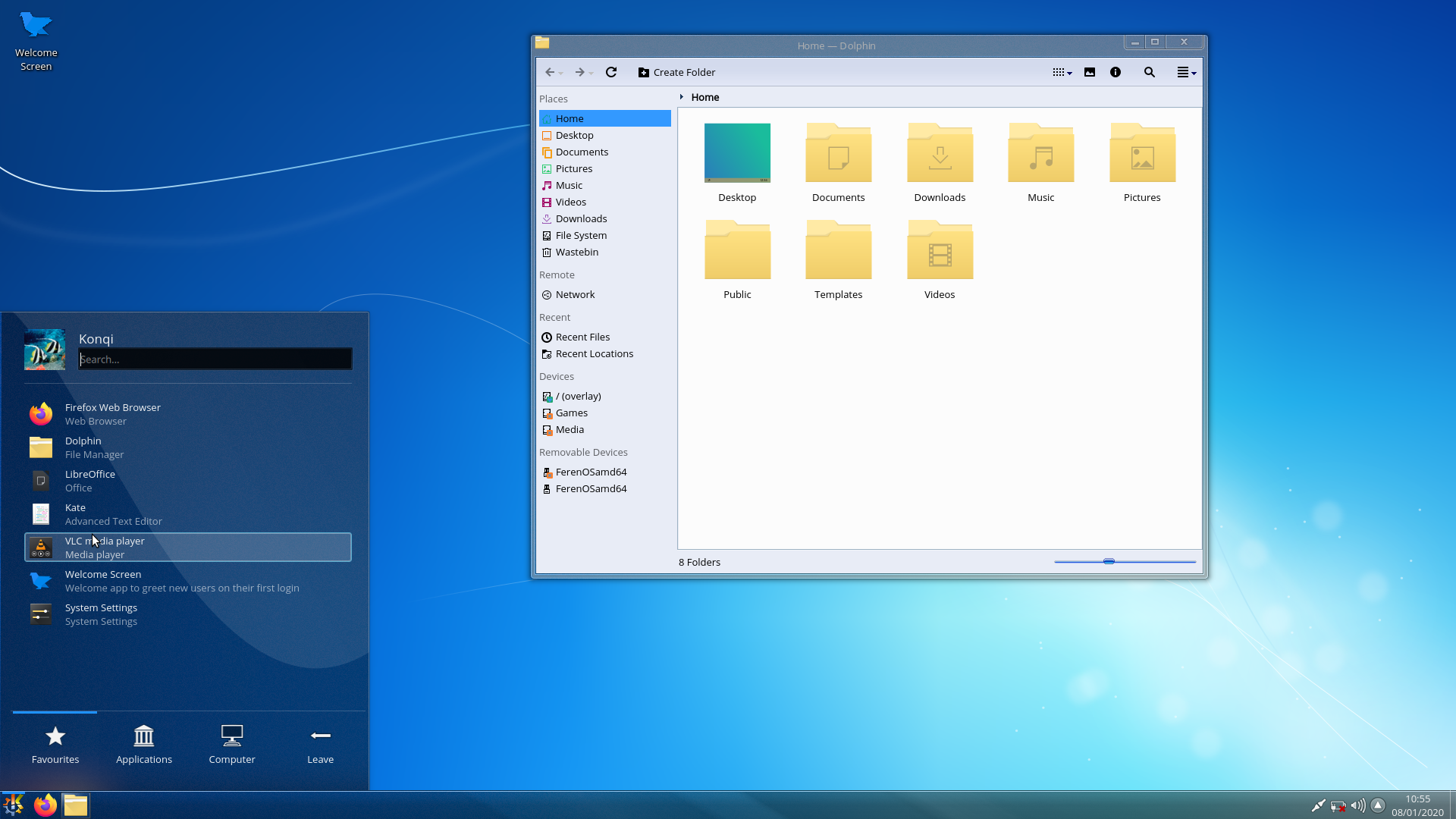
<p>The <a href="https://kde.org/announcements/plasma-5.17.90">Plasma 5.18 LTS Beta</a> is out!</p>
<p>This new version of your favorite desktop environment adds neat new features that make your life easier, including clearer notifications, streamlined settings for your system and the desktop layout, much improved GTK integration, and more. Plasma 5.18 is easier and more fun, while at the same time allowing you to do more tasks faster.</p>
<p>Apart from all the cool new stuff, Plasma 5.18 also comes with LTS status. LTS stands for "Long Term Support" and this means 5.18 will be updated and maintained by KDE contributors for the next couple of years (regular versions are maintained for 4 months). So, if you are thinking of updating or migrating your school, company or organization to Plasma, this version is your best bet. You get the most recent stable version of Plasma for the long term.</p>
<p>Read on to discover everything that is new in Plasma 5.18 LTS…</p>
<h2 id="desktop">Plasma</h2>
<figure class="float-right text-right">
<a href="http://www.kde.org/announcements/plasma-5.18/emoji.png" data-toggle="lightbox">
<img src="http://www.kde.org/announcements/plasma-5.18/emoji-wee.png" class="border-0 img-fluid" width="350" height="266" alt="Emoji Selector" />
</a>
<figcaption>Emoji Selector</figcaption>
<br />
<br />
<a href="http://www.kde.org/announcements/plasma-5.18/customize-layout.png" data-toggle="lightbox">
<img src="http://www.kde.org/announcements/plasma-5.18/customize-layout-wee.png" class="border-0 img-fluid" width="350" height="197" alt="Customize Layout Global Settings" />
</a>
<figcaption>Customize Layout Global Settings</figcaption>
<br />
<!--
<a href="http://www.kde.org/announcements/plasma-5.18/do-not-disturb.png" data-toggle="lightbox">
<img src="http://www.kde.org/announcements/plasma-5.18/do-not-disturb-wee.png" class="border-0 img-fluid" width="350" height="306" alt="Do Not Disturb Shortcut" />
</a>
<figcaption>Do Not Disturb Shortcut</figcaption>
<br />
-->
<a href="http://www.kde.org/announcements/plasma-5.18/gtk-csd-theme.png" data-toggle="lightbox">
<img src="http://www.kde.org/announcements/plasma-5.18/gtk-csd-theme.png" class="border-0 img-fluid" width="350" height="237" alt="GTK Apps with CSD and Theme support" />
</a>
<figcaption>GTK Applications with CSDs and Theme Integration</figcaption>
<br />
<a href="http://www.kde.org/announcements/plasma-5.18/night-color-applet.png" data-toggle="lightbox">
<img src="http://www.kde.org/announcements/plasma-5.18/night-color-applet.png" class="border-0 img-fluid" width="350" height="153" alt="Night Color System Tray Widget" />
</a>
<figcaption>Night Color System Tray Widget</figcaption>
</figure>
<ul>
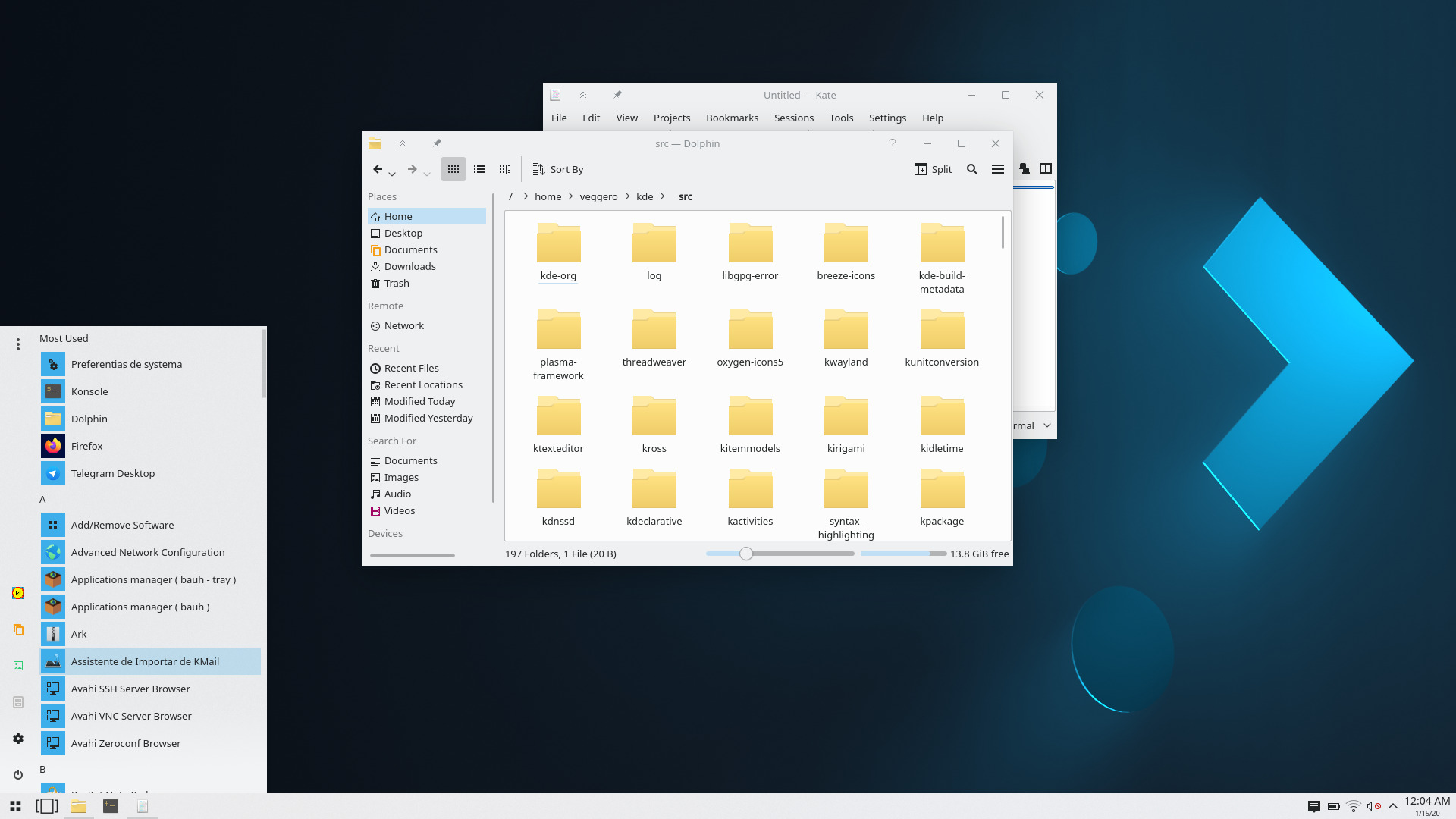
Emoji Selector that can be opened through the application launcher or with the Meta + . keyboard shortcutNew global edit mode which replaces the desktop toolbox button and lets you easily customize your desktop layoutImproved touch-friendliness for the Kickoff application launcher and widget editingSupport for GTK applications which use Client Side Decorations, adding proper shadows and resize areas for themGTK apps now also automatically inherit Plasma's settings for fonts, icons, cursors and more.There's a new System Tray widget for toggling the Night Color feature and by default it automatically appears when it's onMore compact design to choose the default audio device in the Audio Volume System Tray widgetClickable volume indicator and tooltip item highlight indicators in the Task ManagerCircular Application Launcher menu user iconOption to hide the lock screen clockIt's now possible to configure keyboard shortcuts that turn Night Color and Do Not Disturb mode on or offWindy conditions shown in weather widget
<h2 id="notifications">Notifications</h2>
<figure class="float-right text-right">
<a href="http://www.kde.org/announcements/plasma-5.18/draggable-download.png" data-toggle="lightbox">
<img src="http://www.kde.org/announcements/plasma-5.18/draggable-download-wee.png" class="border-0 img-fluid" width="350" height="144" alt="Draggable Download File Icon" />
</a>
<figcaption>Draggable Download File Icon</figcaption>
<br />
<a href="http://www.kde.org/announcements/plasma-5.18/bluetooth-battery.png" data-toggle="lightbox">
<img src="http://www.kde.org/announcements/plasma-5.18/bluetooth-battery-wee.png" class="border-0 img-fluid" width="350" height="172" alt="Low Bluetooth Battery" />
</a>
<figcaption>Bluetooth Device Battery Low Notification</figcaption>
<br />
</figure>
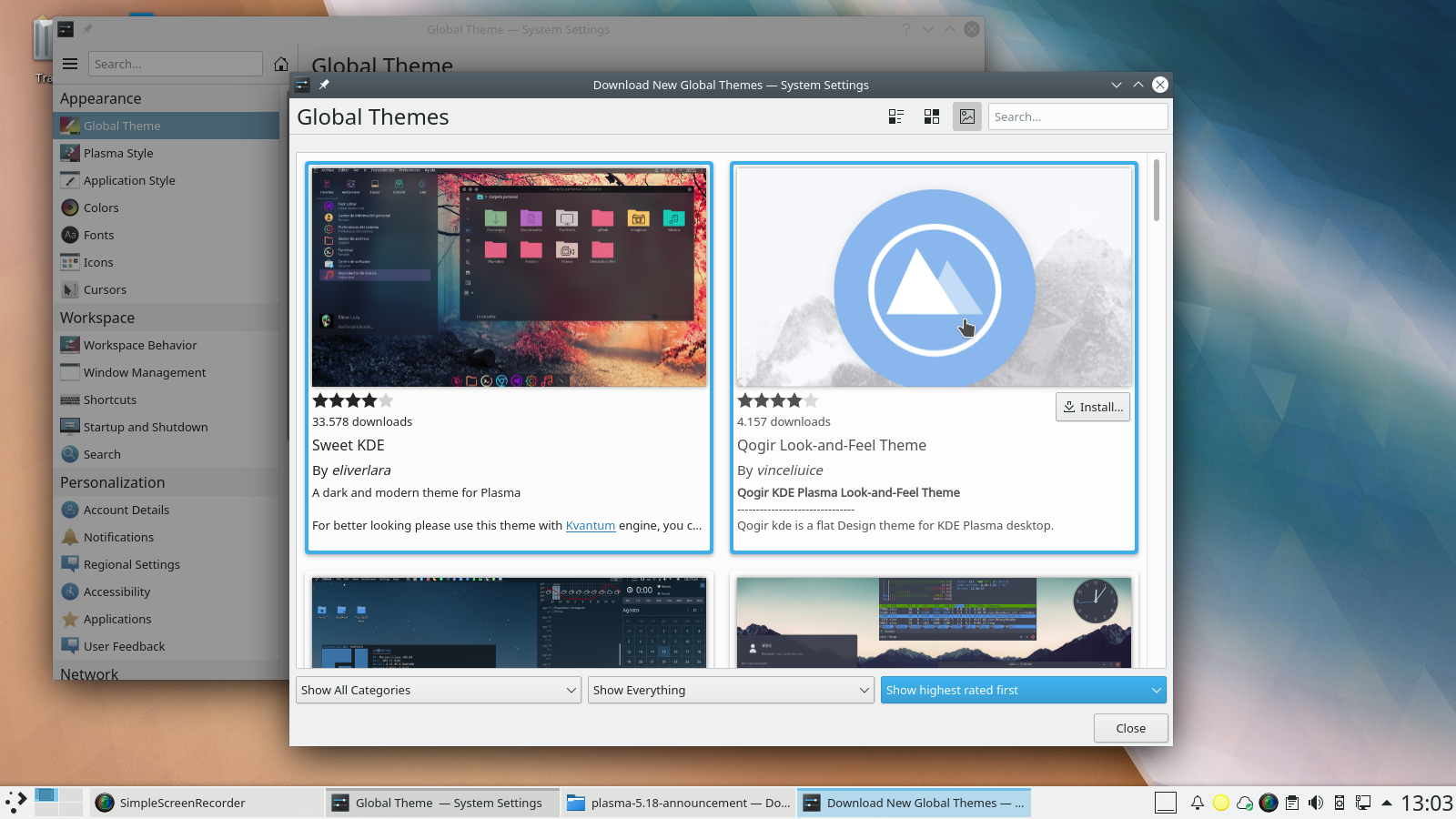
- The timeout indicator on notification popups has been made circular and surrounds the close button
- A draggable icon in the "file downloaded" notification has been added, so you can quickly drag it to places
- Plasma now shows you a notification warning when a connected Bluetooth device is about to run out of power
<h2 id="system-settings">System Settings</h2>
<figure class="float-right text-right">
<a href="http://www.kde.org/announcements/plasma-5.18/user-feedback.png" data-toggle="lightbox">
<img src="http://www.kde.org/announcements/plasma-5.18/user-feedback-wee.png" class="border-0 img-fluid" width="350" height="253" alt="User Feedback" />
</a>
<figcaption>User Feedback</figcaption>
<a href="http://www.kde.org/announcements/plasma-5.18/application-style.png" data-toggle="lightbox">
<img src="http://www.kde.org/announcements/plasma-5.18/application-style-wee.png" class="border-0 img-fluid" width="350" height="253" alt="Application Style" />
</a>
<figcaption>Application Style</figcaption>
</figure>
<ul>
Plasma gained optional User Feedback settings (disabled by default), allowing you to give us detailed system information and statistics on how often individual features of Plasma you useAdded a slider for the global animation speedRedesigned Application Style settings with a grid viewImproved the search in the system settings sidebarAn option to scroll to clicked location in the scrollbar track has been addedThe System Settings Night Color page has a clearer user interface now
<h2 id="discover">Discover</h2>
<figure class="float-right text-right">
<a href="http://www.kde.org/announcements/plasma-5.18/discover-comments.png" data-toggle="lightbox">
<img src="http://www.kde.org/announcements/plasma-5.18/discover-comments-wee.png" class="border-0 img-fluid" width="350" height="302" alt="Reading and Writing Review Comments" />
</a>
<figcaption>Reading and Writing Review Comments</figcaption>
</figure>
<ul>
<li>Discover's default keyboard focus has been switched to the search field</li>
<li>It's now possible to search for add-ons from the main page</li>
<li>Added nested comments for addons</li>
<li>Made design improvements to the sidebar header and reviews</li>
</ul>
<h2 id="more">More</h2>

<figure class="float-right text-right">
    <a href="http://www.kde.org/announcements/plasma-5.18/nvidia.png" data-toggle="lightbox">
        <img src="http://www.kde.org/announcements/plasma-5.18/nvidia-wee.png" class="border-0 img-fluid" width="350" height="289" alt="NVIDIA GPU stats" />
    </a>
    <figcaption>NVIDIA GPU stats</figcaption>
</figure>

<ul>
Decreased the amount of visual glitches in apps when using fractional scaling on X11Made it possible to show NVIDIA GPU stats in KSysGuard
<h2 id="lts">New Since 5.12 LTS</h2>
<p>For those upgrading from our previous Long Term Support release here are some of the highlights from the last two years of development:</p>
<ul>
Completely rewritten notification systemPlasma Browser IntegrationMany redesigned system settings pages, either using a consistent grid view or just an overhauled interfaceGlobal menu support for GTK applicationsDisplay Management improvements including new OSD and widgetFlatpak portal supportNight Color featureThunderbolt Device Management<a href="http://www.kde.org/announcements/plasma-5.17.5-5.17.90-changelog.php">Full Plasma 5.18 LTS Beta changelog</a>
<!-- // Boilerplate again -->
<section class="row get-it" id="download">
<article class="col-md">
<h2>Live Images</h2>
<p>
The easiest way to try it out is with a live image booted off a USB disk. Docker images also provide a quick and easy way to test Plasma. </p>
<a href='https://community.kde.org/Plasma/Live_Images' class="learn-more">Download live images with Plasma 5</a>
<a href='https://community.kde.org/Plasma/Docker_Images' class="learn-more">Download Docker images with Plasma 5</a>
</article>
<article class="col-md">
<h2>Package Downloads</h2>
<p>
Distributions have created, or are in the process of creating, packages listed on our wiki page. </p>
<a href='https://community.kde.org/Get_KDE_Software_on_Your_Linux_Distro' class="learn-more">Get KDE Software on Your Linux Distro wiki page</a>
</article>
<article class="col-md">
<h2>Source Downloads</h2>
<p>
You can install Plasma 5 directly from source. </p>
<a href='https://community.kde.org/Guidelines_and_HOWTOs/Build_from_source' class='learn-more'>Community instructions to compile it</a>
<a href='http://www.kde.org/info/plasma-5.15.90.php' class='learn-more'>Source Info Page</a>
</article>
</section>
<section class="give-feedback">
<h2>Feedback</h2>
<p class="kSocialLinks">
You can give us feedback and get updates on our social media channels: <a class="shareFacebook" href="https://www.facebook.com/kde/" rel="nofollow">Post on Facebook</a>
Share on Diaspora
Share on Reddit
Share on YouTube
Share on Mastodon
Share on LinkedIn
Share on PeerTube
Share on VK
Read More